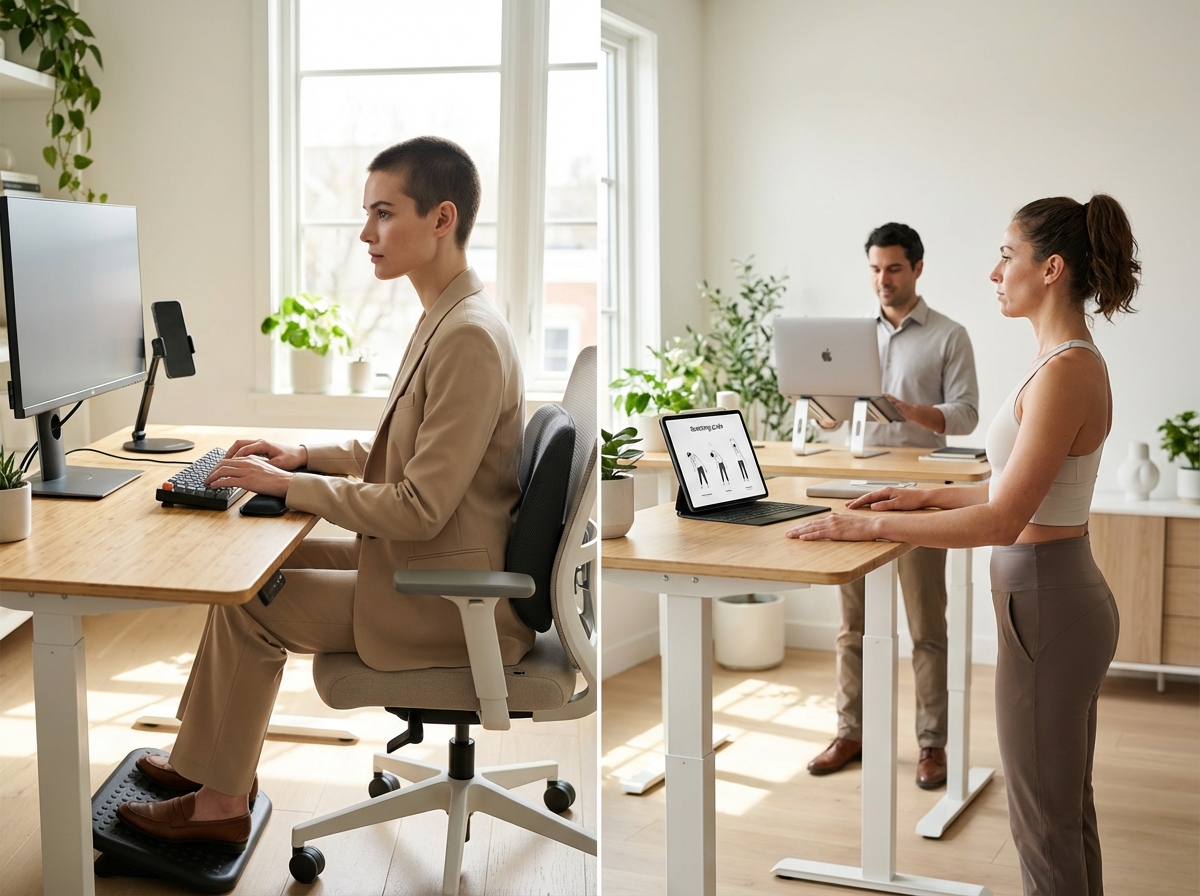
Text Neck Syndrome is a common overuse injury resulting from prolonged forward head posture while using smartphones and laptops. This article explains symptoms, risk factors, and evidence-based exercises, plus practical ergonomic setups for office and remote workers. Learn how to arrange chairs, monitors, keyboards, and mobile habits, implement daily stretching routines, and adopt organizational strategies to prevent neck, back, and wrist pain.
What Text Neck Syndrome Is and Who Is at Risk
Text Neck Syndrome is a repetitive stress injury that occurs when holding the head in a forward and downward position for long periods. Often called “tech neck” or forward head posture in clinical settings, it describes physical damage to the cervical spine and surrounding soft tissues caused by excessive use of mobile devices and poorly arranged workstations. While the term sounds modern, the underlying biomechanical issues are well documented in orthopedic literature. The syndrome involves a loss of the natural curve in the neck, leading to increased tension in the muscles and ligaments that support the head.
The Biomechanics of Forward Head Posture
The human head weighs between ten and twelve pounds when in a neutral position. This alignment allows the cervical spine to support the weight with minimal muscular effort. When tilting the head forward to look at a screen, the effective weight on the neck increases significantly. At a fifteen-degree angle, the weight feels like twenty-seven pounds. At thirty degrees, the load reaches forty pounds. By the time the head is tilted sixty degrees, the neck supports sixty pounds of pressure. This is equivalent to carrying a heavy suitcase or a young child around your neck for several hours a day. The posterior neck muscles must work constantly to prevent the head from falling forward, creating a state of chronic contraction that reduces blood flow and leads to tissue fatigue.
Prevalence and Trends
Recent clinical data indicates that neck pain remains a leading cause of disability. The prevalence of this condition has climbed as remote work became a permanent fixture for millions. Studies indicate that 64.7% of people who work from home report regular neck discomfort. You can find more details on these statistics through the American Neurospine Institute. Among university students, the numbers are even higher, reaching 73%. Children are also increasingly affected because they use tablets and smartphones for both education and entertainment. The annual prevalence rate for neck pain now exceeds 30% across the general population, suggesting that the cumulative impact of screen time is creating a public health crisis affecting every age group.
High Risk Groups in the Modern Workforce
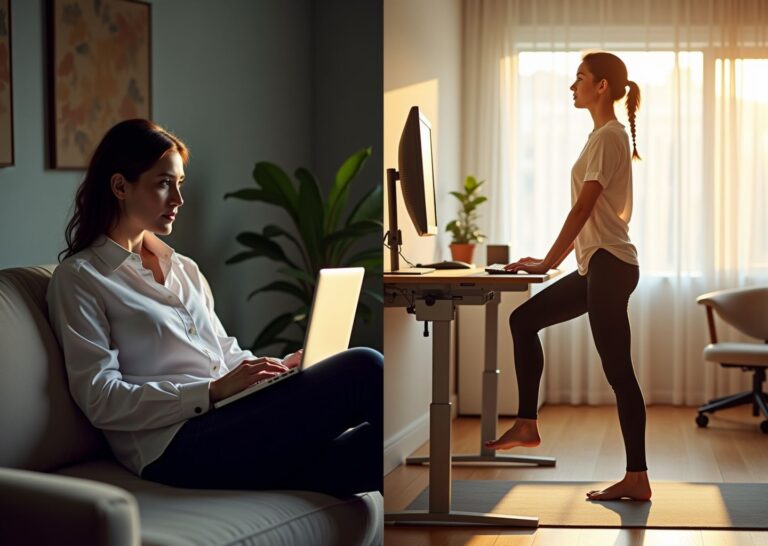
Remote workers are at high risk because home offices often lack professional ergonomic equipment; many work from kitchen tables or sofas where maintaining a neutral spine is nearly impossible. Office workers also face risks due to long hours of sedentary behavior. Gig economy workers who rely on smartphones for navigation and task management are another vulnerable group, often looking down at devices while in transit. Software developers and graphic designers spend intense periods in deep focus, often adopting a “turtle” posture where the chin pokes forward toward the monitor. Even children are now considered a high-risk group due to the early adoption of handheld technology in schools.
Cumulative Loading and Tissue Strain
The damage from Text Neck is the result of cumulative loading rather than a single event. When maintaining poor posture for hours, the ligaments in the neck undergo a process called creep, meaning they slowly stretch and lose their ability to snap back into place. The muscles in the front of the neck become weak and overstretched, while those in the back and top of the shoulders become tight and short. This imbalance creates a cycle of pain and further postural collapse. Over time, constant strain can lead to early degenerative changes in the spinal discs. These discs act as shock absorbers, but excessive pressure can cause them to wear down or bulge, increasing the risk of developing osteoarthritis in the cervical spine at a younger age.
Associated Conditions and Myofascial Pain
Text Neck is rarely an isolated problem. It is frequently associated with tension-type headaches that start at the base of the skull and wrap around to the forehead. Many people also experience myofascial pain syndrome, involving sensitive trigger points in the trapezius and levator scapulae muscles. These “knots” can cause referred pain that travels into the arms or up into the jaw. Another common issue is scapular dyskinesis, where the shoulder blades do not move correctly because the supporting muscles are fatigued, potentially leading to shoulder impingement and upper back stiffness. The sedentary nature of screen work compounds these issues by reducing overall circulation.
Red Flags and Differential Diagnoses
Most cases of neck pain are mechanical, but some symptoms require urgent medical evaluation. Seek professional help if you experience numbness or tingling that travels down the arm into the fingers. This may indicate cervical radiculopathy, a pinched nerve in the neck. Progressive weakness in the hands or a loss of fine motor skills, such as difficulty buttoning a shirt, are serious signs suggesting cervical myelopathy, where the spinal cord itself is compressed. Other red flags include unexplained weight loss, fever, or pain that worsens at night. Inflammatory diseases like rheumatoid arthritis must be ruled out by a specialist. If you experience changes in bowel or bladder control, go to an emergency room immediately.
Glossary of Key Terms
Forward Head Posture
The anterior positioning of the cervical spine where the head is held in front of the vertical midline of the body.
Cervical Lordosis
The natural inward curve of the neck that helps distribute the weight of the head and absorb shock.
Scapular Dyskinesis
An alteration in the normal position or movement of the shoulder blade during arm elevation or at rest.
Cervical Radiculopathy
A condition where a nerve root in the cervical spine is compressed or inflamed, causing pain or numbness in the arm.
Myofascial Trigger Points
Hyperirritable spots in skeletal muscle associated with palpable nodules in taut bands of muscle fibers.
Recognizing Symptoms and Performing a Practical Self Assessment
Recognizing the early signs of Text Neck Syndrome is the first step toward fixing posture before it leads to permanent damage. While often dismissed as a simple muscle ache, it is a complex set of symptoms affecting the upper body. You might start the morning feeling fine, but by lunch, notice a dull ache at the base of the skull. This sensation often spreads down into the area between the shoulder blades, known as interscapular pain, because the stabilizers are working overtime to hold the head up.
The Full Spectrum of Physical Symptoms
Discomfort rarely stays in one spot. You may feel persistent tightness in the upper trapezius muscles running from the neck to the shoulders. When these muscles stay contracted for hours, they develop tender trigger points. You might also experience cervicogenic headaches, which start at the back of the head and move toward the temples, stemming directly from cervical spine strain. Some office workers report a heavy feeling in their head, a sign of extreme muscle fatigue. Stiffness when turning the head or difficulty looking over the shoulder while driving indicates restricted range of motion resulting from chronic forward head posture.
Shoulder and Wrist Discomfort
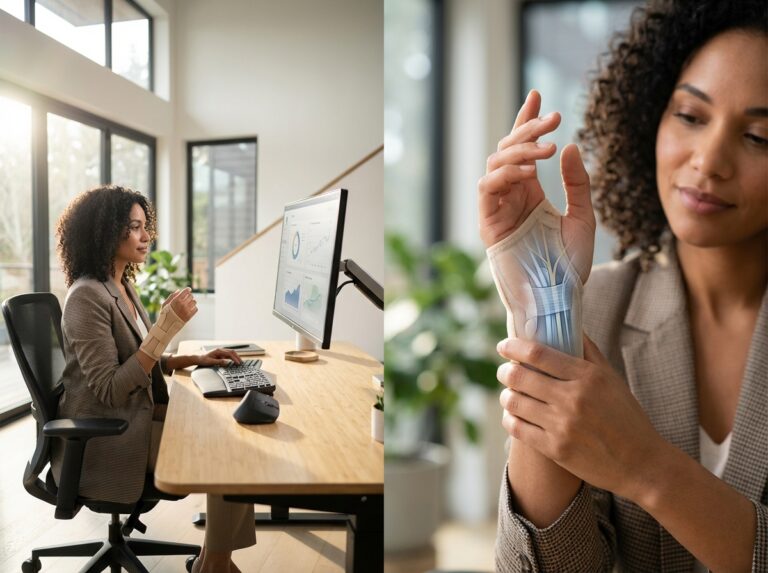
Nerves traveling to the arms and hands originate in the neck; misalignment here can cause downstream issues. You might feel tingling in the fingers, a weak grip, or a dull ache in the wrists. Often mistaken for carpal tunnel syndrome, this is frequently a secondary symptom of Text Neck. The rounded shoulder position compresses nerves in the thoracic outlet, leading to discomfort that mimics repetitive strain injuries in the hands.
Practical Workplace Self Assessments
The Wall Test
Stand with your back against a flat wall, heels about two inches from the baseboard. Your buttocks and shoulder blades should touch the wall. Try to bring the back of your head to the wall without tilting your chin up. If your head cannot reach the wall comfortably, your cervical spine is likely shifted forward, indicating a loss of the natural neck curve.
Head Position Tracking
Have a colleague take a photo of you from the side while working, without changing your posture. Look at the position of your ear in relation to your shoulder. In a neutral spine, the ear canal should be directly above the center of the shoulder. If your ear is two or three inches in front of that line, you are putting massive stress on your spine. Every inch of forward movement adds roughly ten pounds of pressure to the delicate structures of the neck.
The Phone Angle Check
Observe how you hold your mobile device. Most people hold phones at chest or waist level, requiring 45 to 60 degrees of neck flexion. As noted in biomechanical studies, this increases the load on the neck to approximately 60 pounds. Try holding your phone at eye level. If your arms get tired quickly, it is a sign you have been relying on your neck to do the work instead of your upper body strength. You can read more about these physical effects in this article on tech neck and technology.
Standardized Clinical Measures
Clinicians use specific tools to determine severity. The Neck Disability Index is a common questionnaire covering daily functions like lifting, sleeping, and concentration. A score above 30 percent usually indicates a significant impact on quality of life. Doctors also use the Visual Analog Scale, where patients mark pain levels on a line from zero to ten, to track if symptoms improve with ergonomic changes.
Typical Symptom Patterns and Triggers
Symptoms usually follow a predictable pattern: mild or absent upon waking, intensifying as the workday progresses. Common triggers include long video calls where you lean toward the camera or using a laptop on your lap, which forces a deep downward tilt. Symptoms may also flare up during high stress, which causes shoulder shrugging and worsens compression. Brain fog or trouble concentrating may also be related to physical strain, as chronic pain and poor posture can reduce blood flow and cause mental fatigue.
When to Seek Professional Care
Most cases can be managed with better habits, but “red flags” require immediate medical attention. Progressive weakness in arms or legs, dropping objects, or loss of fine motor skills warrant an evaluation. Numbness feeling like an electric shock when moving the neck is serious. The most urgent red flags include changes in bowel or bladder control, suggesting spinal cord compression (myelopathy), which requires urgent intervention.
Diagnostic Steps and Referrals
Primary care doctors typically start with a physical exam to check reflexes, strength, and sensation. Imaging like X-rays or MRIs is usually not the first step; guidelines suggest waiting six weeks unless red flags are present, as many people have asymptomatic disc bulges. Physical therapy is often the most effective treatment. A review of physiotherapy in text neck syndrome highlights that exercise and education are key to recovery, helping correct movement patterns and strengthen supporting muscles.
Ergonomic Workstation Setup to Prevent Text Neck
Setting up a workspace requires more than buying an expensive chair; it involves precise equipment alignment to support the spine’s natural curves. When the body stays in a neutral position, strain on the cervical spine drops significantly. Research consistently highlights that neck pain among remote workers often stems from poor desk ergonomics. A proper setup focuses on keeping the head balanced over the shoulders rather than leaning forward.
The Foundation of the Seated Workspace
Chair Selection and Posture Cues
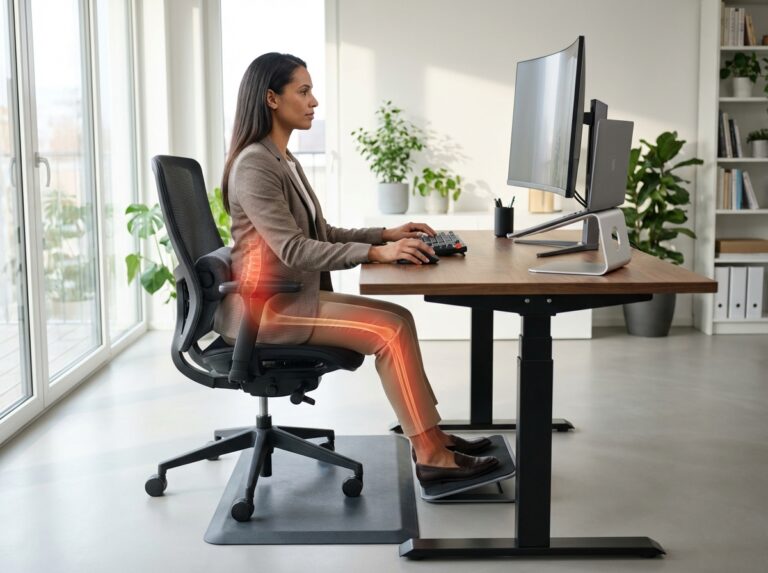
The chair serves as the primary support for the lower back and pelvis. A high-quality chair must have adjustable lumbar support fitting the natural curve of the lower spine. Adjust seat height so feet rest flat on the floor with knees at a 90-degree angle. Seat pan depth is equally important; there should be a two to three-inch gap between the seat edge and the back of the knees to prevent pressure on leg nerves and vessels. Avoid slouching by engaging the core slightly and keeping shoulder blades down. OSHA guidelines suggest the backrest should support the entire spine while allowing for occasional movement.
Visual Alignment and Monitor Placement
Screen Height and Distance
Monitor positioning is the most critical factor in preventing forward head tilt. The top of the screen should sit at or slightly below eye level, encouraging a 20 to 30-degree downward gaze—the most comfortable range for eyes and neck muscles. Viewing distance should remain between 20 and 40 inches from the face. If the screen is too far, the head naturally drifts forward; too close, and eye strain increases. For dual monitors, place them in a slight arc to minimize repetitive neck rotation. The primary screen should be directly in front to avoid sustained twisting.
Laptop Docking and External Displays
Laptops are inherently unergonomic because the keyboard and screen are connected. Using one on a flat table forces a downward gaze. Remote workers should use a laptop riser or stack of books to elevate the screen to eye level. An external keyboard and mouse are necessary when the laptop is raised, allowing arms to stay low while eyes look straight ahead. NIOSH research indicates that separating the input device from the display reduces muscle activity in the upper trapezius and neck extensors.
Input Device Positioning
Keyboard and Mouse Mechanics
The keyboard should sit at a height allowing elbows to stay between 90 and 110 degrees. Wrists must remain in a neutral, straight position. A negative tilt keyboard tray can help maintain this alignment by sloping the back of the keyboard away from the user. Place the mouse directly next to the keyboard to prevent overreaching, which causes external shoulder rotation and tension in the upper back. A vertical mouse can further reduce forearm pronation and wrist strain.
Mobile Device Integration
Phone Use and Accessories
Text Neck often originates from looking down at mobile devices during the workday. Use a desktop phone holder to keep the device at eye level for notifications. For long calls, a wireless headset is superior to holding the phone or cradling it between the shoulder and neck. Voice-to-text features help reduce time spent typing on small screens. These adjustments prevent the extreme cervical flexion that puts massive pressure on neck joints.
Dynamic Movement and Standing Desks
Sit Stand Schedules
Standing desks are effective only if used correctly; standing for eight hours is as harmful as sitting. The goal is to alternate positions every 30 to 60 minutes. When standing, desk height should allow elbows to rest at a 90-degree angle. Wear supportive footwear with arch support rather than working barefoot. A transition approach is best: start with 15 minutes of standing per hour and gradually increase. Anti-fatigue mats can reduce load on the lower back and legs.
Environmental Factors and Low Cost Solutions
Lighting and Document Placement
Poor lighting causes users to lean forward. Ensure the light source is directed away from the screen to prevent glare. If reading physical documents, use a holder clipped to the monitor side to keep the head neutral. Remote workers can create ergonomic setups without expensive furniture: a rolled-up towel can serve as lumbar support, and a sturdy box can act as a footrest if the chair is too high.
Employer Level Ergonomic Strategies
Policy and Support Frameworks
Organizations must take proactive steps to protect team health, including establishing policy templates for ergonomic assessments. Employers should provide virtual consultations for remote staff and mandatory training for new hires on equipment adjustment. Providing a budget for ergonomic chairs and monitor arms is a direct investment in productivity. Hybrid teams benefit from standardized equipment at both locations. APTA guidelines emphasize that early intervention through workplace design reduces long-term musculoskeletal disorder costs.
Ergonomic Checklist for Daily Use
| Feature | Target Measurement | Quick Test |
|---|---|---|
| Monitor Height | Top of screen at eye level | Eyes hit the top 2 inches of the display |
| Viewing Distance | 20 to 40 inches | One arm length away from the screen |
| Elbow Angle | 90 to 110 degrees | Shoulders are relaxed and not shrugged |
| Wrist Position | Neutral and straight | No contact with hard desk edges |
| Knee Gap | 2 to 3 inches | Two fingers fit between seat and knee |
| Foot Placement | Flat on floor or footrest | Thighs are parallel to the floor |
Exercises Mobility and Strengthening Routines for Relief and Prevention
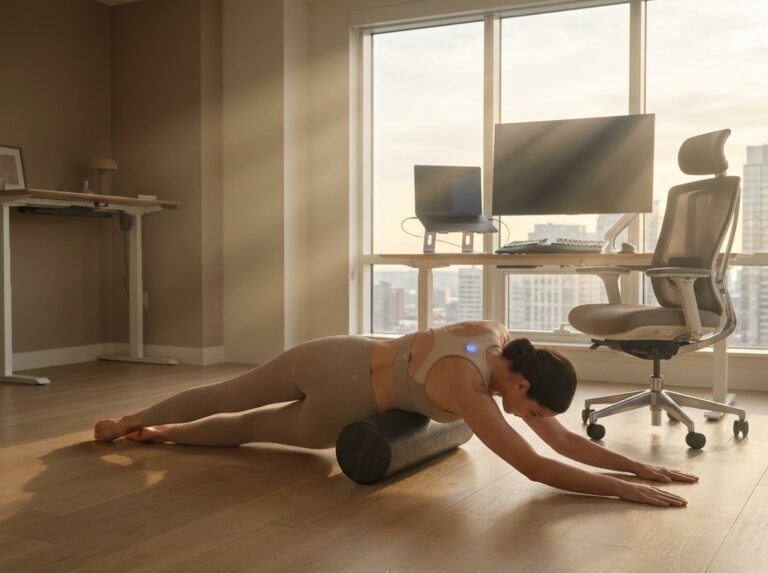
Moving from a perfectly adjusted chair to active movement is the next step in managing physical strain. Ergonomic setups provide a foundation; movement provides the cure. Research indicates that neck pain prevalence remains high despite better equipment due to static loading. Muscles are not designed to hold one position for hours. A consistent routine of mobility and strengthening can reverse structural changes caused by looking down at screens.
Mobility Drills for Immediate Relief
Chin Tucks and Deep Neck Flexor Activation
This exercise targets the small, often inhibited muscles at the front of the neck. Sit upright looking straight ahead. Gently pull your chin back as if making a double chin, keeping the head level without tilting up or down. You should feel a slight stretch at the base of the skull. Hold for five seconds, relax, and perform ten repetitions three times a day. The movement is horizontal; avoid jamming the chin into the chest.
Cervical Rotations
Restoring side-to-side range of motion is essential. Sit tall with shoulders relaxed. Slowly turn your head to the right until you feel a gentle stretch. Hold for two seconds, return to center, and repeat on the left. Perform ten repetitions per side. Keep shoulders still; do not let them rotate with the head. If you feel a sharp pinch, reduce the range of motion.
Thoracic Extensions Over a Chair
A stiff mid-back often forces the neck forward. Use a chair with a mid-height backrest. Sit all the way back, hands behind your neck for support. Lean back over the chair top, focusing on bending through the upper back rather than the lower back. Exhale as you lean, hold for three seconds, and return to start. Perform ten repetitions to counteract slumped posture.
Targeted Stretching for Tight Tissues
Upper Trapezius Stretch
Sit on your right hand to keep the shoulder down. Use your left hand to gently pull your left ear toward your left shoulder while looking straight ahead. Hold for thirty seconds, breathing deeply. Repeat on the other side. Perform two sets per side. Aim for light tension, not pain.
Levator Scapulae Stretch
This muscle connects the neck to the shoulder blade and is a common source of “knots.” Sit on your right hand. Turn your head forty-five degrees to the left and look down toward your left armpit. Use your left hand to apply very light pressure. Hold for thirty seconds. Repeat on the opposite side for two sets. Do not shrug shoulders during the stretch.
Pec Minor Stretch
Tight chest muscles pull shoulders forward. Stand in a doorway, placing forearms on the frame with elbows at shoulder height. Step forward with one foot and lean in until you feel a stretch in the front of the chest. Hold for thirty seconds. Perform three repetitions, keeping the chin tucked to maintain alignment.
Strengthening for Long Term Prevention
Scapular Retractors (Y and T Exercises)
Strong muscles between the shoulder blades keep the spine upright. Lie face down. Reach arms out to the sides to form a T shape, palms down. Lift arms toward the ceiling by squeezing shoulder blades together. Hold for two seconds and lower slowly. Next, move arms up to form a Y shape, lift, and squeeze. Perform three sets of twelve repetitions for each shape, avoiding using the lower back to lift the chest.
Deep Neck Flexor Endurance
Endurance is vital for these muscles. Lie on your back without a pillow. Perform a chin tuck and gently lift your head one inch off the floor, keeping the chin tucked. Hold for ten seconds and lower slowly. Perform five repetitions. If the chin pokes out, the exercise is over. This builds the stamina needed to hold the head up all day.
Rotator Cuff Basics (External Rotation)
Stable shoulders provide a base for the neck. Stand with elbows at sides bent to ninety degrees, holding a light resistance band. Keep elbows tucked in and rotate hands outward, squeezing shoulder blades. Return to start. Perform three sets of fifteen repetitions without letting elbows flare.
Neural Mobilization and Microbreaks
Median Nerve Glides
Nerves can become sensitive from repetitive typing. Extend one arm to the side at shoulder height, palm up. Tilt your head away from the arm. Slowly flex your wrist toward your forearm, then extend it back. Perform ten gentle repetitions. This helps the nerve slide through soft tissues; reduce movement if tingling occurs.
The 60 Second Microbreak Sequence
Perform this every thirty minutes: Stand up, reach arms toward the ceiling, and take a deep breath. Perform five chin tucks and squeeze shoulder blades together five times. Sit back down. This resets posture and improves blood flow. Given the high prevalence of tech neck in home workers, these breaks are mandatory for health.
Progression and Safety Guidance
Start with mobility and stretching for the first week, focusing on form. Once acute tightness subsides, add strengthening exercises. Increase repetitions before resistance. If returning to work after a flare-up, use a pacing strategy: work for fifty minutes, rest for ten. Gradually increase work intervals as endurance improves.
Stop any exercise causing sharp pain. Watch for warning signs of nerve involvement like hand numbness, grip weakness, or radiating pain. If these occur, seek supervised rehabilitation. Clinical findings suggest professional intervention is highly effective for chronic cases. Consistency is the most important factor; small daily efforts lead to significant long-term changes.
Frequently Asked Questions Common Concerns About Text Neck
Is Text Neck reversible?
Reversibility of symptoms
Most cases of Text Neck Syndrome are reversible through consistent behavioral changes. As a repetitive stress injury affecting soft tissues, muscles and ligaments heal well when mechanical stress is removed. If you stop the habit of looking down for hours, inflammation usually subsides. However, chronic neglect can lead to permanent structural changes like early disc degeneration or bone spurs. Addressing pain early before it shifts from a muscular to a skeletal issue is crucial. Research indicates that structured physiotherapy is highly effective for restoring function.
How long until I notice improvement?
Recovery timelines
Timeline depends on symptom duration. Many feel acute pain reduction within the first week of better ergonomics, but real physiological muscle change takes longer. It usually takes four to eight weeks of consistent exercise to build enough strength and endurance in the deep neck flexors. Nerve-related symptoms may take longer to resolve. Consistency is more important than intensity; skipping days resets progress. Most clinical studies show significant functional gains after two months of daily intervention.
Can children get Text Neck?
Pediatric concerns
Children and teenagers are at higher risk than adults because their skeletons are still developing and bones are softer. When a child looks down at a screen, uneven pressure can affect spinal growth plates, potentially leading to permanent postural changes. Parents should encourage children to hold tablets at eye level and set screen time limits. Prevention in childhood is significantly easier than correction in adulthood.
Do standing desks fix the problem?
Standing desk limitations
A standing desk is a helpful tool but not a cure-all. If the monitor is too low, you will still experience Text Neck while standing, merely transferring strain from the lower back to the neck. Avoid static standing for too long to prevent foot and hip pain; alternate between sitting and standing every thirty minutes. A standing desk only works if the monitor top remains at eye level, often requiring a monitor arm.
Best pillow or mattress advice?
Sleep ergonomics
Your sleep environment should support the natural neck curve. Side sleepers need a thicker pillow to fill the gap between shoulder and ear, while back sleepers need a thinner, contoured pillow. Avoid sleeping on your stomach, which forces the neck to stay turned, aggravating joints. The mattress should be firm enough to keep the spine neutral; replacing a sagging mattress can significantly reduce morning stiffness.
Are certain phone habits worse than others?
High risk behaviors
Holding the phone in your lap is the most damaging habit, creating a sixty-degree angle that maximizes leverage and effective weight on the spine. Tucking the phone between ear and shoulder creates extreme lateral strain. Use headphones or speakerphone for calls, and try typing with two hands to balance the load. The best habit is bringing the phone up to eye level, reducing mechanical load on the cervical spine by nearly eighty percent.
When is imaging or surgery necessary?
Clinical red flags
Most neck pain does not require MRI or X-ray; many healthy people have asymptomatic disc bulges. Surgery is a last resort, considered only when there is evidence of nerve damage. Red flags include loss of hand strength, loss of bladder control, or tripping while walking—these require immediate evaluation. Constant pain unchanged by movement is another warning. For most, conservative care (physical therapy and ergonomics) is the standard.
How to adapt ergonomics for small home workspaces?
Small space solutions
You do not need a large office. If working from a kitchen table, use a laptop riser or stack of books to lift the screen, paired with an external keyboard and mouse. If using a dining chair, place a rolled-up towel behind the lower back for lumbar support and use a box as a footrest to keep knees at ninety degrees. These small adjustments make a huge difference in daily pain levels.
Apps and reminders to enforce breaks?
Digital wellness tools
Technology can help solve the problem it caused. Apps like Stretchly or Time Out dim the screen periodically, forcing microbreaks for chin tucks. Other apps use the camera to track posture, alerting you if you slouch. Even a simple kitchen timer works as an external cue to break the cycle of prolonged static loading.
Employer responsibilities for ergonomics?
Corporate duty of care
Employers have a legal and ethical responsibility to provide a safe environment, often including remote workers. Under OSHA guidelines, companies should provide ergonomic equipment or budgets and training. Since neck pain is a leading cause of disability and workers’ compensation claims, preventing injuries is in the company’s best interest. Ask HR about ergonomic assessments; many companies now provide standing desks or chairs as standard benefits.
Final Recommendations and Implementation Checklist
Moving toward a pain-free workday requires a structured shift in how we interact with our tools. With the prevalence of neck issues remaining high among the remote workforce, we need a concrete plan that moves from theory to daily practice.
The 30 Day Implementation Plan
Week 1. The Ergonomic Audit
Focus on the physical environment. Measure monitor height; the top third must be at eye level. If using a laptop, a stand is mandatory, along with an external keyboard and mouse. Check that the chair’s lumbar support fits your lower back and feet rest flat on the floor (or a footrest). Remove physical barriers to good posture.
Week 2. Behavioral Conditioning
Focus on mobile device use. Hold your phone at eye level to prevent extreme forward head tilt. Implement the 20-20-20 rule: every 20 minutes, look at something 20 feet away for 20 seconds to reduce eye strain and reset posture. Use digital reminders to ensure you do not sit for more than 60 minutes at a time.
Week 3. Strength and Mobility
Introduce specific exercises. Focus on chin tucks to strengthen deep neck flexors (three sets of ten, twice daily) and scapular retractions to counter rounded shoulders. Physical therapy interventions have shown promise in managing these symptoms; see the scoping review at PMC.
Week 4. Evaluation and Refinement
Review progress using a zero-to-ten pain scale. If certain tasks still cause discomfort, adjust the setup again. Consistency is the only way to prevent recurrence. Insights on long-term management can be found at the Mayo Clinic Health System.
Measurable Goals and Adherence Metrics
Tracking progress ensures the plan stays on course. Use the following table to monitor your transition to a healthier workspace.
| Metric | Target Goal | Measurement Frequency |
|---|---|---|
| Pain Intensity (VAS Scale) | Reduction of 2 or more points | Weekly |
| Break Adherence | 5 breaks of 5 minutes per day | Daily |
| Exercise Completion | 5 days per week | Weekly |
| Equipment Setup | 100% compliance with eye level monitor | One time check |
Organizational Strategies for Managers
Managers play a vital role in team health. An ergonomic campaign should be part of company culture. Provide equipment stipends for chairs or monitor arms and establish a procurement timeline for new hires. Schedule monthly wellness sessions for stretching demonstrations and encourage a culture where taking breaks is seen as a productivity booster, not slacking off.
Referral Pathways and Professional Support
While self-management is effective for many, some situations require professional intervention. Seek help for numbness, tingling, sharp radiating pain, or persistent headaches. Start with a physical therapist for a personalized program or an occupational health specialist for a workstation assessment. Note that not all neck pain is directly caused by phone use; explore this nuance at the IASP.
Reliable Resources and Tools
Professional Associations
The Human Factors and Ergonomics Society provides technical standards, and the American Physical Therapy Association offers therapist directories.
Assessment Forms
The Rapid Upper Limb Assessment (RULA) tool is a validated method to evaluate ergonomic risk; simple versions are available online.
Digital Reminders
Apps like Stretchly or BreakTimer force microbreaks to prevent static loading and muscle fatigue.
Maintaining a healthy neck is a marathon, not a sprint. Small adjustments made today prevent chronic issues tomorrow. Consistency in your routine is more important than the perfection of your equipment. Stay mindful of your body, listen to early discomfort signals, and follow this structured approach to protect long-term health.
Sources
- Physiotherapy in Text Neck Syndrome: A Scoping Review of Current … — The prevalence of text neck syndrome ranges from 16.7% to 93.2% [20,23,25,26,27,28,29,30,31,32,33]. The findings highlight the urgent need to …
- Text neck is not a pain in the neck – IASP — Text neck, assessed either by self-perception or physiotherapists' opinion, was associated with neither neck pain nor the frequency of neck pain in 18–21-year- …
- Tech neck: Effect of technology – Mayo Clinic Health System — Neck pain is the fourth leading cause of disability, with an annual prevalence rate exceeding 30%. Most episodes of acute neck pain will …
- WHAT IS TECH NECK? – American Neurospine Institute — The prevalence of tech neck, independent of age, is high. Studies indicate that 73% of university students and 64.7% of people who work from home have neck or …
Legal Disclaimers & Brand Notices
The information provided in this article is for informational and educational purposes only and does not constitute professional medical advice, diagnosis, or treatment. Always seek the advice of a physician or other qualified health provider with any questions you may have regarding a medical condition, repetitive stress injury, or physical symptoms. Never disregard professional medical advice or delay in seeking it because of something you have read in this content.
All product names, logos, and brands mentioned in this text, including but not limited to Stretchly, Time Out, and BreakTimer, are the property of their respective owners. All company, product, and service names used in this article are for identification purposes only. Use of these names, logos, and brands does not imply endorsement.