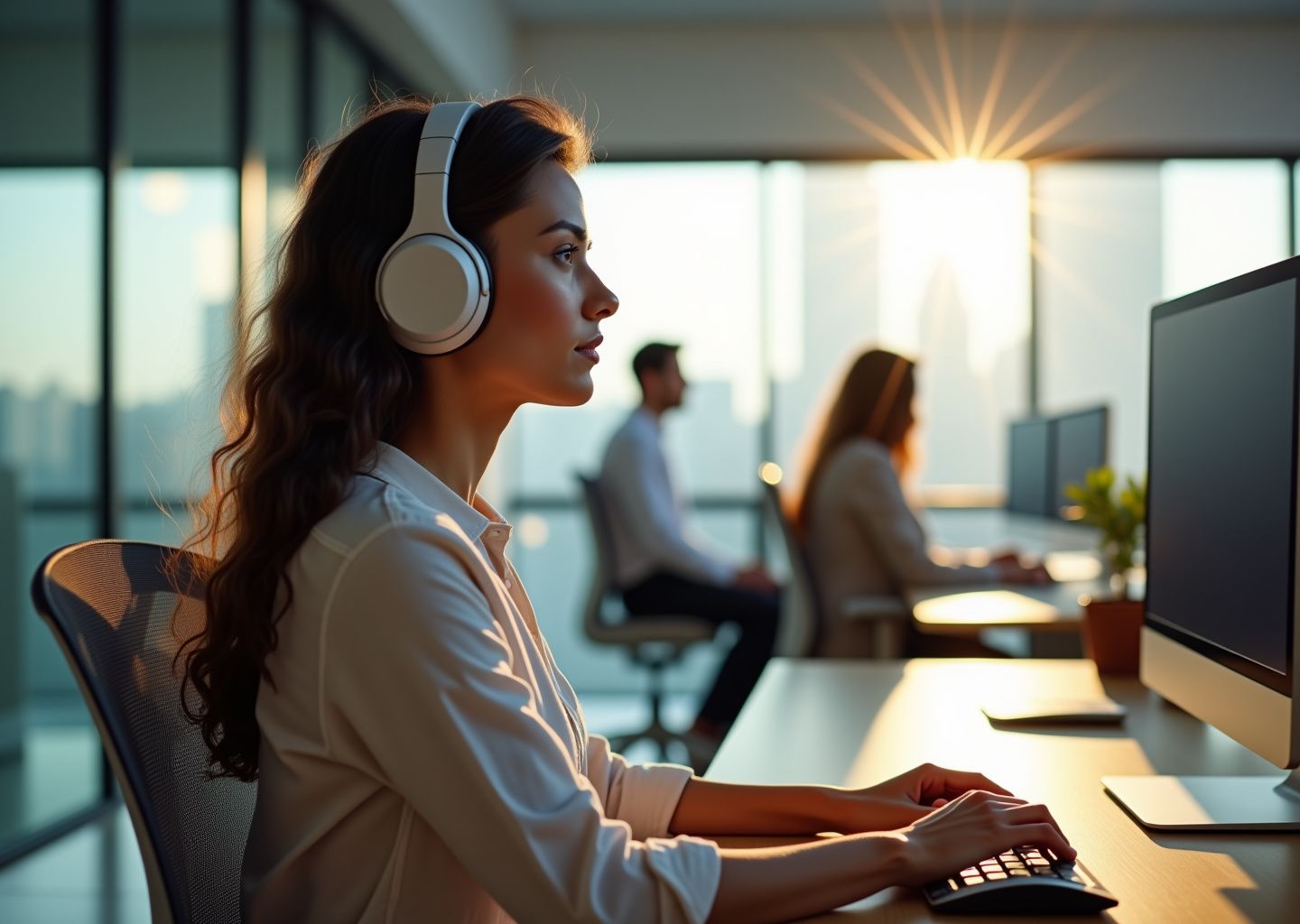
Open offices increase collaboration but also noise that harms concentration and ergonomics. This article explores why active noise canceling matters for desk workers, how different ANC technologies and headphone designs affect comfort and posture, and which top picks deliver the best balance of noise reduction, call quality, and long-wear ergonomics for American offices and remote teams.
Why noise control matters in open offices
Open-plan offices were designed to break down walls and encourage collaboration. For many of us, they just broke our concentration. While we often talk about ergonomics in terms of lumbar support and monitor height, acoustic ergonomics is just as critical for your long-term health and output. Sound affects your body just as much as a poorly adjusted chair does.
The Cognitive Cost of Clatter
Noise isn’t just an annoyance. It is a constant demand on your cognitive resources. When you try to write a report while a colleague discusses their weekend plans three desks away, your brain has to actively filter out that speech to focus on your text. This process, known as the “irrelevant speech effect,” drains mental energy that should be going toward your work.
Research consistently shows that intermittent speech is the most distracting sound in a workplace. Unlike the steady hum of an air conditioner, speech is unpredictable. Your brain is wired to pay attention to language. A widely cited study from the University of California, Irvine, found that it takes an average of 23 minutes and 15 seconds to get back on track after a distraction. If you are interrupted or distracted by noise three times an hour, you are never truly in a state of deep work.
Chronic Stress and Fatigue
Constant noise exposure triggers a physiological stress response. Even if you think you are tuning it out, your body releases cortisol. Over time, this elevated stress hormone level leads to fatigue, irritability, and a higher risk of burnout. You might leave work feeling exhausted not because of the physical labor, but because your sensory processing system has been running a marathon all day.
How Noise Ruins Your Posture
This is where the connection between sound and physical ergonomics becomes clear. We often treat hearing and posture as separate issues, but they are physically linked. When we struggle to hear or focus, our bodies react in specific, often harmful ways.
The “Turtle” Effect
When background noise makes it hard to hear a voice on a call or a thought in your head, the natural reaction is to lean forward. You might crane your neck toward your monitor or hunch over your keyboard. This forward head posture increases the load on your cervical spine significantly. For every inch your head moves forward, the weight on your neck increases by roughly 10 pounds. Over an eight-hour day, that is a massive amount of strain caused simply by acoustic interference.
Sympathetic Muscle Tension
Sudden noises or the frustration of not being able to concentrate causes sympathetic tensing. You might notice your shoulders creeping up toward your ears or your jaw clenching. This is a defense mechanism. If you are wearing headphones that don’t block enough noise, you might press them harder against your ears or tense your neck muscles to stabilize your head, leading to tension headaches and upper back pain.
Micro-movements and Break Neglect
Workers in noisy environments tend to fidget more. These increased micro-movements are a sign of physical unease. Paradoxically, people in loud offices often skip necessary microbreaks. When you finally find a moment of focus amidst the chaos, you are terrified to let it go. You might sit frozen in a bad position for two hours because you don’t want to break the “flow” you fought so hard to get. This neglect of movement leads to stiffness and circulation issues.
The Decibel Reality of Shared Spaces
To understand the scale of the problem, we need to look at the numbers. The Occupational Safety and Health Administration (OSHA) sets limits for high noise, but the “annoyance threshold” for office work is much lower. Concentration typically starts to break down around 55 dB if the sound carries information (like speech).
Here is what the soundscape of a typical open office looks like in 2025:
| Noise Source | Typical Decibel Level (dB) | Ergonomic Impact |
|---|---|---|
| HVAC / Air Conditioning | 50 – 60 dB | Low impact, often acts as white noise, but can cause fatigue if too low-frequency. |
| Typing (Mechanical Keyboards) | 60 – 65 dB | Rhythmic distraction. Can trigger “typing competition” speed stress. |
| Casual Conversation | 60 – 70 dB | High impact. Intelligible speech is the #1 cause of focus loss. |
| Phone Ringing / Notifications | 70 – 75 dB | Sudden spikes cause “startle response” and immediate posture stiffening. |
| Laughter / Impromptu Meetings | 75 – 80 dB | High distraction. Breaks train of thought instantly. |
The Noise Cancelling Office Headphones Market Research Report 2033 indicates that the demand for acoustic solutions is rising precisely because these noise levels are becoming unmanageable in denser workspaces. The mix of constant low-level hum and sharp, high-decibel interruptions creates a difficult environment for cognitive tasks.
Defining Your Audio Goals
Before looking at specific hardware, you need to define what you are trying to achieve. Buying headphones isn’t just about blocking everything out; it is about managing your environment.
Reduction vs. Isolation
Complete silence is rarely the goal and can actually be disorienting. The aim is to reduce the “intelligibility” of background speech so it becomes a background hum rather than a distraction. You want to dampen the sharp noises (a dropped stapler, a laugh) that trigger the startle response.
Situational Awareness
In an office, you still need to know if someone is walking up to your desk. Total sensory deprivation can lead to anxiety—the feeling that you are missing something important. The ideal setup allows you to control when you are available and when you are in a focus bubble.
Communication Clarity
If you are on calls, the person on the other end needs to hear you, not your office neighbors. A headset that cancels noise for you but transmits all the background chaos to your client is an ergonomic failure for the listener.
Long-term Wearability
Since you might wear these devices for four to six hours a day, physical comfort is paramount. Heavy clamping force or heat buildup on the ears will just trade acoustic pain for physical pain. As noted in guides like The Best Noise Cancelling Headsets for Work in 2025, finding the right balance between noise isolation and physical weight is the key to all-day usability.
Controlling noise is about reclaiming your cognitive space and protecting your physical well-being. Once you understand the heavy toll that bad acoustics take on your body and work, the value of the right equipment becomes obvious.
How active noise canceling works and what to look for
Understanding how headphones actually block sound helps you choose the right tool for a busy office. You are not just buying a speaker; you are buying a complex system of microphones, processors, and physical materials working together to create silence.
The Mechanics of Silence: Active vs. Passive
Noise control happens in two ways: physical blocking (passive) and digital cancellation (active). You need both for a truly quiet workspace.
Passive Noise Isolation
This is the low-tech side. It relies on the physical seal of the headphones against your head. Think of it like closing a heavy door. Thick earpads and a tight clamp block high-frequency sounds, such as human speech, typing clatter, and ringing phones. No battery is required for this. If the headphones fit poorly or the materials are cheap, sound leaks in regardless of how good the electronics are.
Active Noise Canceling (ANC)
This is where the electronics come in. ANC uses microphones to listen to incoming noise and generates an “anti-noise” sound wave. This wave is the exact inverse of the noise. When the two waves meet, they cancel each other out. ANC is most effective against low-frequency, constant drones like HVAC systems, computer fans, or distant traffic. It struggles more with sudden, sharp sounds, which is why passive isolation is still necessary.
ANC Architectures Explained
Not all ANC is built the same. The placement of the microphones determines how well the headphones handle different types of office noise.
Feedforward ANC
The microphone sits on the outside of the earcup. It hears the noise before it reaches your ear and processes it quickly. This is excellent for canceling mid-frequency noise and is generally cheaper to implement. However, because it never hears what you actually hear inside the cup, it can’t self-correct. It is also sensitive to wind noise hitting the mic directly.
Feedback ANC
The microphone is placed inside the earcup, near the driver. It listens to exactly what your ear is hearing and corrects the signal. This is great for low frequencies and ensures the audio sounds consistent even if the fit isn’t perfect. The downside is that it can’t react to high-frequency sounds quickly enough, and if designed poorly, it can cause a high-pitched feedback squeal.
Hybrid ANC
This is the industry standard for premium office headphones in 2025. It uses microphones on both the inside and outside. The external mics handle the mid-frequency environmental noise, while the internal mics clean up the low-end rumble and correct errors. This architecture provides the broadest range of silence, effectively dampening both the office AC and the chatter from the breakroom.
Critical Specifications for Office Use
When reading spec sheets, look beyond the marketing terms. Here are the specific features that impact daily work performance.
Measured Noise Reduction
Manufacturers often claim “up to 40dB reduction,” but this usually applies only to a specific low frequency. Look for independent tests that show attenuation across the spectrum. A drop of 30dB in the mid-range (speech frequencies) is significantly better for focus than 40dB in the low bass range.
Transparency and Ambient Modes
In an open office, you cannot be completely deaf to the world. You need to hear a colleague asking a question without taking your headset off. High-quality transparency modes use the external mics to pipe sound in naturally. Poor implementations sound robotic or amplify white noise, which becomes fatiguing.
Microphone Beamforming
For calls, what your headphones do to your voice matters as much as what they do to the noise. Beamforming arrays use multiple microphones to identify where your mouth is and suppress sounds coming from other directions. Look for models that specify “AI-based noise suppression” for the microphone, which filters out keyboard clicking while you talk.
Bluetooth Codecs and Latency
If you do video editing or sensitive audio work, the Bluetooth codec matters. SBC is the basic standard. AAC is essential for Apple users. Android users should look for aptX HD or LDAC for higher audio quality. For video calls, low latency is critical to prevent lip-sync issues. Some headphones offer a “Gaming” or “Low Latency” mode that reduces the delay to under 40ms.
Multipoint Connectivity
This is non-negotiable for office work. Multipoint allows you to connect to your laptop and phone simultaneously. You can take a Zoom call on your computer and seamlessly switch to an incoming call on your mobile without digging through Bluetooth settings.
Ergonomics and Physical Comfort
You might wear these headphones for four to six hours a day. Comfort is a technical specification, not just a luxury.
Clamping Force and Weight
Clamping force is the pressure the headband exerts to keep the cups sealed. It is measured in grams or Newtons. A clamp that is too tight causes tension headaches and jaw pain after an hour. A clamp that is too loose breaks the acoustic seal, ruining the noise isolation. Generally, headphones under 270 grams are comfortable for all-day wear. Once you exceed 300 grams, the headband design must be exceptionally wide to distribute the weight.
Earpad Materials and Heat
Leatherette (synthetic leather) provides the best passive noise isolation but traps heat. Velour or fabric breathes better but leaks sound. For office use, high-quality memory foam wrapped in soft protein leather is usually the best compromise. If you wear glasses, look for softer foam that molds around the frames rather than pressing them into your temples.
Microbreaks and Wear Time
Even the most ergonomic headphones create fatigue. The closed environment increases humidity in the ear canal and puts pressure on the sensitive tissues around the jaw. It is recommended to remove headphones for five minutes every hour. This resets the pressure on your head and allows your ears to breathe, preventing the “underwater” feeling that comes from prolonged ANC use.
Choosing the right balance of isolation and comfort is key to maintaining productivity without physical strain. For a broader look at how different models handle these trade-offs, you can check guides like this review of noise cancelling headsets which breaks down current market options.
Battery and Charging
In 2025, a standard battery life is 30 hours with ANC on. Fast charging is a lifesaver; look for models that give you 3-5 hours of use from a 10-minute charge. Also, verify if the USB-C port supports “audio over USB.” This allows you to use the headphones as a wired digital headset while charging them from your laptop, ensuring you are never disconnected during a critical meeting.
Top picks for open offices and who they suit
Finding the right tool for an open office isn’t just about silencing the chatter around you. It is about finding a device you can physically tolerate wearing for six to eight hours a day. We understand the technical side of active noise canceling (ANC) from the previous section. Now we apply that to real-world hardware.
The following selections prioritize ergonomic weight distribution and clamping force just as much as decibel reduction. A headset that blocks noise but causes a tension headache after 90 minutes is a failure in a professional setting.
Best Overall for Focus and Comfort
Sony WH-1000XM5
This model remains the standard recommendation for knowledge workers who need deep isolation. The ANC uses eight microphones and two processors to automatically optimize noise canceling based on your wearing conditions and environment. It excels at dampening the mid-frequency range, which includes human speech—the biggest distraction in open offices. The headband is thinner than previous iterations, and the “soft fit” leatherette reduces pressure on the ears.
- Target User: Writers, coders, and analysts who need long blocks of uninterrupted focus.
- Pros: Industry-leading ANC, lightweight (approx. 250g), multipoint connection allows pairing to a laptop and phone simultaneously.
- Cons: The earcups do not fold up for compact travel; the headband padding is minimal for some head shapes.
- Price Bracket: Premium.
- Alternative: Bose QuietComfort Ultra Headphones if you prioritize comfort over raw ANC power.
Best for Voice Calls and Meeting Clarity
Jabra Evolve2 65 Flex
Consumer headphones often struggle to isolate your voice from background noise. The Evolve2 65 Flex solves this with a fold-out boom arm. Physics still wins here; placing a microphone closer to your mouth provides better clarity than beamforming arrays located on your ear. This headset is certified for major platforms like Microsoft Teams and Zoom, ensuring you don’t sound robotic during client calls.
- Target User: Hybrid workers, sales professionals, and managers who spend more than 40% of their day on calls.
- Pros: Superior microphone isolation, dedicated mute boom arm, extremely compact folding design.
- Cons: On-ear design (supra-aural) puts pressure directly on the ear cartilage, which can become uncomfortable faster than over-ear models.
- Price Bracket: Midrange to Premium.
- Alternative: Poly Voyager Focus 2.
For a broader look at headsets specifically tuned for communication rather than just music, you might find this guide on the best noise cancelling headsets for work useful for comparing microphone specs.
Best for Budget-Conscious Buyers
Anker Soundcore Space Q45
You do not need to spend hundreds of dollars to get effective noise reduction. The Q45 offers adaptive ANC that blocks a significant amount of low-frequency engine drone and office HVAC noise. While the build quality uses more plastic than premium rivals, the ergonomic fit is surprisingly accommodating for larger heads. It supports the LDAC codec, which is rare at this price point, offering higher-quality audio for Android users.
- Target User: Students, interns, or businesses outfitting a large team on a budget.
- Pros: Exceptional battery life (50+ hours with ANC on), strong app support for EQ adjustments, solid noise isolation for the price.
- Cons: Microphone quality is average; the transparency mode sounds slightly artificial compared to Sony or Apple.
- Price Bracket: Budget.
- Alternative: 1More SonoFlow.
Best for Lightweight All-Day Wear
Bose QuietComfort Headphones
Ergonomics is often a game of grams. The standard QuietComfort line (formerly the QC45) is legendary for a reason. It features a low clamping force and deep earcups that accommodate ears without pinning them against the skull. For users who wear glasses, this is often the only over-ear option that does not drive the frames into the temples, preventing the “spectacle headache” common with tighter headsets.
- Target User: Users with glasses, sensitive scalps, or those who wear headphones for 6+ hours continuously.
- Pros: Extremely comfortable, physical buttons (tactile control is often better than touch controls in offices), neutral sound profile.
- Cons: ANC is static (not adaptive like the Ultra or Sony), battery life is lower than competitors (24 hours).
- Price Bracket: Midrange.
- Alternative: Sony WH-CH720N (Budget lightweight option).
Best for Apple and Android Ecosystems
Apple AirPods Max (USB-C)
If your workflow relies entirely on a MacBook, iPad, and iPhone, the seamless switching provided by the H1 chip is a significant productivity booster. The transparency mode is the most natural in the class, allowing you to hear a colleague approach without taking the headset off. However, be aware of the weight. At nearly 385 grams, they are significantly heavier than the competition, which poses a risk for neck strain during prolonged static posture.
- Target User: Creative professionals deep in the Apple ecosystem who need color accuracy in audio and seamless device handoff.
- Pros: Unmatched transparency mode, exceptional build quality, spatial audio integration.
- Cons: Heavy (ergonomic risk), expensive, features are limited if paired with Windows or Android.
- Price Bracket: Premium.
- Alternative: Sonos Ace (Good cross-platform integration).
Best Wired Option for Latency-Sensitive Work
Audio-Technica ATH-M50xBT2
While these are wireless, they are included here because they shine when used with the included cable. Bluetooth introduces latency, which causes lip-sync issues when editing video or audio. The M50xBT2 retains the studio-standard sound signature of the original M50x but adds a battery and Bluetooth connectivity. Note that this model relies on passive isolation, not active cancellation. When work gets serious, you plug them in.
- Target User: Video editors, sound designers, and producers who cannot tolerate audio lag.
- Pros: Zero latency in wired mode, industry-standard sound profile, durable construction.
- Cons: Passive isolation is good, but it lacks the active noise canceling found in Bose or Sony models; earpads can get warm.
- Price Bracket: Midrange.
- Alternative: Sennheiser HD 450BT (If ANC is required).
Earbuds vs. Over-Ear: An Ergonomic Distinction
Many workers prefer earbuds like the Apple AirPods Pro 2 or Sony WF-1000XM5 for their low profile. They are excellent for avoiding “headphone hair” and are less obtrusive on video calls. However, from an ergonomic perspective, over-ear headphones are generally superior for long-term health.
In-ear monitors (IEMs) or earbuds bypass the outer ear’s natural filtering, directing sound pressure straight to the eardrum. This increases the risk of listening fatigue. Furthermore, keeping a foreign object inside the ear canal for hours traps moisture and can lead to irritation or infection. Over-ear models distribute weight across the head and allow the ear to breathe better, provided you take the microbreaks we will discuss in the next section.
If you must use earbuds, consider them for meetings only, and switch to over-ear models or external speakers for deep work sessions. This rotation reduces ear canal fatigue and helps manage the physical load on your head and neck.
How to integrate headphones into an ergonomic workstation
Adding high-end audio gear to your desk setup changes more than just what you hear. It changes how you sit, how you move, and how your colleagues perceive your availability. A heavy set of over-ear headphones introduces new physical variables to your ergonomic equation. You need to adjust your workstation to accommodate them, or you risk trading distraction for tension headaches.
Headband Positioning and Neck Alignment
Most users instinctively place the headband directly on the center of the skull. This often causes the band to slide backward. To compensate, you might unconsciously tilt your chin up or push your head forward. This “turtling” posture adds significant leverage to the weight of the head, straining the cervical spine. Place the headband slightly forward, closer to your hairline. It should feel balanced without needing neck tension to hold it in place. If you feel pressure on the crown of your head, adjust the ear cup sliders. The cups should support some of the weight by clamping gently around the ears, not just hanging from the top band.
Jaw Tension and TMJ Checks
Noise canceling relies on a good seal. However, excessive clamping force creates pressure on the temporomandibular joint (TMJ). This is common with brand-new headphones that haven’t been broken in. If you clench your jaw while concentrating, tight headphones will amplify the resulting pain. Do a “finger check” once you have them on. You should be able to slide the tip of your pinky finger between the pad and your jawline with only slight resistance. If it is too tight, store the headphones overnight stretched over a box or a row of books slightly wider than your head to relax the band tension.
Adjusting Your Chair and Monitor
Wearing headphones creates a sense of isolation that can alter your spatial awareness. People often lean closer to their screens when their auditory environment shrinks. This ruins the focal distance you set up for your monitor. Reset your posture. Sit back in your chair with your lower back supported. Extend your arm. Your fingertips should just touch the screen. If you wear progressive lenses or glasses, the pressure of the ear cups on the frames can tilt your glasses, forcing you to adjust your head angle to see clearly. Adjust your monitor height rather than your neck. The top of the screen should still be at or slightly below eye level. Tip: If you wear glasses, consider switching to frames with thin, flat temple arms for work to maintain the acoustic seal and reduce pressure.
The 30-50 Wearing Schedule
Heat buildup and moisture accumulation inside the ear cups happen quickly. This creates a breeding ground for bacteria and fatigues the outer ear cartilage. Do not wear headphones for four hours straight. Adopt a 30-50 cycle. Work for 30 to 50 minutes with ANC on. Then, take them off completely for 5 to 10 minutes. This is distinct from just pausing the music. Air must circulate around the ear canal. During this break, stand up. The change in blood pressure helps reset your focus.
Stretches for Headphone Users
The added weight of a headset, even a light one, fatigues the trapezius muscles over time. Incorporate specific movements during your breaks to counteract this.
- Chin Tucks: While sitting straight, pull your chin back horizontally as if making a “double chin.” Hold for three seconds. This aligns the ears over the shoulders.
- Jaw Release: Open your mouth wide and gently massage the muscle just below your earlobes where the jaw hinges. This counteracts clamping pressure.
- Shoulder Shrugs: Lift your shoulders to your ears, hold tight for five seconds, and drop them suddenly. Repeat three times to release tension from the headband weight.
Sit-Stand Desk Cable Management
If you prefer wired connections for higher fidelity or lower latency, sit-stand desks pose a risk. A standard 1.2-meter cable is often too short when the desk is in standing mode. If you stand up too fast, you can rip the headphones off your head or damage the audio port. Route the cable under the desk surface using adhesive clips. Ensure you have a coiled extension cable or a dedicated 3-meter studio cable. This provides enough slack for the desk to reach its full height without tension. For storage, do not leave headphones on the desk surface where they collect dust or get knocked over. Install a hook under the desk edge. This keeps the gear safe and clears your workspace.
Configuring Audio for Calls
Operating systems in 2025 still struggle with automatic switching between high-fidelity audio and voice communication protocols. For meetings, you must select the correct mode. In your conferencing software, ensure the “Headset” profile is selected for both input and output. This activates the Hands-Free Profile (HFP) which allows the microphone to work but lowers audio quality. For solo work, switch back to “Headphones” or “Stereo” mode. If vocal clarity is critical, consider using an external USB microphone. Even the best noise cancelling headsets for work often compress voice data over Bluetooth, making you sound distant. An external mic allows you to keep the noise canceling benefits for your ears while sending uncompressed audio to your team.
Managing Workplace Etiquette
In an open office, headphones are a universal “do not disturb” sign. This can unintentionally block urgent communication. Establish a visual system. If you are in deep focus, wear them with both ears covered. If you are open to interruption, wear one ear cup slightly off or use “Transparency” mode if your model supports it. Be mindful of your own volume. ANC prevents you from hearing how loud you are typing or speaking. Check your voice settings in apps like Teams or Zoom; enable “sidetone” or “mic monitoring.” This feeds a small amount of your own voice back into your ears, preventing you from shouting during calls.
Hygiene and Maintenance
Ear pads degrade faster than the electronics. Sweat breaks down the protein leather or velour, causing flaking and loss of the acoustic seal. Wipe the pads down daily with a microfiber cloth. Do not use alcohol-based wipes on leatherette, as this accelerates cracking. Use a slightly damp cloth with water or a dedicated headphone cleaner. Replace the pads every 12 to 18 months. Fresh pads restore the original noise isolation performance and ensure the clamping pressure remains even across the jaw. Before purchasing, confirm that the manufacturer sells replacement pads; this simple maintenance step can double the lifespan of your device.
Frequently Asked Questions common concerns answered
Even with a perfectly adjusted chair and a scheduled break routine, introducing active noise cancellation (ANC) into your daily workflow raises valid questions. You might wonder about the long-term effects on your hearing or how to navigate office etiquette when you cannot hear your colleagues. These concerns are practical. They impact your health and your professional relationships. Here are the answers to the most frequent inquiries regarding ANC usage in shared workspaces.
Do noise canceling headphones damage hearing over time?
This is a common misconception. The technology itself does not emit harmful radiation or damaging pressure. It generates “anti-noise” to cancel out low-frequency sounds. The real danger to hearing comes from high volume levels. In a loud open office, people often turn up the volume on standard headphones to drown out chatter. This is called “masking” and it is dangerous. ANC allows you to listen at much lower volumes because the background noise is already suppressed. This protects your ears. You should still follow the 60/60 rule. Listen at no more than 60% volume for no more than 60 minutes at a time.
Will I miss fire alarms or urgent questions from colleagues?
ANC is most effective against constant, low-frequency drones like air conditioners or distant traffic. It is less effective against sudden, high-pitched spikes in audio. You will likely still hear a loud fire alarm. Human speech sits in a frequency range that some ANC headsets dampen significantly but do not eliminate. To be safe, you should utilize the “Transparency” or “Ambient” mode found on most modern devices. This uses the external microphones to pipe outside sound into your ears. Test this in your specific office environment. Turn on transparency mode and have a colleague speak to you from ten feet away. If you cannot hear them clearly, you need to adjust the ambient volume settings in the companion app.
Can I use these headphones for professional video calls?
Most consumer ANC headphones now come with built-in microphones, but the quality varies. For internal meetings, they are usually sufficient. For client-facing calls, you must ensure the microphone isolates your voice from the office clutter. Look for models with “beamforming” microphones. These focus physically on your mouth and reject noise from the sides. Another critical feature for calls is “sidetone.” This technology feeds a small amount of your own voice back into your ear. Without it, you will naturally speak louder because your ears are plugged. This causes vocal strain and annoys your neighbors. Check guides on headsets for work to see which models prioritize microphone clarity over pure music playback.
Is a wired connection better than wireless for office work?
Wireless offers freedom. You can stand up and stretch without taking the headset off. This encourages the micro-movements necessary for good ergonomics. However, Bluetooth can have connection hiccups or battery drains. A wired connection is foolproof. It has zero latency and requires no battery for audio transmission, though you still need battery power for the ANC function on most models. If your work involves precise audio editing or you work in an area with heavy wireless interference, a wired connection is superior. For general typing and calls, the ergonomic benefit of being untethered usually outweighs the stability of a wire.
How do I handle workplace policies that discourage headphones?
Some managers view headphones as a sign that you are unapproachable. You need to communicate your intent. Explain that you use them to focus on deep work tasks, not to ignore the team. Establish a visual signal. You might use a small desk light or a specific slack status to indicate when you are in “focus mode.” When you are available for collaboration, take the headphones off or hang them around your neck. This visual cue helps balance your need for concentration with the office culture of availability. Transparency mode is useful here too, as it allows you to reply instantly if someone approaches you, reducing the friction of wearing the device.
What should I do if the noise cancellation causes ear pressure?
Some users experience a sensation similar to changing altitude in an airplane. This is caused by your brain misinterpreting the lack of low-frequency sound as a pressure differential. If you feel this “eardrum suck,” do not force yourself to endure it. It can lead to headaches and fatigue. Check the companion app for your headphones. Many high-end models allow you to adjust the intensity of the ANC. Lowering the setting from “High” to “Medium” often eliminates the pressure sensation while still blocking enough noise to be useful. If the feeling persists, you may need to switch to passive noise isolation headphones that rely on thick padding rather than electronic cancellation.
Do I need to worry about battery life for a standard 9-5 shift?
Most modern ANC headphones offer 20 to 30 hours of battery life. This easily covers two or three workdays. The market for hybrid ANC headphones has pushed battery efficiency forward rapidly. However, batteries degrade. In two years, that 30 hours might become 15. You should establish a charging routine. Plug them in every other night. Look for models with a “quick charge” feature. This usually gives you three hours of use from a ten-minute charge. This saves you when you forget to plug them in and have a morning meeting. Avoid leaving them plugged in constantly at 100%, as this accelerates battery aging.
Conclusion final recommendations and next steps
We have covered the technical specifications and answered the most common questions about using active noise canceling technology in shared workspaces. You now have the data on battery life and the science behind noise reduction. The final step is translating that information into a purchase that supports your physical health and productivity.
Your Ergonomic Buying Checklist
Selecting the right tool goes beyond brand names or aesthetic appeal. You need a device that functions as an extension of your body without causing strain. Use this checklist to filter your options before you commit to a purchase.
Comfort and Fit
This is the single most critical factor for office use. A headset might have world-class silence but it is useless if it causes a headache after forty-five minutes. Look for plush memory foam ear cups and a headband with generous padding. If you wear glasses you must verify that the clamping force does not press the frames into your temples.
Weight Distribution
Heavy headphones compress the cervical spine over time. This leads to neck strain and tension headaches. Aim for models that feel balanced rather than just light. A well-balanced heavier headset often feels lighter than a poorly balanced light one.
ANC Quality vs. Ear Pressure
Strong noise cancellation sometimes creates a sensation of pressure on the eardrums. This is known as cabin pressure. You need to test if the silence feels natural or if it creates a vacuum sensation that makes you dizzy.
Microphone Performance
Open offices are loud. Your microphone needs to isolate your voice from the colleague laughing three desks away. Boom mics generally perform better than integrated microphones for this specific task.
Battery and Charging
Your device must last through a full eight-hour shift on a single charge. Fast charging is also essential for those moments you forget to plug in overnight. Five minutes of charging should give you at least an hour of use.
Multipoint Connectivity
You likely switch between a laptop for video calls and a phone for music or texts. Multipoint Bluetooth allows you to stay connected to both simultaneously. This prevents the ergonomic nightmare of cradling a phone between your ear and shoulder.
Wired Capability
Bluetooth fails occasionally. A 3.5mm or USB-C wired option ensures you can keep working even if the battery dies or wireless interference occurs.
The Decision Flow
Making the final choice can feel overwhelming due to the sheer volume of options. Follow this logical path to narrow down your selection based on your actual daily routine.
Step 1 Evaluate Primary Need
Determine if you spend more time in deep focus or on calls. If you write code or edit documents for six hours a day you should prioritize maximum ANC and comfort. If you are a project manager on calls for five hours a day you should prioritize microphone clarity and transparency modes. For a deeper look at specific models tailored for heavy communication, you might check The Best Noise Cancelling Headsets for Work in 2025 to see how current models balance these needs.
Step 2 The Physical Trial
Never buy based solely on reviews. Head shapes vary significantly. You need to put the headphones on your head. Pay attention to the top of your head and the area behind your ears. These are the pressure points that become painful after long sessions.
Step 3 Check Company Policy
Some offices have strict rules about headphone use for safety or cultural reasons. Verify if you are allowed to wear over-ear headphones or if you are restricted to single-ear headsets. This ensures you do not invest in gear you cannot use.
Step 4 Plan for Microbreaks
Even the best headphones trap heat and moisture. Plan to remove them every hour for five minutes. This lets your ears breathe and resets your sensory baseline.
Next Steps for Testing and Purchasing
You are ready to move from research to action. Here is how to execute the purchase process effectively in the US market.
Where to Test in Person
Electronics retailers like Best Buy often have demo stations. These are useful for checking build quality but they are often noisy and the demo units are worn out. A better approach is to ask colleagues. Ask a coworker if you can try their headset for ten minutes. This gives you a real-world test of comfort and noise isolation in your actual office environment.
Evaluating Return Policies
Ergonomic issues often do not appear until day three or four of full-time use. You need a robust return policy. Amazon, B&H, and Best Buy typically offer 14 to 30-day return windows. Read the fine print regarding restocking fees for open boxes. Treat the first two weeks as a trial period. Keep all packaging pristine. If you feel jaw tension or neck pain return them immediately. Do not hope it will get better.
Tracking Improvements
Once you have your new tool you should verify it is actually helping. Track your focus levels for the first week. Note if you feel less exhausted at 5 PM. Good ANC should reduce the cognitive load of filtering out background noise. You should feel more energy at the end of the day. If you find yourself shouting on calls because you cannot hear your own voice you might need to adjust the sidetone settings or switch models.
We are currently seeing rapid developments in this sector. For instance the Noise Cancelling Office Headphones Market Research Report 2033 indicates that the market is expanding significantly which means more ergonomic innovations are likely on the horizon. However you have to work with what is available today.
Your goal is to create a personal workspace that protects your energy and focus. The right headphones are a shield against distraction. Choose them with the same care you would use to choose a mattress or an office chair. Your long-term comfort depends on it.
Sources
- Noise Cancelling Office Headphones Market Research Report 2033 — According to our latest research, the Global Noise Cancelling Office Headphones market size was valued at $3.2 billion in 2024 and is projected to reach $8.7 …
- The Best Noise Cancelling Headsets for Work in 2025 – NearHub — This guide reviews the best noise cancelling headsets for work in 2025, helping professionals choose the right balance of noise isolation, …
- Hybrid Active Noise Canceling Headphones Market 2025-2032 — Discover the latest trends and growth analysis in the Hybrid Active Noise Canceling Headphones Market. Explore insights on market size, innovations, …
- World's Top 20 Companies in Bluetooth Headphones in 2025 Watch … — Global Bluetooth Headphones Market Size is projected to Grow USD 31.4 Billion by 2035, at a CAGR of 6.84 % during the forecast period 2025–2035.
- Best Work From Home Headset 2025 | Data Analyst Review – Nuroum — Looking for the best WFH headset in 2025? A data analyst tests the OpenEar Pro 2 with barking dogs—see if this AI headset lives up to the …
Legal Disclaimers & Brand Notices
The content in this article is for informational purposes only and does not constitute medical advice. Discussions regarding physical health risks, including cervical spine strain, hearing impairment, and physiological stress responses, are intended for educational purposes and should not be used as a substitute for professional medical consultation, diagnosis, or treatment.
All product names, logos, and brands are property of their respective owners. All company, product, and service names used in this article are for identification purposes only.