Posture correctors are marketed as quick fixes for neck, shoulder, and back pain—but do they really work? This article explores evidence and clinical practice from a physiotherapist’s viewpoint, comparing devices (braces, wearable biofeedback) with proven ergonomic strategies. You’ll get research-backed guidance on when correctors help, how to use them safely, and practical desk-setup and stretching routines for office and remote workers.
Why Posture Matters for Office Workers
The way we sit and move at our desks is more than just a habit. It is a complex interaction of physics and biology. For office workers and remote teams, posture is the foundation of daily physical health. Biomechanics involves how gravity and external forces act on the human frame. When you sit in a chair for eight hours, your spine must manage the weight of your head and torso against the pull of gravity. Static posture refers to holding a single position for a long time. This is what most office workers do. Dynamic posture involves how the body moves during activity. Recent research indicates that the human body is not designed for static positions. Staying still for too long creates constant pressure on specific tissues. This leads to common issues like forward head posture. This condition happens when the ears move in front of the shoulder line. It is often called tech neck. It increases the effective weight of the head on the neck muscles. A head that weighs twelve pounds can feel like sixty pounds when tilted forward. This extra weight strains the cervical spine and the muscles that support it.
Thoracic Kyphosis and Muscle Function
Another common issue is thoracic kyphosis. This is the rounding of the upper back that often accompanies forward head posture. It happens when the chest muscles become tight and the back muscles become weak. Sustaining a healthy position depends on muscle endurance and motor control. Muscle endurance is the ability of your postural muscles to work at a low intensity for many hours. Motor control is the way your brain coordinates these muscles. Many people have the strength to sit up straight for a minute. They lack the endurance to keep it up for a full workday. When endurance fails, the body slumps. This shifts the load from the muscles to the ligaments and spinal discs. Over time, this causes the stiffness and ache that many remote workers feel by mid-afternoon.
Epidemiology and Economic Impact
The impact of these postural habits on the US workforce is significant. Data from the Bureau of Labor Statistics and NIOSH indicates that musculoskeletal disorders remain a leading cause of missed work. Remote workers are particularly at risk. Many do not have the ergonomic setups found in corporate offices. Neck and back pain account for billions of dollars in lost productivity and healthcare costs each year. Recent studies show that nearly sixty percent of office workers report some form of musculoskeletal discomfort. This is not just a physical problem. It affects mental focus and job satisfaction. Companies are seeing higher turnover rates when employees suffer from chronic desk-related pain. The American Physical Therapy Association (APTA) has highlighted that early intervention is the most cost-effective way to manage these issues.
The Evidence on Posture and Pain
High-quality evidence from systematic reviews suggests that posture is a risk factor for pain, though not the only one. The association between a specific posture and pain is often moderate. This means that two people can have the same rounded shoulders, but only one might feel pain. Factors like stress, sleep, and general fitness play a significant role. The current consensus is that posture matters because it changes how the body distributes mechanical stress. While “perfect” posture may not exist, avoiding extreme static positions is vital for long-term health.
Clinical Measures and Assessment
Physiotherapists use several measures to evaluate a worker. The craniovertebral angle is a common one. We measure the angle between a horizontal line through the base of the neck and a line to the ear. A smaller angle indicates more significant forward head posture. We also use a plumb line assessment. This involves a weighted string to see if the ear, shoulder, and hip align vertically. These measurements help us track progress over time. We look for postural assessment magnitudes to see how far a person has drifted from a neutral baseline. These tools provide objective data. They help us move beyond just telling someone to sit up straight. We can show them exactly where their body is struggling to maintain balance.
Identifying Red Flags
While most desk-related pain is mechanical, some symptoms require urgent medical attention. These are known as red flags. Night pain that prevents sleep is a major concern. Neurological deficits like weakness in the hands or loss of coordination are serious. Systemic signs such as fever or unexplained weight loss combined with back pain need a doctor’s visit. If you feel numbness or tingling that travels down your arms or legs, you should seek a referral. Most office-related issues involve dull aches or stiffness. Sharp or radiating pain is a sign that a nerve might be involved. Early identification of these signs prevents permanent damage.
Clinical Example: The Remote Software Engineer
Sarah is a thirty-five-year-old software engineer who works from her apartment in Brooklyn. She spends nine hours a day at a laptop. She presented with chronic neck tension and headaches. Her craniovertebral angle was significantly reduced. She had developed a habit of leaning toward her screen to read code. Her thoracic spine showed increased kyphosis. Sarah tried using a posture corrector she bought online. It helped for twenty minutes, but then her back felt even more tired. This is a typical presentation. Her issue was not just her position. It was a lack of muscle endurance. We had to adjust her monitor height and introduce a routine of chin tucks and scapular squeezes. This helped her brain relearn how to support her head without relying on a strap. Her case shows that tools are only useful if they address the underlying biomechanical weakness.
Practical Takeaways for Office Workers
Understanding the limits of blaming posture alone is important. You should not feel guilty about slumping occasionally. The goal is to avoid staying in any one position for too long. Early identification of discomfort allows for simple ergonomic changes. This might mean moving your monitor or changing your chair height. These small shifts reduce the static load on your tissues. This understanding frames how we look at posture correctors. They are not a permanent fix for a bad desk setup. They are a tool for building awareness. They work best when you use them to train your muscles and your brain. Following OSHA and NIOSH guidelines for desk setup is a better first step than buying a brace. Movement is the best medicine for the modern office worker.
Do Posture Correctors Work: Evidence and Clinical Perspective
Many people sitting at desks look for a quick fix for back pain. Posture correctors are often the first thing they buy. These devices come in many forms and each works differently on the body. Understanding these differences is the first step toward deciding if one belongs in your workspace.
Categories of Posture Support Devices
Rigid Braces
These devices use firm materials to pull the shoulders back and flatten the spine. They provide passive support by taking over the job of your muscles. They are often used for severe postural issues or after an injury. They do not teach the body how to hold itself. They simply force it into a specific shape.
Soft Braces and Posture Shirts
These garments use elastic tension rather than hard plastic or metal. They provide proprioceptive cueing. This means the fabric pulls against the skin when you slump. This sensation reminds the brain to sit up straight. Consumer Reports suggests that posture correcting shirts can change how a person carries themselves and might reduce pain by increasing awareness.
Clavicle Straps
These are figure eight straps that wrap around the shoulders. They focus specifically on preventing the rounded shoulder look common in remote workers. They act as a mechanical reminder. If the user slumps the straps become tight and uncomfortable.
Kinesiology Taping
Physiotherapists often apply specialized tape to the skin of the upper back. The tape does not have the strength to hold the body up. It works through sensory input. When the skin stretches as you hunch the tape pulls. This sends a signal to the nervous system to engage the postural muscles.
Wearable Biofeedback Sensors
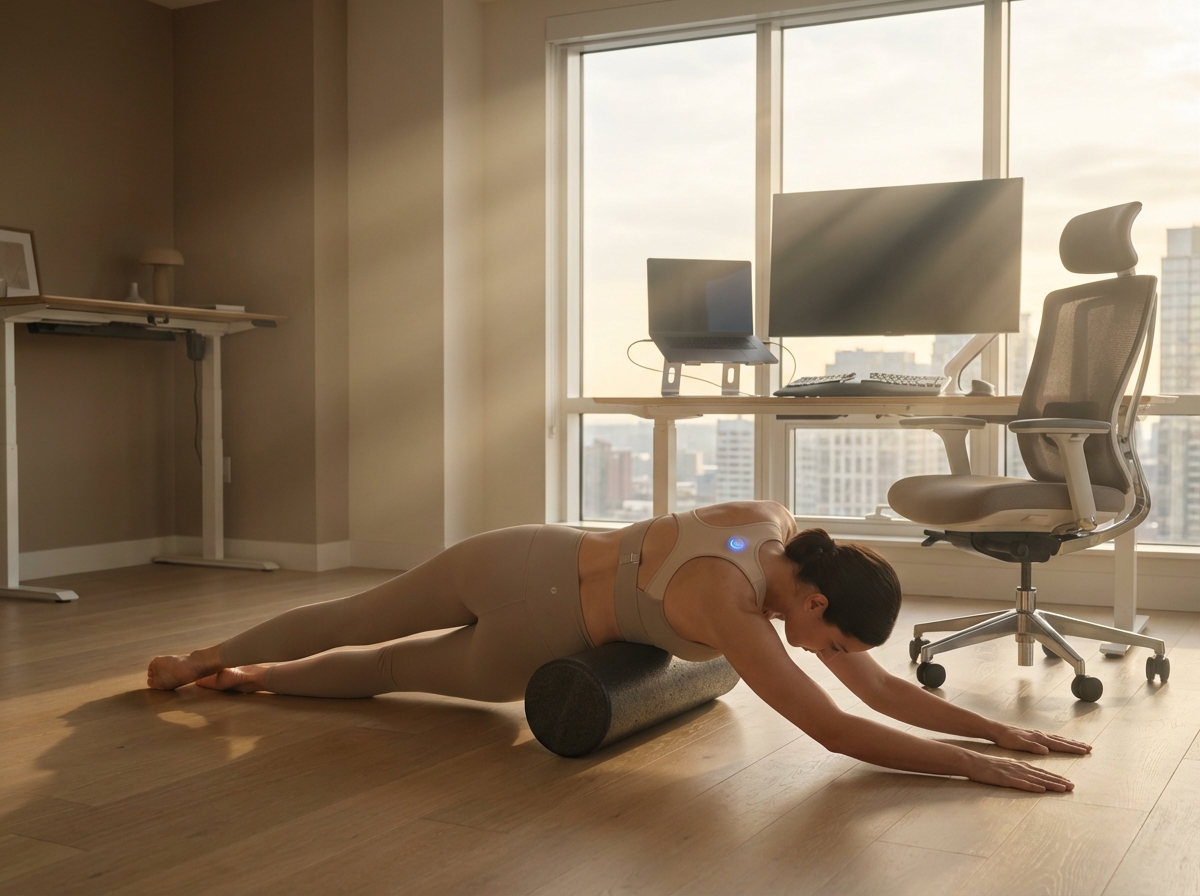
These small devices attach to the skin or clothing. They use accelerometers to detect when the spine curves past a certain point. When this happens the device vibrates. This is active biofeedback. It requires the user to use their own muscle strength to correct the position. Many office workers prefer these because they do not restrict movement.
The Clinical Evidence
The medical community has studied these tools extensively. A review of 37 studies indicated that while devices are accurate at measuring slouching, their long-term impact is complex. Healthline notes that posture correctors can be effective when used as a temporary training tool. However, they are not a permanent solution for weak muscles.
Recent randomized controlled trials show that short-term pain reduction is common. Users often feel better within the first two weeks. This is likely due to the reduction in strain on overstretched ligaments. Long-term outcomes are less impressive when the brace is the only intervention. Research comparing exercises to awareness techniques shows that movement is more effective for lasting change. The NIH confirms that steady exercise improves body balance and relaxes the system better than passive bracing. Evidence suggests that the best results come from combining a device with the ergonomic changes and exercises found in the next chapter of this guide.
Physiological and Psychological Risks
Using a corrector for too long creates problems. Muscle inhibition occurs when the brain realizes a brace is doing the work. The deep stabilizers of the neck and back may become weaker. This leads to a dependency where the person feels unable to sit upright without help. Skin irritation is another common issue, especially with cheaper materials. Tight straps can compress nerves or blood vessels in the armpits. This causes tingling or numbness in the hands. Some users develop a psychological reliance. They begin to fear moving naturally because they believe their spine is fragile. This fear can actually increase the perception of pain.
Clinical Guidance and Dosing
Physiotherapists recommend a specific strategy for using these tools. A corrector should be a teacher rather than a crutch. Experts from HSS explain that correctors help activate muscles that have been quiet for too long. They provide a guide for where the body needs to be.
Recommended Dosing Schedule
Start with 15 to 30 minutes once or twice a day. Use the device during your most challenging tasks like long meetings or deep focus work. Gradually increase the time to 1 or 2 hours over several weeks. Once you can maintain the position without the device you should begin weaning off it. If you feel muscle fatigue or aching you should remove the device immediately.
Selection Criteria
Look for devices with high adjustability. Breathable fabrics like neoprene or cotton blends are better for skin health. Ensure the device does not pinch the underarms. Most quality options cost between 30 and 100 dollars. Check for a warranty of at least 90 days. Most of these items are regulated as Class I medical devices. They are rarely covered by standard insurance unless you have a diagnosed condition like scoliosis or severe kyphosis.
Case Vignettes
When It Helped
James is a software engineer who struggled with neck pain. He used a wearable biofeedback sensor for 20 minutes every morning. The vibration reminded him to perform chin tucks and scapular squeezes. Within a month he no longer needed the sensor because his brain had learned the new pattern. He used the device as a training tool alongside a strengthening routine.
When It Failed
Elena bought a rigid clavicle brace to fix her rounded shoulders. She wore it for eight hours every day at her home office. Her pain went away for a week but then she started getting headaches. Her neck muscles had become stiff because the brace prevented natural movement. When she took the brace off she felt even weaker than before. She had used the device as a replacement for muscle activity rather than a supplement to it.
Before buying a device you should check for contraindications. Do not use a corrector if you have open wounds or skin infections in the area. People with severe spinal pathologies or recent fractures must consult a surgeon first. Ongoing research into posture girdles continues to refine how these tools are designed for the modern workforce. The goal is always to move toward independent postural control. Use the device to find your center then use exercise to stay there.
Practical Ergonomics and Exercise Plan for Office and Remote Teams
Moving from the clinical theory of posture correctors to daily practice requires a structured approach. A brace might offer a temporary nudge, but a well-designed environment provides the foundation for long-term health. You can build a workspace that supports your body naturally by following specific ergonomic measurements.
Workstation Chair Adjustments
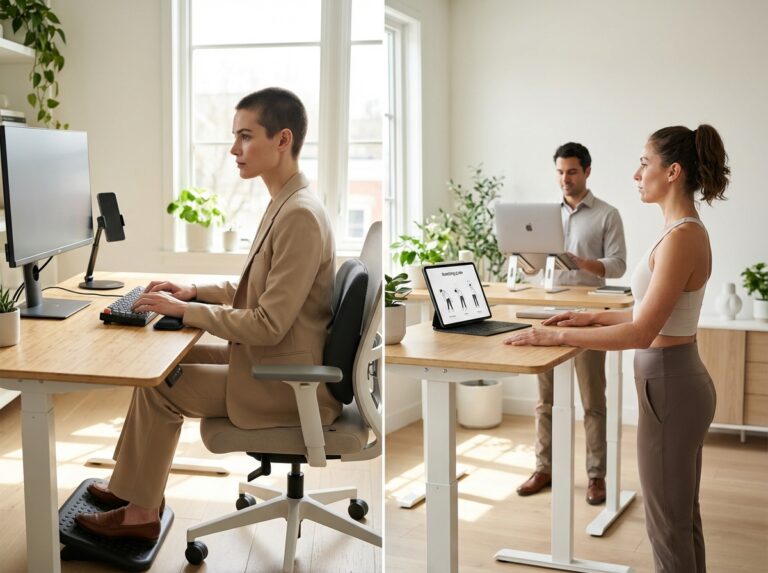
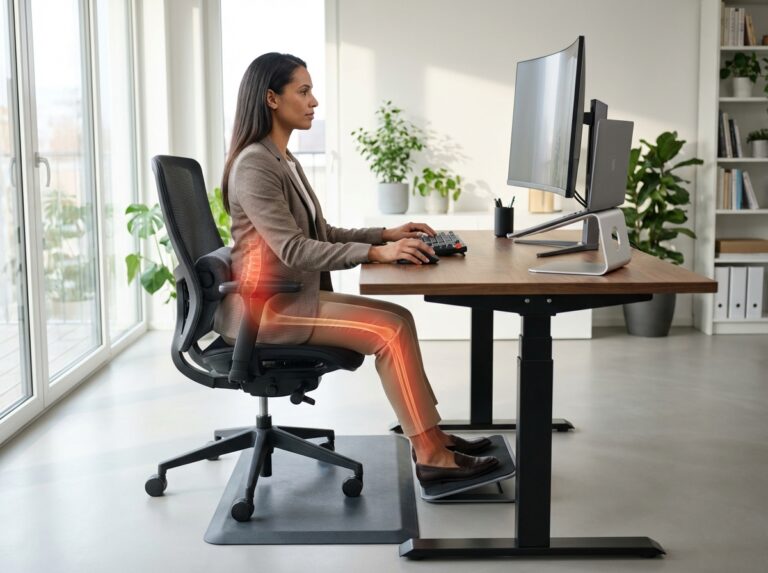
Start with your seat height. Adjust the chair so your feet rest flat on the floor. Your knees should be at a ninety degree angle or slightly lower than your hips. This position reduces pressure on your lower back. If your chair has seat depth adjustment, ensure there is a two inch gap between the front edge of the seat and the back of your knees. This prevents circulation issues. The lumbar support must fit into the natural curve of your lower spine. If your chair lacks this, a rolled towel can serve as a temporary fix. Set your armrests so your shoulders remain relaxed. Your elbows should bend at ninety degrees without your shoulders hunching upward.
Monitor and Peripheral Placement
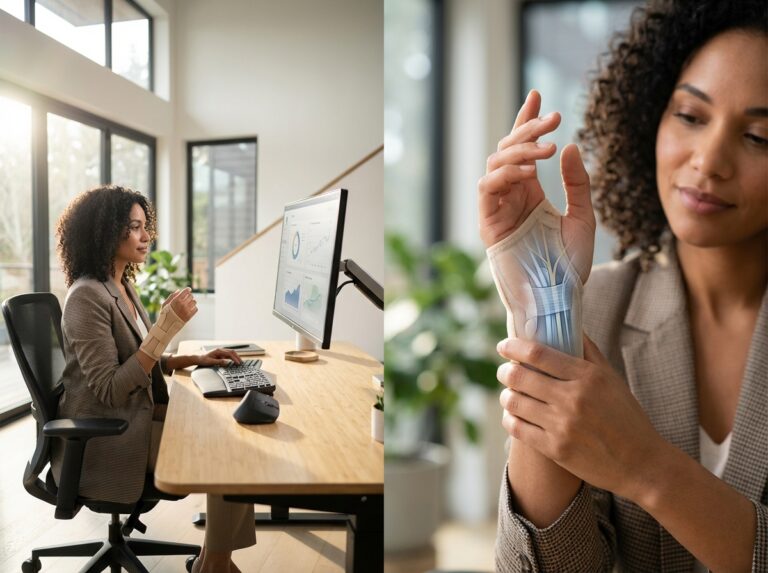
Position your monitor directly in front of you to avoid twisting your neck. The top of the screen should sit roughly two to three inches below your eye level. This encourages a neutral neck position. Keep the screen at a distance of twenty to thirty inches from your eyes. You can measure this by extending your arm. The screen should be about one arm length away. If you work on a laptop, use a riser or a stack of sturdy books to reach this height. Always use an external keyboard and mouse when the laptop is raised. Your wrists must remain in a neutral, straight position. Avoid resting your wrists on hard edges while typing. Keep the mouse close to the keyboard to prevent overreaching with your shoulder.
Sit-Stand Strategies and Schedules
Standing desks are effective tools for reducing sedentary time. However, standing all day can lead to foot and back fatigue. Use a gradual transition plan. Start by standing for ten minutes every hour. Over three weeks, work toward a ratio of twenty minutes sitting followed by eight minutes standing. Spend the remaining two minutes moving or stretching. Use a timer to stay consistent. Wear supportive shoes or use an anti-fatigue mat to cushion your joints. Avoid locking your knees while standing. Keep your weight distributed evenly between both feet.
Daily Microbreak Routine
Perform these movements for two minutes every hour to reset your posture. These exercises help counteract the forward slouch common in office work. Research shows that steady exercise improves body balance and relaxes the muscles. You can find more details in this study on the Effect of an exercise program for posture correction on … – NIH.
- Chin Tucks. Sit tall and look straight ahead. Gently pull your chin back as if making a double chin. Do not tilt your head up or down. Hold for five seconds. Repeat ten times.
- Scapular Squeezes. Pull your shoulder blades together and down toward your back pockets. Hold for five seconds. Repeat ten times.
- Thoracic Extensions. Sit in a chair with a mid-back height. Place your hands behind your head. Gently lean back over the top of the chair. Hold for five seconds. Repeat five times.
- Pec Doorway Stretch. Place your forearms on a door frame with elbows at shoulder height. Step forward until you feel a stretch in your chest. Hold for thirty seconds. Repeat twice.
- Wrist Extensor Stretch. Extend one arm with the palm facing down. Use the other hand to gently pull your fingers toward the floor. Hold for thirty seconds. Repeat on both sides.
Postural Strengthening Program
This routine focuses on endurance. Perform these exercises three times per week for six to twelve weeks.
- Deep Neck Flexors. Lie on your back without a pillow. Perform a small chin tuck and lift your head one inch off the floor. Hold for ten seconds. Repeat ten times.
- Y-T-I Exercises. Lie face down on the floor. Raise your arms to form a Y shape, then a T shape, then an I shape by your sides. Squeeze your shoulder blades for each movement. Perform three sets of ten repetitions.
- Resistance Band Rows. Anchor a band at chest height. Pull the band toward your ribs while squeezing your shoulder blades. Perform three sets of twelve repetitions.
- Bird-Dog. Start on hands and knees. Extend the opposite arm and leg simultaneously. Keep your back flat. Perform two sets of ten repetitions per side.
Remote Work and Employer Support
Remote employees often face equipment limitations. Use household items like firm cushions for lumbar support or footstools to keep feet flat. Employers can support health by offering virtual workstation assessments. These sessions allow a professional to view the setup via video call. Providing equipment stipends ensures staff have access to ergonomic chairs. Companies should track outcomes using simple pain scales or productivity surveys. This data helps justify the investment in employee wellness. Privacy must be maintained by keeping individual health data confidential within HR departments.
Self-Assessment Checklist
Use this list weekly to track your progress and setup.
| Checkpoint | Status |
|---|---|
| Are my feet flat on the floor? | Yes / No |
| Is the top of my monitor at eye level? | Yes / No |
| Are my shoulders relaxed while typing? | Yes / No |
| Did I take a movement break every hour? | Yes / No |
| Is my lower back supported by the chair? | Yes / No |
Printable Daily Routine
Morning. Adjust chair and monitor. Perform one set of chin tucks.
Hourly. Stand for eight minutes. Perform scapular squeezes and a doorway stretch.
Lunch. Take a ten minute walk to reset the spine.
Afternoon. Perform thoracic extensions. Check wrist alignment.
Evening. Complete the strengthening routine three times a week.
If you experience a flare-up of pain, reduce the intensity of exercises. Focus on gentle mobility rather than strengthening until the sharp pain subsides.
Special Considerations and Common Concerns
Many people feel overwhelmed by the sheer number of posture products available today. It is common to have doubts about whether a specific brace or sensor will actually solve years of desk-related pain. This section addresses frequent questions from office workers and clinicians that go beyond standard usage instructions.
Do posture correctors work for scoliosis or structural spinal problems?
Standard over-the-counter posture correctors are not designed for structural issues like scoliosis or kyphosis. These conditions involve changes in the shape of the vertebrae or the alignment of the ribs. A soft elastic brace cannot change the shape of a bone. Using a generic corrector for scoliosis might even cause uneven pressure and increase pain. Structural problems require custom medical bracing and specialized physical therapy like the Schroth method.
Dos and Don’ts
Do consult an orthopedic specialist for spinal curves. Don’t expect a retail brace to straighten a structural curve.
Red Flags
Visible rib humps or one shoulder sitting significantly higher than the other require a professional X-ray and assessment.
Are wearable biofeedback devices effective for neck pain?
Electronic sensors that vibrate when you slouch are often more effective than traditional braces. These devices do not physically pull you into place. Instead, they force your muscles to do the work every time you receive a vibration alert. This builds better long-term habits and muscle memory. They are particularly useful for “tech neck” because they alert you the moment your chin drops toward your chest.
Dos and Don’ts
Do set the sensitivity to a moderate level to avoid constant buzzing. Don’t ignore the alerts when you feel tired.
Red Flags
If the vibration causes you to jerk your neck suddenly, you may develop muscle strains.
Should children or teenagers use posture correctors?
It is generally discouraged for children and teens to use these devices unless a doctor prescribes them. Young bodies are still developing bone density and muscle coordination. Relying on a brace can interfere with the natural development of core strength. It is much more effective to focus on organized sports, swimming, and limiting screen time to improve a child’s posture.
Dos and Don’ts
Do encourage varied physical activity. Don’t buy a corrector for a child without a pediatric consultation.
Red Flags
Complaints of back pain in children under twelve should always be evaluated by a doctor.
How do I choose the right posture device?
Look for a device that is adjustable and made of breathable material. It should feel like a gentle tug rather than a rigid cage. If you are choosing between a brace and a shirt, consider that posture correcting shirts provide more subtle feedback. Research suggests that these shirts can change posture and might help alleviate pain by providing constant proprioceptive input.
Dos and Don’ts
Do measure your chest circumference for an accurate fit. Don’t choose the most rigid option available.
Red Flags
Avoid any device that claims to “permanently cure” your posture in a few days.
What is the best setup for laptop users to prevent pain?
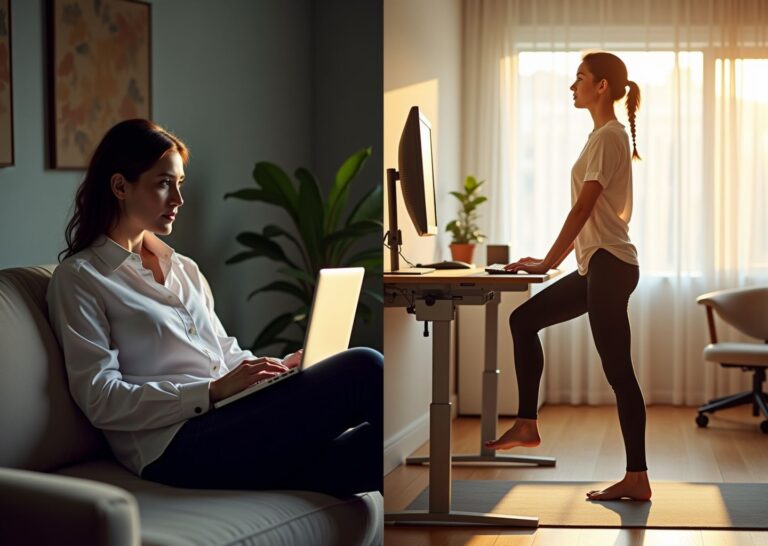
A posture corrector cannot fix a bad desk setup. For laptop users, the best approach is to use a laptop riser to bring the screen to eye level. You must use an external keyboard and mouse so your hands remain at elbow height. This prevents the rounded shoulder position that most people try to fix with a brace. If your screen is too low, you will slouch regardless of what you are wearing.
Dos and Don’ts
Do keep your elbows at a ninety degree angle. Don’t use your laptop on your lap for extended periods.
Red Flags
Wrist pain or “pins and needles” in the fingers suggest your desk height is poorly adjusted.
Does insurance cover posture devices?
Most standard posture correctors sold online are considered wellness products and are not covered by insurance. However, if a doctor prescribes a specific medical grade orthotic for a diagnosed condition, it may be covered. You will usually need a letter of medical necessity and a specific diagnosis code. Check with your provider before making an expensive purchase.
Dos and Don’ts
Do check your HSA or FSA eligibility for these products. Don’t assume a retail receipt will be reimbursed.
Red Flags
Be wary of companies that promise “free” braces through insurance as these are often scams.
How can I tell if a device is actually helping?
A device is helping if you find yourself sitting more upright even when you are not wearing it. You should notice a decrease in the frequency of tension headaches and neck stiffness. The goal is improved awareness. If you take the brace off and immediately collapse into a slouch, the device is not yet helping you build the necessary muscle memory.
Dos and Don’ts
Do track your pain levels over a few weeks. Don’t expect instant results after one day.
Red Flags
If your pain increases or moves to a new area, stop using the device and consult a professional.
Final Takeaways and Next Steps
The clinical evidence suggests that posture correctors are not a primary cure for musculoskeletal pain. They function as temporary training aids. A physiotherapist views these devices as tactile cues that remind the brain where the body should be in space. This is known as proprioceptive feedback. When used correctly, a soft brace or a biofeedback sensor can help a person recognize when they are slouching. However, relying on a device to hold the body up leads to muscle weakness. The goal is always to build internal strength so the body can support itself without external help.
Decision Pathway for Pain Management
Choosing the right intervention requires a logical progression. Most office workers should start with the environment before moving to wearable technology.
| Step | Intervention Type | When to Choose |
|---|---|---|
| 1 | Ergonomic Audit | First line of defense for all desk workers. |
| 2 | Active Exercise | When pain is related to muscle fatigue or stiffness. |
| 3 | Wearable Cueing | When postural awareness is low despite a good setup. |
| 4 | Clinical Consult | When pain is sharp, radiating, or persists over 4 weeks. |
The First Priority
Adjust the workstation to fit the body. A monitor at eye level and a chair that supports the lumbar curve will do more for long term health than any strap. If the setup is poor, a posture corrector will only create a new set of compensations and discomforts.
The Second Priority
Implement a progressive exercise routine. Research from the NIH shows that steady exercise improves body balance and relaxes the whole system. Focus on the posterior chain, specifically the rhomboids and lower trapezius muscles. These are the muscles that actually hold the shoulders back.
The Third Priority
Consider a short trial of a biofeedback device or soft corrector. This should only happen under the guidance of a professional. These tools are useful for early training phases to help a person feel the difference between a neutral spine and a slumped one. They should be worn for no more than 30 to 60 minutes a day.
Tracking Progress Over 12 Weeks
Meaningful change in the body takes time. It is helpful to track specific metrics to see if the interventions are working.
Pain and Comfort Scales
Use a simple 1 to 10 scale to rate daily discomfort. Note if the frequency of “bad days” is decreasing over a six week period. Often, the first sign of progress is not the absence of pain, but a faster recovery from it.
Workstation Uptime
Track how long it takes before the urge to slouch or shift positions occurs. In the beginning, this might be 15 minutes. With better ergonomics and stronger muscles, this should extend to 45 or 60 minutes.
Functional Task Performance
Observe how the body feels during non work activities. Improved posture at the desk often translates to better form during gym workouts or less fatigue while walking. These are signs that the nervous system is integrating the new patterns.
The bottom line is that the body is designed for movement. No static device can replace the benefits of a strong, mobile musculoskeletal system. Use the tools available to build awareness, but rely on the muscles to do the heavy lifting. This approach ensures that the habits formed today will have created a foundation for a pain-free career.
Sources
- Evaluating the Effectiveness of Posture Correction Girdle for … — Our research team has designed a prototype of posture correction girdle based on the clinical, textile science, material and ergonomics engineering analyses
- Understanding If Posture Correctors Work – Healthline — Results from a 2019 review of 37 studies of posture correctors suggest that currently available postural correctors are accurate in assessing …
- Comparative effectiveness of posture correction exercises versus … — Primary objective of this study is to determine the efficacy of posture correction exercises and postural awareness techniques on FHP …
- Are Posture Correctors Useful? – Consumer Reports — The researchers found evidence that suggests that posture-correcting shirts do change a person's posture, and might help alleviate pain and …
- Effect of an exercise program for posture correction on … – NIH — The results of the above-mentioned studies show that steady exercise corrects posture, which improves the balance of the body, and relaxes the whole body, which …
- Do Posture Correctors Work? Expert Advice from a PT – HSS — Correctors can help activate the muscles that haven't been worked enough and give them a guide for where they need to be.
Legal Disclaimers & Brand Notices
The information provided in this article is for informational and educational purposes only and does not constitute professional medical advice, diagnosis, or treatment. Always seek the advice of a physician, physiotherapist, or other qualified health provider regarding any medical condition or before beginning a new exercise or treatment regimen. Never disregard professional medical advice or delay in seeking it because of something you have read in this article.
All product names, logos, and brands mentioned within this content are the property of their respective owners. All company, product, and service names used in this article are for identification purposes only. Use of these names, logos, and brands does not imply endorsement or affiliation.