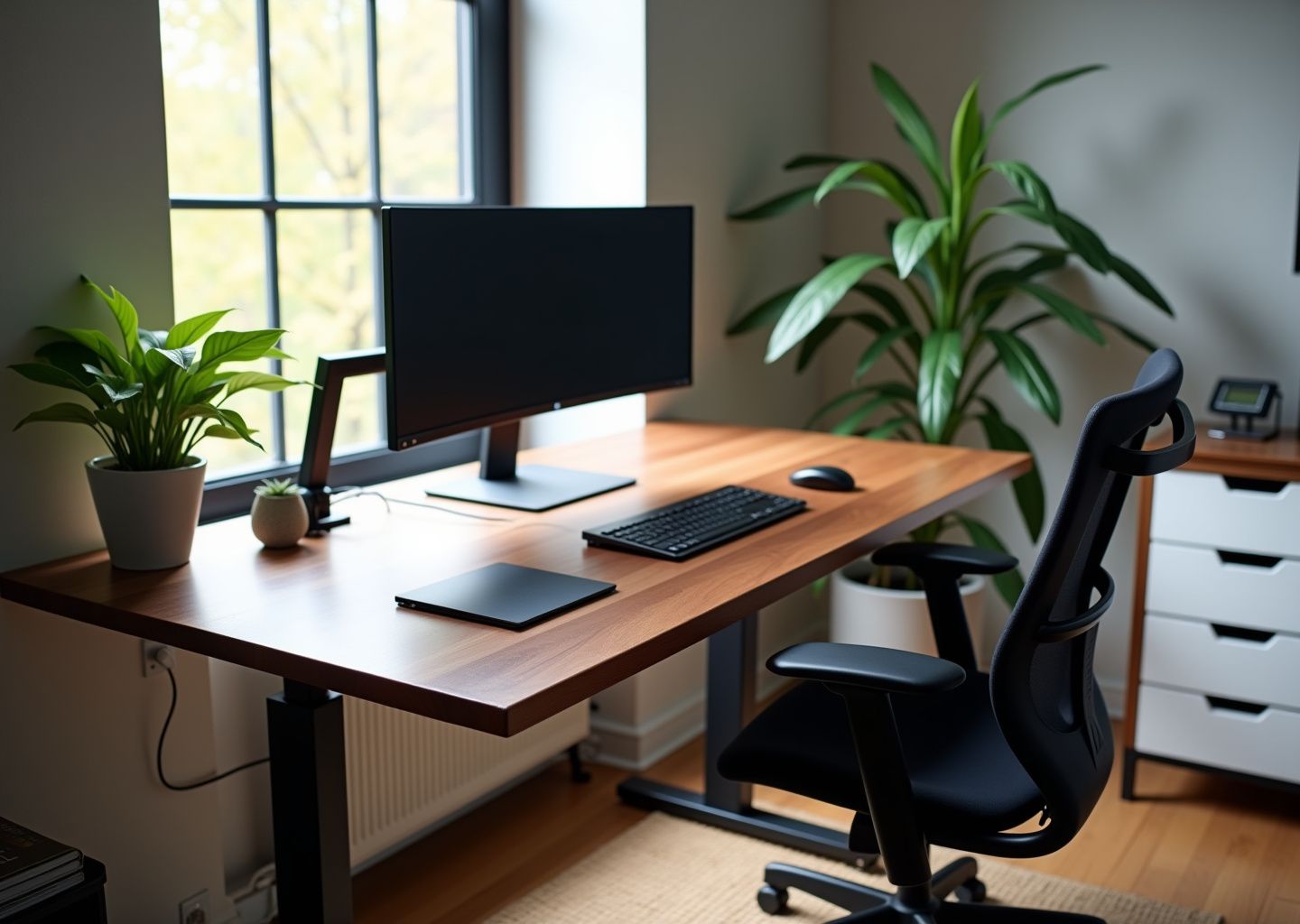
This guide shows how to build affordable, ergonomic home office desks by hacking IKEA pieces. It explains why ergonomics matters for remote workers, how to plan a build, step-by-step IKEA hack examples, and essential accessories. Practical measurements, daily stretching routines, safety tips, and U.S.-focused shopping guidance help you prevent back, neck, and wrist pain while staying on budget.
Why Ergonomics Matters for Home Office Productivity and Health
That makeshift dining table desk or slouch on the sofa might have felt like a temporary solution in the early days of remote work, but for millions of American workers, it has become a permanent source of chronic pain. The freedom of working from home often comes with a hidden cost to our physical health. When your workspace fights your body’s natural posture, your body loses. This isn’t just about comfort; it’s about your long-term health and your ability to do your job effectively. Understanding why a proper ergonomic setup is critical is the first step toward building a workspace that supports you, rather than strains you.
The core of ergonomics is simple: it is about fitting the job to the person. Your body is not designed to stay in one fixed, unnatural position for eight hours a day. The physiological strain begins subtly. When your desk is too high or low, you force your spine out of its natural S-curve. This creates a constant, low-level tension in your lower back muscles, a condition known as static load. Over time, this leads to the persistent lower back pain that plagues over 60% of remote workers. Similarly, when your monitor is too low, you crane your neck forward, putting immense pressure on your cervical spine. This forward head posture is the primary cause of tension neck syndrome, leading to chronic headaches, shoulder pain, and a significant drop in focus.
Your wrists are equally vulnerable. Accepted ergonomic principles, often highlighted in workplace safety guidance from organizations like OSHA, emphasize a neutral wrist position. This means your hands should float straight out from your forearms as you type. Bending your wrists upward to reach a keyboard on a tall desk or angling them to use a mouse can compress the median nerve in the carpal tunnel. Studies show that deviating just 15 degrees from a neutral position can dramatically increase your risk of developing repetitive strain injuries like carpal tunnel syndrome. These aren’t minor aches. They are debilitating conditions that can impact your ability to work and enjoy life.
For hybrid teams and small businesses in the U.S., the consequences are measurable and costly. An employee struggling with musculoskeletal pain is not a productive employee. Research from leading universities and health clinics consistently shows a direct link between ergonomic interventions and workplace outcomes. Companies that invest in proper setups see a significant reduction in sick days, sometimes by as much as 25%. When employees are not distracted by pain, their focus improves, leading to higher quality work and better output. For a small business, preventing even one case of a work-related musculoskeletal disorder saves thousands in lost productivity and potential healthcare costs.
This is where a custom-built desk becomes so powerful. An off-the-shelf desk is designed for an imaginary “average” person who doesn’t exist. It’s a one-size-fits-none solution. An IKEA hack, on the other hand, allows you to build a desk tailored precisely to your body’s measurements and your specific workflow. You can set the height to achieve that perfect 90-degree elbow angle for neutral wrists. You can build a surface wide enough to place your monitors at the correct distance and height, keeping your neck straight and relaxed. You are not just building furniture; you are creating a personalized tool for health and productivity. A well-planned IKEA desk hack delivers the custom fit of a high-end ergonomic desk, often for a fraction of the price, making it an accessible and intelligent choice for any home or small office. You can find some great starting points and inspiration in these clever IKEA desk hacks that rethink the home office.
Plan Your IKEA Hack Build Before Buying
A successful IKEA desk hack doesn’t start in the store aisle; it begins with a tape measure and a clear plan. Rushing into a build without preparation is the fastest way to end up with a desk that’s too big for your room, too small for your workflow, or worse, a direct cause of the back and neck pain you’re trying to prevent. This checklist will guide you through the essential planning steps, ensuring your custom build is perfectly tailored to your body, your space, and your budget.
Your Complete Planning Checklist
1. Measure Your Body for a Custom Fit
Your body is the most important part of the equation. A desk built to your specific dimensions is the foundation of good ergonomics. Grab a measuring tape and a friend to help, if possible.
- Seated Elbow Height. Sit in your office chair with your feet flat on the floor and your back straight. Bend your arms at a 90-degree angle, as if you were typing. Measure the distance from the floor to the bottom of your elbow. This is your key measurement. Your ideal desk or keyboard tray height should be at or slightly below this point.
Ideal Seated Desk Height = Seated Elbow Height - 1 to 2 inches
- Standing Elbow Height. Stand up straight and bend your arms to that same 90-degree angle. Measure from the floor to your elbow. This determines the correct height for a standing desk, ensuring your wrists remain in a neutral position.
- Seated Popliteal Height. While seated, measure from the floor to the crease behind your knee. This number dictates your ideal chair height, allowing your thighs to be parallel to the floor without pressure.
- Seated Eye Height. Sit straight and measure from the floor to your eye level. The top of your monitor screen should be at or just below this height to keep your neck in a neutral position.
Ideal Monitor Top Height = Seated Eye Height - 2 to 3 inches
For example, a person who is 5’10” might have a seated elbow height of 28 inches, making their ideal desk surface height 26-27 inches. Their seated eye level might be 46 inches, placing the top of their monitor at 43-44 inches from the floor.
2. Measure Your Room and Environment
Next, assess the space where your new desk will live. Don’t just estimate; precise measurements prevent frustrating surprises during assembly.
- Available Footprint. Measure the length and width of the floor space you can dedicate to the desk. A simple single-monitor setup needs at least a 4-foot by 2-foot area, while a dual-monitor or L-shaped desk may require a 5-foot by 3-foot space or more. Remember to account for at least 24-30 inches of clearance behind the desk for your chair.
- Power Outlets. Note the location of all power outlets. This will influence your desk placement and help you plan your cable management strategy from the start.
- Lighting. Consider both natural and artificial light. Placing a monitor directly in front of a window can cause significant glare, while poor overhead lighting can lead to eye strain. Position your desk to take advantage of natural light without creating screen glare.
3. Choose Your Workflow Layout
How you work determines the shape and size of your desk surface.
- Single Monitor. A standard rectangular tabletop like the IKEA LAGKAPTEN or GERTON is often sufficient.
- Dual Monitors. You’ll need a wider and deeper surface. A 74-inch KARLBY countertop is a popular choice because it provides ample space and is sturdy enough to support the weight, especially if you plan to use monitor arms.
- Laptop Docking. If you primarily use a laptop with external peripherals, plan for a dedicated space for the docking station, keyboard, and mouse, ensuring the laptop screen can be raised to the proper ergonomic height.
4. Detail Your Budget and Tools
IKEA hacks are famous for their affordability, but costs can add up. Set a realistic budget before you start shopping.
- Budget Tiers.
Under $150. Achievable for a basic fixed-height desk. Think a LAGKAPTEN tabletop on four ADILS legs.
$150–$500. This is the sweet spot for most ergonomic hacks. You can build a spacious desk using a KARLBY countertop on two ALEX drawer units or invest in a manual sit-stand frame like the SKARSTA.
$500+. This tier allows for a premium setup, such as a solid wood top on a motorized sit-stand frame like the IDÅSEN, complete with high-end accessories. - Required Tools. You don’t need a full workshop. Most hacks require only a Phillips head screwdriver, a power drill, a tape measure, and a level. A set of C-clamps is highly recommended for holding pieces together while you work.
- Safety. Always read the assembly instructions. If your build is top-heavy or tall, secure it to a wall stud to prevent tipping. Get help when lifting heavy components like solid wood countertops.
A Note on Cutting Tabletops
To get a clean cut and protect the finish on laminate or veneer tops, preparation is key. First, apply a line of painter’s tape along your cut line to prevent chipping. Use a circular saw equipped with a fine-tooth blade (60 teeth or more is ideal). Clamp a straightedge or a level to the tabletop to guide your saw for a perfectly straight line. After cutting, the exposed particleboard or honeycomb interior is vulnerable. Seal the raw edge with a few coats of polyurethane or an iron-on edge banding to protect it from moisture and damage.
Getting the Biggest Ergonomic Gains on a Budget
You don’t need a motorized desk to improve your ergonomics. The biggest bang for your buck comes from adjustable accessories. Start with an adjustable chair. If that’s not in the budget, focus on your desk setup. An under-desk keyboard tray (around $30-$50) can fix most desk height issues by allowing you to position your keyboard at the correct height with a neutral or negative tilt. A simple monitor stand or even a stack of books can raise your screen to eye level. These two adjustments solve the most common ergonomic problems for under $100.
5. Create a Component Shopping List
With your measurements and budget in hand, you’re ready to browse. Here are some of the most popular IKEA components used in desk hacks to start your list. For more inspiration, you can check out communities like IKEAhackers.net.
- Tabletops & Countertops. LINNMON (lightweight, budget), LAGKAPTEN (LINNMON’s successor), GERTON (solid beech, requires finishing), KARLBY (particleboard with a thick wood veneer, very popular).
- Drawers & Legs. ALEX (the go-to drawer unit for desk support), ADILS (simple screw-in legs), OLOV (adjustable-height legs).
- Sit-Stand Frames. SKARSTA (manual crank), IDÅSEN (electric, premium), BEKANT (electric).
- Storage & Shelving. KALLAX (versatile cube shelving, often used for L-shaped returns), IVAR (unfinished pine for custom solutions).
Best IKEA Parts and Popular Hacks for Ergonomic Desks
With your measurements and plan in hand, it’s time to choose the building blocks for your custom desk. IKEA’s modular system is perfect for this, but knowing which parts work best for specific ergonomic goals is key. Here’s a breakdown of the most popular components and three proven desk hack recipes.
Core Components: Tabletops and Countertops
LAGKAPTEN/LINNMON Tabletop
This is the quintessential budget option. It’s lightweight and inexpensive, making it perfect for simple, fixed-height desks. Pros: Extremely affordable, available in many sizes and colors. Cons: It has a hollow honeycomb paper filling, making it prone to sagging under heavy loads like multiple monitors. While the overall table system has a max load of 110 lbs, the hollow structure is not suitable for clamp-style monitor arms without reinforcement, as they can crush the surface. Hack Idea: Use a LAGKAPTEN top with two ALEX drawer units as the base. To prevent sagging, add an ADILS leg in the center back for support.
KARLBY Countertop
A favorite for premium builds, the KARLBY is a particleboard countertop with a thick wood veneer. It’s heavy, durable, and looks fantastic. Pros: Extremely sturdy, resists sagging, and provides a high-end look. Its 1.5-inch thickness is ideal for securely mounting heavy-duty monitor arms. Cons: It’s heavy and more expensive. You must pre-drill holes for screws. Hack Idea: Place a 74-inch KARLBY on an IDÅSEN or SKARSTA sit-stand frame for a robust, ergonomic workstation that can handle any setup.
GERTON Tabletop
This is a solid beech wood top, offering the best of both worlds. It’s more affordable than a custom butcher block but offers the same durability and customization potential. Pros: Solid wood can be cut, sanded, and stained to your exact specifications. It’s strong enough for most setups. Cons: It comes unfinished, so you’ll need to treat it with oil or polyurethane to protect it from spills and wear. Hack Idea: Cut a GERTON to fit a specific nook, seal it, and mount it on adjustable legs for a fully custom fit.
Support Systems: Drawers and Frames
ALEX Drawer Units
The ALEX series is the foundation of countless IKEA desk hacks. These drawer units are the perfect height (27.5 inches) to serve as legs for a fixed-height desk, providing ample storage. A desk supported by two ALEX units can typically hold around 110 lbs, evenly distributed. Pros: Excellent built-in storage, sturdy construction, and clean aesthetic. Cons: Fixed height, which may not be ergonomically ideal for everyone without modification. Mounting Tip: Secure the tabletop to the ALEX units using small L-brackets or non-slip furniture pads to prevent sliding.
SKARSTA and IDÅSEN Frames
For an ergonomic sit-stand desk, a proper frame is essential. The SKARSTA is a manual crank-operated frame, making it a great budget-friendly adjustable option with a max load of 110 lbs. The IDÅSEN is a premium electric frame with a wider height range (approx. 25 to 50 inches) and a higher load capacity of 165 lbs, perfect for heavy setups. Pros: Enable sit-stand functionality, crucial for preventing a sedentary workday. Cons: The SKARSTA requires manual effort to adjust, while the IDÅSEN is a significant investment. Mounting Tip: Always follow the frame’s instructions for attaching the tabletop, ensuring you use the correct length screws that won’t pierce the surface.
Popular Hack Recipes
1. The Budget Champion: Fixed-Height ALEX/LAGKAPTEN Desk
- Components: 1 x LAGKAPTEN Tabletop (e.g., 47-inch), 2 x ALEX Drawer Units. Optional: 1 x ADILS leg for support, 1 x SIGNUM cable management tray.
- Steps:
- Assemble both ALEX drawer units according to the instructions.
- Position the drawer units where you want your desk.
- Place the LAGKAPTEN tabletop on top of the drawer units.
- (Optional but recommended) Screw the ADILS leg into the pre-drilled holes at the center back of the tabletop for anti-sag support.
- Secure the SIGNUM tray underneath the tabletop for cable management.
- Estimated Cost: $220 – $250
- Assembly Time: 1.5 – 2 hours
2. The Ergonomic Workhorse: DIY Sit-Stand Desk
- Components: 1 x KARLBY Countertop (74-inch), 1 x SKARSTA (manual) or IDÅSEN (electric) Frame.
- Steps:
- Assemble the sit-stand frame completely, leaving off the tabletop attachment screws.
- Carefully place the KARLBY countertop upside down on a soft surface (like a blanket) to prevent scratches.
- Place the assembled frame upside down onto the back of the countertop. Center it carefully, ensuring proper weight distribution.
- Mark your pilot holes through the frame’s mounting points. Use a drill bit stop or tape on your bit to ensure you don’t drill through the countertop.
- Drill shallow pilot holes and then securely attach the frame to the countertop with the provided screws.
- With a partner, carefully flip the entire desk over.
- Estimated Cost: $520 (with SKARSTA) to $850 (with IDÅSEN)
- Assembly Time: 3 – 4 hours
3. The Power User’s Dream: Integrated Storage Workstation
- Components: 1 x GERTON Tabletop, 1 x IDÅSEN Frame, 1 x KALLAX 2×2 Shelving Unit, L-brackets, wood screws, cable grommets.
- Steps:
- Assemble the IDÅSEN frame and the KALLAX unit.
- Treat the GERTON tabletop with wood oil or sealer and let it cure.
- Attach the GERTON to the IDÅSEN frame following the steps from the previous hack.
- Position the KALLAX unit at one end of the desk to create an L-shaped return. Secure it to the underside of the GERTON top using several sturdy L-brackets for stability.
- Use a hole saw to drill openings for cable grommets where your monitor and peripherals will be.
- Mount monitor arms, route cables through the grommets, and organize them along the frame.
- Estimated Cost: $750+
- Assembly Time: 5 – 6 hours (plus time for wood treatment to dry)
Ergonomic Components and Setup Details
You’ve assembled your custom IKEA desk, and it looks great. Now, let’s make sure it feels great and supports your body through long workdays. Turning your hack into a truly ergonomic workstation is all about the details of your setup and the components you choose.
Your Chair is the Foundation
Before you adjust anything else, start with your chair. A good ergonomic chair is an investment, but models like the IKEA MARKUS or HATTEFJÄLL offer a solid starting point. Here’s how to dial it in correctly.
- Seat Height.
Adjust the height so your feet are flat on the floor and your thighs are parallel to the ground, or sloping slightly downward. Your knees should be at about a 90-degree angle. For shorter users, a footrest might be necessary to achieve this without raising the chair too high. - Seat Depth.
Sit all the way back so your lower back touches the backrest. You should be able to fit two to three fingers between the back of your knees and the edge of the seat. If the seat is too deep, it can cut off circulation. - Lumbar Support.
The curve of the chair’s back should fit snugly into the natural curve of your lower back. If your chair’s support is fixed, like on the MARKUS, you might need a small pillow or a dedicated lumbar roll to get the perfect fit. - Backrest Angle.
A slightly reclined posture of 100 to 110 degrees reduces pressure on your spinal discs more effectively than sitting perfectly upright at 90 degrees. - Armrests.
Adjust the armrests so your shoulders are relaxed and your elbows rest comfortably at a 90 to 100-degree angle. Your forearms should be parallel to the floor when typing. If the armrests are too high, you’ll shrug your shoulders; too low, and you’ll slump.
Positioning Your Monitor, Keyboard, and Mouse
With your posture set, it’s time to arrange your tools. The goal is to keep your head, neck, and wrists in a neutral position.
Monitor Placement
The top edge of your monitor screen should be at or slightly below your eye level. This prevents you from tilting your head up or down, which strains your neck. A good rule of thumb is to sit back and extend your arm; your fingertips should just touch the screen, placing it about 20 to 40 inches away. For precise height, measure your seated eye level from the floor and subtract 2 inches to find the ideal height for the top of your screen. A monitor arm is the best tool for this, as it offers far more flexibility than a standard stand.
Keyboard and Mouse Setup
Your keyboard and mouse should be on the same level. Position them close enough that you can use them with your elbows comfortably by your side. Your wrists should be straight, not bent up, down, or to the sides. A gel wrist rest can help maintain this neutral position. If your desk is too high to achieve a 90-degree elbow angle, an under-desk keyboard tray is a must. These trays often allow for a slight negative tilt, where the top of the keyboard is angled down and away from you, which is the optimal position for wrist health.
Laptops Need Help
Never work for long periods directly on a laptop. The screen and keyboard are too close together, forcing you to hunch over. Use a laptop stand to raise the screen to eye level and use a separate, external keyboard and mouse placed at the correct height.
Sit, Stand, and Accessorize for Health
An adjustable-height desk built with a SKARSTA or IDÅSEN frame is only ergonomic if you use it correctly. Aim for a sitting-to-standing ratio of 2:1. For every hour you sit, try to stand for 30 minutes. When you stand, use an anti-fatigue mat that is at least 0.75 inches thick to reduce strain on your feet and back.
Monitor Arms and IKEA Tabletops
Monitor arms are essential for ergonomics and freeing up desk space. They typically use a VESA mount standard (75x75mm or 100x100mm), which is compatible with most modern monitors. How you attach one to your IKEA desk matters.
- Clamp Mounts work best on solid wood or thick particleboard tops like the KARLBY or GERTON. Their 1.5-inch thickness can handle the pressure. For extra protection, place a thin piece of rubber or felt under the clamp’s contact points.
- Grommet Mounts require drilling a hole through the desk. This is a more stable option for hollow-core tabletops like the LAGKAPTEN, as it distributes the weight more evenly. For these tops, it is highly recommended to use a steel reinforcement plate under the clamp to prevent crushing the surface. Always check the weight limit of the arm and ensure it’s less than the load capacity of your tabletop.
Cable Management
Safety comes first. Only use power strips that are UL-listed, which certifies they meet US safety standards. Never “daisy-chain” power strips by plugging one into another; this can overload the circuit and create a fire hazard. A typical home circuit is 15 amps, so avoid plugging too many high-draw devices into a single outlet. Use an under-desk cable tray like the IKEA SIGNUM to hold power strips and adapters. Bundle loose cables together with Velcro ties, not zip ties, so you can easily make changes. A simple label maker can save you headaches when you need to unplug a specific device.
Adapting for Every Body
Ergonomics isn’t one-size-fits-all. Here’s how to adapt your IKEA hack.
- For Wheelchair Users.
Standard desk height can be a barrier. The IDÅSEN frame is a great choice because its height range goes down to about 25 inches, providing better knee clearance. According to ADA guidelines, knee clearance should be at least 27 inches high. If using fixed-height ALEX drawers as legs, you may need to place the entire desk on risers to achieve the necessary clearance. - For Tall and Short Users.
Tall users (over 6’4″) may find that even sit-stand desks don’t go high enough. Adding 2-inch wooden blocks under the feet of a SKARSTA frame can provide that extra height. Short users (under 5’4″) often struggle with desks being too high and feet dangling. A keyboard tray and a good footrest are non-negotiable accessories.
For Small Corner Workspaces
The key to an ergonomic corner desk is creating enough depth for your monitor and keyboard. An L-shaped setup using two smaller tabletops (like two 39-inch LAGKAPTENs) on a central KALLAX unit can work well. This gives you a primary work surface and a secondary one for peripherals. Use a monitor arm to position your screen correctly in the corner, freeing up desk space and allowing for proper viewing distance (20-40 inches). An articulating keyboard tray that can swivel into the corner is also a great investment to ensure your arms and wrists remain in a neutral position.
Your Daily Micro-Break and Stretching Routine
Staying in one position for too long is the enemy. Set a timer to get up and stretch every 45-60 minutes. For remote teams, scheduling a 5-minute group stretch on video call at 11 AM and 3 PM can build healthy habits together.
- Neck Tilts.
Gently tilt your head to the right, holding for 15 seconds. Repeat on the left. Do 3 reps per side. - Shoulder Shrugs and Rolls.
Inhale and lift your shoulders up to your ears. Hold for 3 seconds, then exhale and release. Repeat 5 times. Follow with 8 shoulder rolls forward and 8 backward. - Chest Opener.
Clasp your hands behind your back, straighten your arms, and gently pull your shoulder blades together. Hold for 20 seconds. - Seated Spinal Twist.
While seated, twist your torso to the right, using the chair’s armrest for a gentle pull. Hold for 20 seconds. Repeat on the left. - Wrist Extensor Stretch.
Extend your right arm forward, palm down. With your left hand, gently bend your right wrist down. Hold for 30 seconds. - Wrist Flexor Stretch.
Extend your right arm, palm up. With your left hand, gently bend your right wrist down. Hold for 30 seconds. Switch hands for both wrist stretches.
Final Takeaways and Next Steps
You’ve now explored how to transform standard IKEA components into a personalized, ergonomic workspace that supports your health and productivity. The journey from a mismatched collection of furniture to a custom-built desk is not just about aesthetics; it’s a direct investment in your long-term well-being. By combining affordable parts with smart ergonomic principles, you can create a setup that rivals expensive, pre-built office furniture. The key is to move from planning to action with a clear strategy.
Let’s quickly review the core ergonomic measurements that should guide every decision you make. These are your non-negotiables for preventing pain.
- Desk and Elbow Height. When seated, your elbows should rest at approximately a 90-degree angle, with your forearms parallel to the floor. Your desk surface should be at or slightly below your resting elbow height to keep your wrists in a neutral, straight position.
- Monitor Position. The top edge of your monitor should be at or just below your eye level. This prevents you from tilting your head up or down, which is a primary cause of neck strain.
- Monitor Distance. Position your screen about an arm’s length away, typically between 20 and 40 inches. This distance allows you to see the entire screen clearly without leaning forward or straining your eyes.
A critical part of any DIY project is safety. When hacking IKEA furniture, always respect the specified load limits. A solid wood or thick veneer countertop like the KARLBY can handle significant weight, making it suitable for multiple monitors and heavy equipment. In contrast, a lightweight, hollow-core tabletop like the LAGKAPTEN has a much lower weight capacity and requires reinforcement, such as adding a central leg, to prevent sagging. While a grommet mount that distributes weight is safer than a clamp on these tops, you must still use a steel reinforcement plate underneath to prevent crushing the surface.
To make the process manageable, follow a prioritized sequence for your build. This step-by-step approach prevents costly mistakes and ensures you address the most important ergonomic factors first.
- Measure Everything First. Before you buy anything, measure your body (seated elbow height, eye level) and your physical space. This data will dictate the dimensions of your desk.
- Choose Your Foundation. Select your desk frame or base. This could be two ALEX drawer units for a fixed-height desk or a sit-stand frame like the SKARSTA (manual) or IDÅSEN (electric).
- Select Your Tabletop. Based on your budget, load requirements, and aesthetic, pick a tabletop. A solid wood countertop offers durability, while a laminate top is a great budget-friendly option.
- Add a Monitor Arm. A fully adjustable monitor arm is one of the best ergonomic investments you can make. It gives you precise control over screen height, depth, and angle.
- Finalize Cable Management. Once your main components are in place, tackle your cables. Use an under-desk tray like the SIGNUM, Velcro ties, and cable sleeves to create a clean and safe setup.
- Tune and Accessorize. With the core desk built, you can add accessories like an ergonomic chair, a keyboard tray, a footrest, and an anti-fatigue mat. This is also the time to integrate daily stretching routines into your workday.
For shoppers in the USA, remember that IKEA’s 365-day return policy is generous, but it does not apply to items that have been modified. According to IKEA’s US return policy, once you cut, drill, paint, or otherwise alter an item, it is no longer eligible for return or exchange. This also voids the 10-year limited warranty on frames like the IDÅSEN or SKARSTA if you alter them or use them with non-approved parts. If you need replacement hardware like screws or dowels, IKEA often provides them for free through their customer service or spare parts service online.
Here is a final checklist to get you started.
Your DIY First Steps
1. Take Your Measurements. Spend 30 minutes today measuring your ideal seated and standing elbow heights. Write them down.
2. Sketch Your Space. Draw a simple floor plan of your office area, noting power outlet locations and window glare. Decide on the ideal desk footprint.
3. Price a Basic Build. Use IKEA’s website to price out a simple combination, like a LAGKAPTEN tabletop on two ALEX drawer units, to establish a budget baseline.
Your Next-Level Upgrades
1. Go Motorized. If your budget allows, commit to a motorized sit-stand frame. The ability to change posture with the push of a button makes it far more likely you’ll alternate between sitting and standing throughout the day.
2. Get a Professional Assessment. For those with chronic pain or highly specific needs, investing in a one-time consultation with a certified ergonomist can provide personalized recommendations that make a world of difference.
References
- 25 IKEA Desk Hacks So Clever, You'll Rethink Your Home Office … — If you think an IKEA desk is just a tabletop and four legs, wait until you see what these hacks can do. When it comes to desks, …
- 12 IKEA desk hacks – Gathered — Give your office a makeover with these 12 IKEA KALLAX hacks. Discover lots of interior design inspiration with Gathered.
- 31 Useful IKEA Desk Hacks On Any Budget – Classpop! — With an IKEA desk, and a few IKEA desk hacks, you have so many options to sort out your work or study environment in a way that is calming and focus-ready.
- 15 Best IKEA Desk Hacks for Your Workspace – Taskrabbit Blog — We've compiled an array of ingenious IKEA home office ideas that will revamp your work area and infuse it with creativity and functionality.
- A home-office revamp with an IKEA desk hack | These Four Walls — How I transformed my minimalist home office on a tight budget, using an IKEA desk hack to add stylish storage and display space.
- Top 10 IKEA Desks | Detailed Review & Comparison – YouTube — Looking for the best IKEA desk for your home office? I've done the research and ranked the top 10 IKEA desks available right now.
Legal Disclaimers & Brand Notices
Medical and Health Disclaimer: The content of this article, including all discussions regarding ergonomics, posture, pain prevention (such as back, neck, and wrist pain), stretching routines, and health risks (such as carpal tunnel syndrome or musculoskeletal disorders), is provided for informational and educational purposes only. It is not intended as, and should not be considered, a substitute for professional medical advice, diagnosis, or treatment. Always seek the advice of a qualified healthcare provider or certified ergonomist with any questions you may have regarding a medical condition, physical pain, or before implementing any significant changes to your physical routine or workspace setup. Reliance on any information provided by this article is solely at your own risk.
Trademark and Brand Acknowledgment: All product names, logos, and brands mentioned in this article, including but not limited to IKEA, LAGKAPTEN, LINNMON, GERTON, KARLBY, ALEX, ADILS, OLOV, SKARSTA, IDÅSEN, BEKANT, KALLAX, IVAR, MARKUS, HATTEFJÄLL, and SIGNUM, are trademarks or registered trademarks of their respective owners. Reference to these trademarks does not imply affiliation with, endorsement by, or sponsorship of this content by the trademark owners. OSHA (Occupational Safety and Health Administration) is a regulatory agency of the United States Department of Labor.
DIY and Safety Warning: Any modifications or “hacks” of furniture described in this article are undertaken at the reader’s own risk. Modifying products may void manufacturer warranties and could potentially lead to structural instability or injury if not performed correctly. Always adhere to safety guidelines, use appropriate tools, and respect the load limits specified by the original manufacturer.