Blue light glasses and software filters are popular tools for protecting eyes in office and remote work setups. This article explains how blue light affects vision and sleep, compares evidence for glasses versus digital filters, and outlines how to combine the best option with ergonomic desk setup, monitor positioning, brightness control, and daily habits to reduce eye strain and improve sleep.
Understanding Blue Light and Digital Eye Strain
Choosing the right pair of blue light glasses requires understanding that not all lenses are built the same way. Manufacturers use different materials and coatings to target specific parts of the light spectrum. Most people start with clear lenses. These usually have a surface coating that filters between 20 percent and 30 percent of blue light, targeting wavelengths in the 420 to 450 nanometer range. These are popular for office use because they do not distort colors, look like standard glasses, and often include anti-reflective properties that help with screen glare.
Yellow tinted lenses offer a higher level of filtration. These typically block about 40 percent to 50 percent of blue light, covering a broader range up to 480 nanometers. Many users find the warmer tone more comfortable for long periods of reading. Amber lenses are the most aggressive option. These can block up to 90 percent of short wavelength light, often filtering light up to 500 nanometers. This range is critical because it overlaps with the peak sensitivity of the cells in your eyes that regulate your internal clock. While amber lenses are highly effective at night, they significantly change how you perceive colors.
Understanding the Evidence for Eye Strain
The debate over whether these glasses actually stop eye strain has become clearer with recent research. A major Cochrane systematic review published in 2023 analyzed 17 randomized controlled trials and found no statistically significant evidence that blue light filtering lenses reduce eye strain compared to regular lenses. Most of these studies were short, lasting from one day to five weeks. Another study from 2021 involving 120 participants showed no difference in symptoms between those wearing blue blockers and those wearing placebo glasses during a two hour computer task.
The Placebo Effect
Even though large reviews show limited physical benefits for strain, some users still report feeling better. A 2017 study found that about one third of participants reported improvements in vision or reduced glare. This suggests a strong placebo effect, or that the anti-reflective coating on the lenses is doing the heavy lifting rather than the blue light filter itself. If you find that glasses help you focus, it might be due to the slight tint reducing overall brightness or the psychological benefit of wearing a dedicated tool for work.
Impact on Sleep and Circadian Rhythms
The evidence is much stronger when we look at sleep quality. Exposure to blue light in the evening suppresses melatonin, the hormone that tells your body it is time to rest. A 2025 meta-analysis in Frontiers in Neurology looked at trials from 2010 through 2024. While the reduction in the time it takes to fall asleep was small—about five minutes on average—lab studies show that blocking blue light in the evening helps maintain natural circadian phases. This is especially true for shift workers or people who must use screens right before bed.
| Lens Type | Block Percentage | Wavelength Range | Primary Use Case |
|---|---|---|---|
| Clear Coating | 20-30% | 420-450nm | Daytime office work |
| Yellow Tint | 40-50% | 400-480nm | Evening screen use |
| Amber Tint | 60-90% | Up to 500nm | Pre-sleep or night shifts |
Practical Considerations for Daily Use
If your job involves color-critical work, you need to be careful. Graphic designers, video editors, and photographers should avoid yellow or amber tints as these lenses shift the color balance, making it impossible to judge hues accurately. Clear coatings are a better choice here as they have a minimal impact on color accuracy. Optical quality is also a major factor; cheap plastic lenses can introduce slight distortions that actually increase eye strain. Ensure any pair you buy has a high quality anti-reflective coating to reduce reflections from overhead office lights that often bounce off the back of the lens into your eye.
Prescription and Fit
Most people can get blue light filtering added to their existing prescription. This is usually better than wearing “fit-over” styles. Proper optical alignment is necessary to avoid adding more strain. If the glasses do not fit correctly, they can cause headaches. Look for a pantoscopic tilt of 8 to 12 degrees. This ensures the lenses are angled correctly relative to your cheeks. If you experience persistent eye pain for more than two weeks, you should consult an eye care professional. They can check for underlying issues like uncorrected astigmatism or dry eye syndrome.
Workplace Recommendations for Teams
Managers can support their teams by providing options rather than mandates. A good approach is to run a four week pilot trial. Provide a few different styles of quality lenses for employees to test and encourage them to keep a simple log of their symptoms. This helps individuals see if the glasses actually make a difference for them. Remote teams can benefit from digital wellness guides that explain how to set up their home offices, including advice on ambient lighting and screen positioning to reduce glare. Some companies now subsidize prescription blue light lenses as part of their wellness benefits, offering a low cost way to show support for employee health.
Combining Tools for Better Results
Glasses should never be the only solution. They work best when paired with ergonomic changes. Ensure monitors are 20 to 28 inches away from the face. The top of the screen should be at or slightly below eye level. Encourage the 20-20-20 rule: look at something 20 feet away for 20 seconds every 20 minutes. This simple habit addresses the muscle fatigue that glasses cannot fix. Behavioral changes like taking five minute movement breaks every hour provide more relief than any lens coating alone. Using software filters alongside glasses can also provide a layered defense during the evening hours.
How Blue Light Glasses Work and When They Help
Understanding the mechanism behind these lenses reveals why performance varies. While the market categorizes products into clear, yellow, and amber tiers as previously outlined, the engineering differs. Clear lenses typically utilize surface coatings to reflect specific wavelengths in the 420 to 450 nanometer range. Stronger yellow and amber options often employ infused dyes to absorb light, allowing for the higher blockage percentages required for evening use. Some amber sets filter out nearly everything below 500 nanometers and are often marketed for heavy evening use or for people with extreme light sensitivity.
Understanding Manufacturer Ratings
Manufacturers report filtering capabilities using percentages and wavelength ranges. A label might claim a 50 percent block, but this number can be misleading if it does not specify the wavelength. Most digital screens emit peak blue light around 450 nanometers. Effective lenses should target the 400 to 480 nanometer range, where melanopsin containing retinal ganglion cells are most sensitive. If a pair of glasses only blocks light at 400 nanometers, it misses the peak emission from your monitor. You should look for products that provide a detailed spectral transmission graph showing exactly which colors are being cut out. The 2025 Glickman paper suggests using a standardized characterization called mDFD. This method facilitates reliable product comparisons, allowing for evidence based selection instead of relying on vague marketing claims.
Reviewing the Scientific Evidence
The evidence for blue light glasses is mixed. The 2023 Cochrane systematic review is one of the most comprehensive looks at this technology. It analyzed 17 randomized controlled trials with over 600 participants. The review found no statistically significant reduction in eye strain symptoms from these lenses. It also found no measurable improvement in sleep quality or visual performance during computer tasks. Many of these studies had a high risk of bias because participants knew which glasses they were wearing. A 2025 meta analysis in Frontiers in Neurology looked at trials from 2010 through 2024. It found that sleep onset latency only improved by about 4.86 minutes. This is not a statistically significant change. Some smaller studies show benefits for specific groups. A 2020 study of hospitalized patients found better sleep efficiency with blue blockers. There is also evidence that blue light glasses might offer symptomatic relief for some users through a placebo effect. About one third of users in a 2017 study reported some benefit, including improved vision or reduced glare.
| Metric | Cochrane 2023 Finding | 2025 Meta-Analysis Finding |
|---|---|---|
| Eye Strain Reduction | No significant difference | Not the primary focus |
| Sleep Onset Latency | No measurable improvement | -4.86 minutes (non-significant) |
| Visual Performance | No enhancement | No significant effect |
| Sleep Efficiency | Low certainty | -0.61 percent (non-significant) |
How to Choose the Right Lenses
Your choice should depend on when you plan to wear the glasses. For daytime office work, clear coatings that block about 20 percent of light are usually enough for comfort. They do not distort your screen colors too much. For evening use, you might want a stronger filter. Target a blocking range of 30 to 50 percent between 400 and 450 nanometers if you work late. If your goal is strictly sleep hygiene, amber lenses that block 60 to 90 percent of light under 500 nanometers are more effective. You should always prioritize fit and comfort. Heavy frames can cause pressure on your nose or ears. This leads to tension headaches that people often mistake for eye strain. If your symptoms persist for more than two weeks, you should consult an eye care professional.
Software Filters Monitor Settings and Display Adjustments
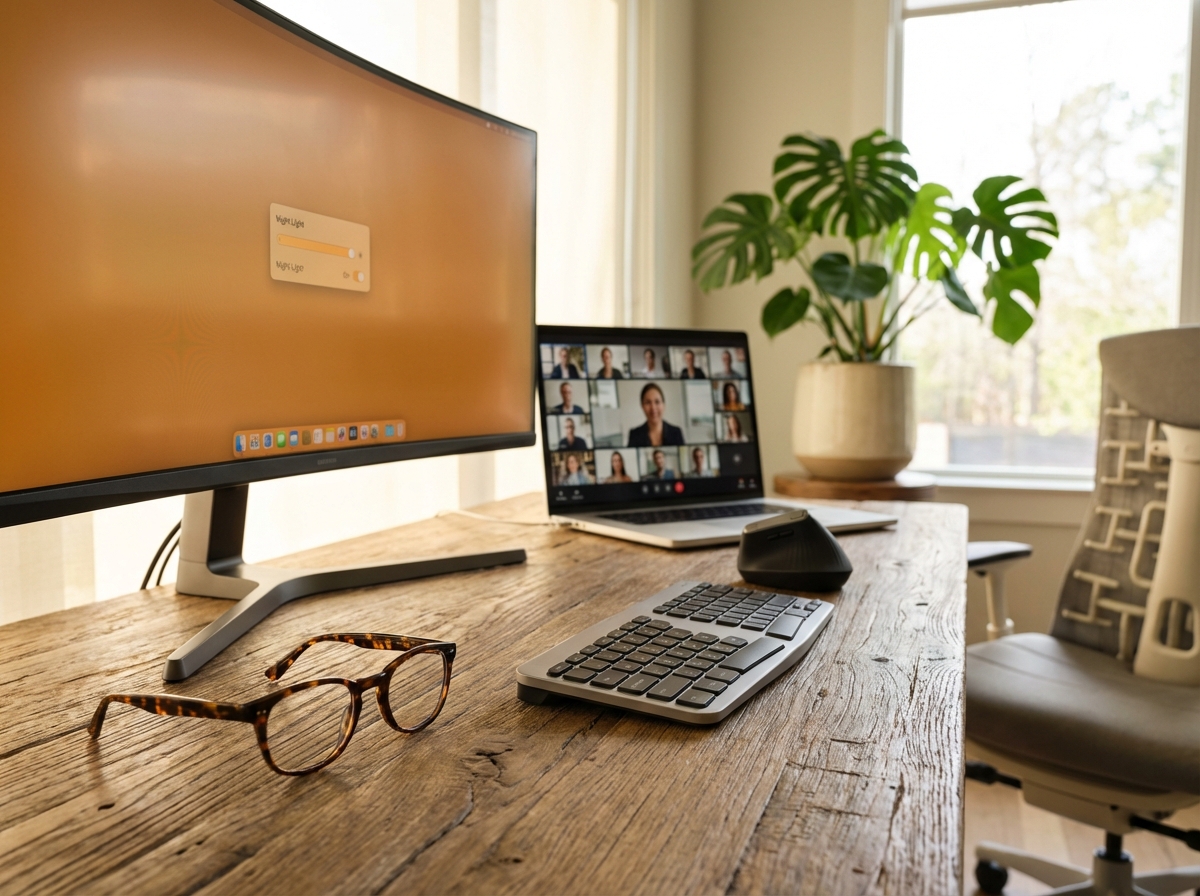
Software filters work by altering the output of your display at the system level. They adjust the color balance by reducing the intensity of the blue channel. This shift creates a warmer appearance that mimics natural light cycles. Built-in tools like Windows Night Light or macOS Night Shift are standard now. Third-party applications like f.lux provide even more customization. These tools use your geographic location to determine sunset times. They transition the screen color gradually over thirty or sixty minutes. This slow change is easier on the brain than a sudden shift in brightness or hue.
Setting the right color temperature is vital for comfort. During the day, a setting of 6500K is standard. This matches typical daylight and helps maintain alertness. As the sun goes down, you should shift toward warmer tones. A range between 3000K to 3400K is ideal for evening work. These settings reduce the stimulation of melanopsin-containing cells in your eyes. This helps protect your natural melatonin production. You should also calibrate your brightness to match your surroundings. If your office is bright, your screen should be bright. In a dim room, lower the brightness to prevent the screen from acting like a glare source. Keep your contrast high enough to read clearly without squinting. A gamma setting of 2.2 is the industry standard for most office tasks.
Software filters have specific limitations. They do not address the physical causes of eye strain. They cannot fix a low blink rate. Most people blink much less when focusing on a screen. This leads to dry eyes regardless of the color temperature. Filters do not stop glare from windows or overhead lamps. They can interfere with color accuracy. This is a problem for photographers or video editors. Different screen technologies also change how these filters feel. An OLED panel has a different spectral profile than an LCD screen. OLEDs often have higher peak blue light intensity. This means a software filter might feel different on a high-end phone compared to a budget monitor. The study found insufficient evidence to support claims that blue light filters alone improve visual performance or reduce eye fatigue.
Hardware choices can supplement software filters. Many modern monitors include low blue light modes in their firmware. These are often certified by groups like TÜV Rheinland. Flicker-free panels are another important feature. They use direct current dimming to control brightness. This avoids the rapid flickering found in older screens that use pulse width modulation. Anti-reflective coatings on the screen surface help reduce glare from external light sources.
For remote teams, consistency is key. Managers can use Mobile Device Management policies to set defaults. This ensures all company laptops use Night Light or Night Shift automatically. Providing recommended profiles helps employees who are not tech-savvy. It creates a baseline for wellness across the entire organization.
Quick Setup Guide for Operating Systems
Windows 11 Setup
Open your Settings and navigate to System. Select Display and then Night Light. Toggle the switch to On. You can set a schedule from sunset to sunrise. Adjust the strength slider to find a comfortable warmth. A setting around 50 percent usually hits the 3400K mark.
macOS Setup
Go to System Settings and click on Displays. Select the Night Shift tab. Choose a schedule like Sunset to Sunrise. Move the color temperature slider toward Warmer. This will apply the filter across all connected displays automatically.
Mobile Devices
On iOS, go to Settings then Display and Brightness. Tap Night Shift to set your schedule. On Android, look for Blue Light Filter or Night Shield in the display settings. Some older Android versions may require third-party apps like Twilight to achieve the same effect.
Recommended Settings for Daily Use
| Time of Day | Color Temperature | Brightness Level |
|---|---|---|
| Morning and Afternoon | 6500K | Match ambient light |
| Evening (Post-Sunset) | 3000K to 3400K | Lowered to 20 percent |
| Late Night | 2700K | Minimum usable level |
Software is only one part of the solution. Your environment matters just as much. Use warmer ambient lighting in your workspace after dark. Bias lighting is a great addition. This involves placing a small light source behind your monitor. It illuminates the wall behind the screen. This reduces the strain caused by high contrast in a dark room. Position your monitor correctly. The top of the screen should be at or slightly below eye level. It should be about 20 to 28 inches away from your face.
You should test these changes to see what works for you. Keep a sleep diary for two weeks. Track how long it takes you to fall asleep. Note any changes in your morning energy levels. Use a simple log to record symptoms like headaches or dry eyes. This data will help you decide if the software filters are making a real difference. While some reviews show inconclusive outcomes for eye strain, many users find that warmer screens make late-night work much more tolerable. Focus on a combination of software, hardware, and environmental changes for the best results.
Frequently Asked Questions
Many people feel overwhelmed by the conflicting advice on screen safety. You might hear that blue light is a toxin one day and a harmless part of life the next. This section clears up the confusion with direct answers based on the latest 2025 research and clinical reviews.
Do blue light glasses reduce eye strain?
No. Current high quality evidence suggests they do not provide a significant benefit for digital eye strain.
A major 2023 Cochrane systematic review looked at 17 different trials and found no statistically significant difference in eye fatigue between those wearing blue light filtering lenses and those wearing standard clear lenses. Most symptoms of digital eye strain come from the way we use our eyes rather than the light itself. We tend to blink much less when focusing on a screen. This causes the surface of the eye to dry out. The physical stress of focusing on a close object for hours also plays a much larger role than the color of the light.
Actionable takeaway. Focus on the 20-20-20 rule and proper monitor distance instead of relying on glasses for comfort.
Why do I still get tired eyes after using software filters?
Filters only change the color of the light but they do not fix your blink rate or posture.
Software filters like Night Shift or f.lux are excellent for shifting color temperature. However, they cannot address the fact that your blink rate drops from 15 blinks per minute to about 5 blinks per minute during intense computer work. This leads to dry eyes regardless of the screen color. You might also be dealing with glare from overhead lights or a monitor that is positioned too high. These factors create muscle strain in the neck and eyes that a software change cannot fix.
Actionable takeaway. Use a humidifier in your office and consciously practice full blinks every few minutes.
Are filters or glasses better for sleep?
Amber tinted glasses or strong software filters are better than clear blue light coatings for sleep.
The 2025 Frontiers in Neurology meta-analysis shows that while clear blue light glasses have a minimal effect on sleep onset, stronger interventions do help. Clear lenses usually only block 20 percent of blue light. Amber lenses can block up to 90 percent of the wavelengths that suppress melatonin. Software filters are effective because they can be set to very warm levels like 3000K in the evening. This mimics the natural progression of sunlight and helps your brain prepare for rest.
Actionable takeaway. Set your software filters to their warmest setting at least two hours before bed or use amber glasses if you must work late.
Should I wear blue light glasses all day?
No. You actually need blue light during the morning and afternoon to stay alert and healthy.
Blue light is a natural part of daylight. It helps regulate your circadian rhythm by suppressing melatonin during the day. This keeps you awake and improves your mood. If you block too much blue light in the morning, you might feel sluggish or experience a dip in your energy levels. Research from 2025 suggests that adults need at least 250 lux of melanopic light in the morning to maintain a healthy sleep cycle.
Actionable takeaway. Keep your screens at a standard 6500K temperature during daylight hours and only start filtering after sunset.
Can filters or glasses harm color critical work?
Yes. Any filter that shifts the color temperature will distort your perception of shades and contrast.
If you are a graphic designer or video editor, using amber glasses or software filters will make it impossible to color grade accurately. Yellow and amber tints specifically wash out blues and shift greens. Even clear blue light coatings can add a slight yellow cast that affects professional work.
Actionable takeaway. Disable all filters during color sensitive tasks and use ergonomic adjustments like bias lighting to manage strain instead.
Are kids at greater risk and should they use filters or glasses?
Children have more sensitive eyes but the primary risk is screen time duration rather than blue light.
The lenses in a child’s eye are clearer than those in an adult. This means more light reaches their retina. However, the American Academy of Pediatrics notes that there is no evidence that blue light from screens causes permanent damage to a child’s eyes. The real concern for children is that excessive screen time replaces outdoor play. Lack of natural sunlight is a proven risk factor for the development of nearsightedness.
Actionable takeaway. Prioritize outdoor time and strict screen limits over buying blue light glasses for children.
When should I see an eye doctor?
You should book an exam if your eye strain persists for more than two to four weeks despite making ergonomic changes.
Persistent headaches, blurred vision, or extreme dryness can be signs of an underlying issue like uncorrected astigmatism or binocular vision dysfunction. Sometimes the strain you feel is simply your eyes trying to compensate for a prescription that is slightly off. A professional can also check for signs of dry eye disease which requires medical treatment rather than just a filter.
Actionable takeaway. Schedule an annual eye exam if you spend more than six hours a day in front of a screen.
What should employers do for remote teams?
Employers should focus on education and providing the right software tools rather than just handing out glasses.
Managers can implement Mobile Device Management policies that automatically enable Night Light or Night Shift on company laptops. This ensures that all employees have a baseline level of protection. Providing a small stipend for ergonomic equipment like monitor arms or high quality task lighting is often more effective than subsidizing blue light glasses.
Actionable takeaway. Create a simple internal guide on how to set up an ergonomic workstation and enable built in OS filters.
Does blue light exposure from screens cause retinal damage?
There is no evidence that normal screen use causes any permanent damage to the retina.
The amount of blue light coming from a monitor is a tiny fraction of what you receive from standing outside for a few minutes. Studies that showed retinal damage often used light intensities far beyond what any consumer electronic device can produce. Organizations like the Macular Society have confirmed that screens are not a significant risk factor for age related macular degeneration.
Actionable takeaway. Stop worrying about permanent eye damage and focus on managing daily comfort and sleep quality.
Comparison of Lens Effectiveness
| Lens Type | Blue Light Blocked | Primary Use Case | Impact on Color |
|---|---|---|---|
| Clear Coating | 20-30% | Daytime office work | Minimal shift |
| Yellow Tint | 40-50% | Late afternoon work | Moderate shift |
| Amber Tint | 60-90% | Evening and pre-sleep | Heavy distortion |
Display Technology Differences
OLED and LCD screens emit light differently. OLED panels often have a higher peak of blue light at the 450nm wavelength. This is the specific area where our eyes are most sensitive. However, OLEDs can also be dimmed more effectively without the flicker issues found in some cheaper LCD backlights. If you find yourself sensitive to screen light, look for monitors with DC dimming or those certified as flicker free.
Actionable takeaway. Check if your monitor uses Pulse Width Modulation for dimming and switch to a flicker free model if you get frequent headaches.
2025 Meta-Analysis Sleep Data
| Metric | Mean Difference | Statistical Significance |
|---|---|---|
| Sleep Onset Latency | -4.86 minutes | Not Significant |
| Total Sleep Time | +8.75 minutes | Not Significant |
| Sleep Efficiency | -0.61% | Not Significant |
The data shows that while these tools are popular, they are not a magic fix. You should test any new solution for at least two weeks while keeping a simple log of your symptoms. If you do not see an improvement in your sleep or comfort after 14 days, the issue is likely related to your desk setup or your overall eye health rather than the blue light itself.
Final Recommendations and Actionable Checklist
Choosing Your Path
Selecting the right eye protection depends on your specific work schedule and the nature of your tasks. If you work during the day and need to maintain color accuracy for design or video editing, you should prioritize ergonomic fixes. Use clear anti-reflective lenses or no glasses at all. This approach ensures your color perception remains perfect while you address the root causes of strain through desk setup. If you are an evening heavy user or someone concerned about sleep quality, your strategy changes. You should use warm software filters as well as amber tinted lenses after sunset. These tools are more effective at blocking the specific wavelengths that interfere with melatonin production.
| User Type | Primary Tool | Secondary Tool |
|---|---|---|
| Daytime Color Critical | Ergonomic Setup | Clear AR Lenses |
| Evening or Late Shift | Software Filters | Amber Lenses |
| General Office Work | 20-20-20 Rule | Software Filters |
The Combined Daily Regimen
A successful routine integrates hardware settings with physical habits. You should adjust your monitor brightness to match the ambient light in your office. If the screen is much brighter than the room, your eyes work harder to compensate. Set your color temperature to 6500K during daylight hours. You can enable automatic night mode on Windows or macOS to transition the screen to a warmer 3000K or 3400K as the sun sets. This gradual shift helps your circadian rhythm stay on track. You might consider blue light glasses if software filters feel insufficient for your needs. However, you must always pair these tools with ergonomic desk changes. The 2023 Cochrane review suggested that blue light filtering lenses might not reduce eye strain symptoms compared to regular lenses. This means the physical setup of your workspace is often more important than the eyewear you choose.
Monitor Placement
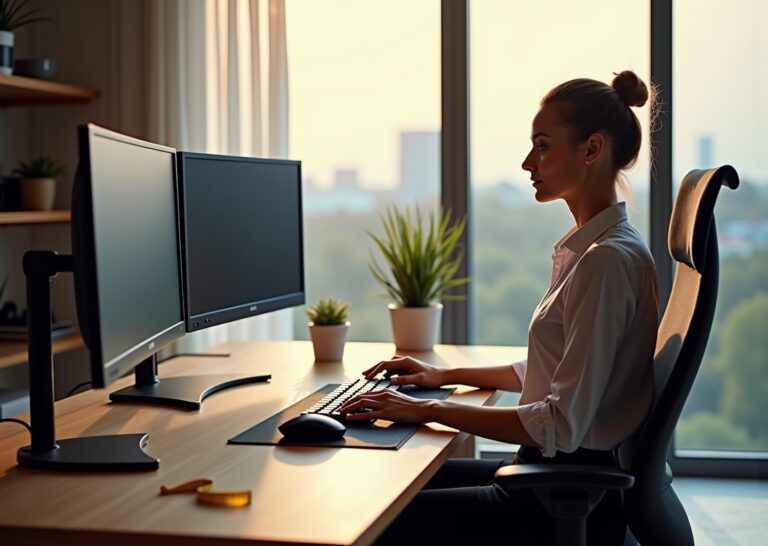
Position your screen so it is 20 to 28 inches away from your eyes. The top of the monitor should be at eye level. This allows for a 20 to 30 degree downward gaze which is more natural for the eye muscles. Looking slightly down reduces the surface area of the eye exposed to air, which helps prevent dryness.
Body Alignment
Keep your wrists in a neutral position while typing. Use a chair that provides firm lumbar support to prevent slouching. Poor posture can lead to neck tension that contributes to headaches and visual discomfort. If you use a laptop, consider an external keyboard and a laptop stand to achieve the correct height.
Movement and Blinking Routines
Digital eye strain often stems from a reduced blink rate. Most people blink 15 to 20 times per minute, but this drops to 4 or 5 times when looking at a screen. You should practice conscious blinking exercises. Try to blink 10 times slowly every hour to refresh the tear film on your eyes. You should also follow the 20-20-20 rule. Every 20 minutes, look at an object 20 feet away for at least 20 seconds. This allows the focusing muscles inside the eye to relax.
Microbreaks are essential for long term comfort. You should incorporate a 5 to 10 minute movement routine every hour. Stand up and stretch your shoulders. Rotate your wrists and move your neck gently from side to side. These small breaks reduce the physical stress of sitting and help maintain blood flow. You can find more details on the effectiveness of these habits in this guide on whether blue light glasses actually work.
Sample Workplace Policy Template
Managers can roll out simple profiles to help remote teams stay healthy. A clear policy reduces the burden on individual employees to figure out technical settings. You can use the following template as a starting point for your team.
Company Vision and Sleep Health Policy
1. Device Configuration. All company laptops will have Night Light (Windows) or Night Shift (macOS) enabled by default. The schedule is set from 7 PM to 7 AM with a warmth setting of 50 percent.
2. Equipment Support. The company provides a 50 dollar annual subsidy for ergonomic accessories. This includes monitor stands, external keyboards, or prescription blue light coatings.
3. Education. New hires will receive a 30 minute briefing on desk ergonomics and the 20-20-20 rule.
4. Meeting Culture. No internal video calls should be scheduled after 6 PM to encourage evening wind down.
Testing and Evaluation Guidance
You should not expect immediate results from a single change. It is best to track your symptoms for 2 to 4 weeks to see what works. Use a simple log to rate your eye strain and headache frequency on a scale of 1 to 10. If you are testing nighttime interventions, keep a sleep diary. Record how long it takes you to fall asleep and how rested you feel in the morning. Recent studies, including a 2025 meta-analysis in Frontiers in Neurology, show that blue light glasses have a very small effect on sleep onset latency. This highlights the need for a personal trial to see if you are a responder to the technology. If your problems persist after a month of ergonomic and software adjustments, you should consult an occupational health specialist or an eye care professional. Persistent strain might indicate an underlying vision issue that filters cannot fix.
| Metric to Track | Method | Duration |
|---|---|---|
| Eye Fatigue | Daily 1-10 scale | 4 weeks |
| Sleep Onset | Time to fall asleep | 2 weeks |
| Headache Frequency | Weekly count | 4 weeks |
References
- Do Blue Light Glasses Actually Work? The Science-Backed … — The study found insufficient evidence to support claims that blue light glasses improve visual performance, reduce eye fatigue, or enhance sleep …
- Optimizing the Potential Utility of Blue-Blocking Glasses for … — by GL Glickman · 2025 · Cited by 3 — Standardized characterization of blue-blocking glasses using mDFD facilitates reliable product comparisons, evidence-based selection, and …
- Evidence Lacking for Blue-Light Blocking Lens Claims — The systematic review found that blue-light filtering spectacle lenses may not reduce symptoms of eye strain with computer use, over a short-term follow-up …
- Cochrane Review: Blue-light filtering glasses show … — Eyeglasses that are marketed to filter out blue light may not ease eye strain from computer work, protect the retina or help with sleep at night, according to …
- Efficacy of blue-light blocking glasses on actigraphic sleep … — Background: Evening exposure to blue light suppresses melatonin, delays circadian phase, and prolongs sleep onset latency, impairing sleep quality.
- Do Blue Light Glasses Work? Separating Fact From Fiction — Proponents say that blue blockers can improve sleep quality, reduce eye strain from digital screens, and even cure headaches.
- Is blue light damaging and are filters worth it? — A recent review of studies into blue light filtering glasses found that they had no impact on eye strain or sleep quality.
- Blue Light Protection: What the Evidence Shows — Clear blue light lenses filter only 20-30% of blue light exposure · No significant reduction in digital eye strain symptoms versus regular lenses …
- Review finds there may be no benefit using blue-light … — A newly published Cochrane systematic review found that blue-light filtering spectacles did not perform any better that non-blue-light filtering spectacles.
Legal Disclaimers & Brand Notices
The content provided in this article is for informational and educational purposes only and does not constitute medical advice, diagnosis, or treatment. Always seek the advice of a qualified eye care professional, physician, or other healthcare provider with any questions you may have regarding a medical condition, including digital eye strain, dry eye syndrome, or vision health. Never disregard professional medical advice or delay in seeking it because of something you have read in this article.
All product names, logos, and brands mentioned—including but not limited to Windows, macOS, Night Light, Night Shift, f.lux, and Twilight—are the property of their respective owners. All company, product, and service names used in this article are for identification purposes only. Use of these names, logos, and brands does not imply endorsement.