This in-depth comparison examines the Herman Miller Aeron and the Steelcase Leap to help office workers and remote teams choose the best ergonomic chair. We analyze design, adjustability, materials, real-world comfort, maintenance, warranty and price, and show how to pair either chair with an ergonomic desk, monitor and keyboard setup plus daily stretching routines to prevent pain.
Why this comparison matters for offices and remote teams
Choosing an office chair might seem like a minor decision, but in today’s work environment, it’s one of the most critical investments an individual or a company can make. The debate between titans like the Herman Miller Aeron and the Steelcase Leap is more than just a matter of preference; it’s a conversation about health, productivity, and adapting to the new realities of work. With hybrid models becoming a workplace standard, the line between the corporate office and the home workspace has blurred. This shift places a new and urgent emphasis on creating sustainable, healthy work environments wherever work happens.
The stakes are incredibly high. We are a workforce defined by sitting. This sedentary reality has led to a silent epidemic of musculoskeletal disorders. According to recent OSHA data, a significant majority of office workers in the United States report issues like chronic back pain, neck stiffness, and wrist ailments. The problem has only intensified with the rise of remote work, as noted in recent public health reports. These are not just minor aches. They are persistent pains that erode focus, diminish output, and degrade overall quality of life. Studies published in journals like Ergonomics have directly linked poor chair choice to significant productivity drops over an eight-hour day. When you scale that across a team or an entire organization, the financial and human cost becomes immense.
Employers are taking notice. Recognizing that employee well-being is directly tied to performance, companies are increasing their investment in ergonomic equipment. They understand that providing a high-quality chair isn’t just a perk; it’s a strategic move to protect their most valuable asset, their people. For remote and hybrid teams, this presents a unique challenge. How do you ensure every employee has a safe and productive setup, whether they are in a corporate high-rise or a spare bedroom? The answer lies in choosing proven, adaptable solutions. The Aeron and Leap represent the gold standard, chairs engineered from the ground up to support the human body through long hours of focused work. This comparison is vital for procurement managers and remote workers alike who need to make an informed choice that will pay dividends in comfort and health for years to come.
Furthermore, the modern workforce is not a monolith. Employees come in all shapes and sizes, and a one-size-fits-all chair is a recipe for discomfort. The average American man stands at 5’9″, while the average woman is 5’4″, and that doesn’t even begin to account for the full spectrum of body types. This is where the core philosophies of Herman Miller and Steelcase diverge and why this comparison is so essential. The Aeron addresses this with its three distinct sizes (A, B, and C), requiring a more precise fit for the individual. The Leap, on the other hand, is engineered as a single, highly adjustable chair designed to fit the vast majority of the population. Understanding which approach best suits a diverse team or a specific individual is key to a successful ergonomic strategy.
Ultimately, the chair is the foundation of an ergonomic workstation, but it doesn’t work in isolation. The most sophisticated chair in the world can be rendered ineffective by a monitor at the wrong height or a desk that forces you to hunch. A truly ergonomic setup is a complete system. It includes the chair, an adjustable desk, properly positioned monitors and keyboards, and just as importantly, routines that encourage movement. Recent NIOSH guidelines show that implementing these total systems can reduce injury claims by as much as 40%. Therefore, this comparison isn’t just about picking a chair. It’s about understanding how the right chair integrates into a holistic approach to workplace health, ensuring that whether you’re at home or in the office, your workspace is built to support you, not strain you.
Design materials and build quality
When you look at the Herman Miller Aeron and the Steelcase Leap side by side, their design philosophies couldn’t be more different. The Aeron is an icon of modern industrial design, a statement piece built around the concept of suspension. The Leap, in contrast, is a masterclass in understated, adaptive engineering, prioritizing a cushioned, responsive experience over a bold aesthetic. These differences are rooted in their core materials and construction, which directly influence everything from comfort to long-term maintenance.
The Aeron’s most defining feature is its Pellicle mesh. In the current Remastered version, this is the 8Z Pellicle, an elastomeric suspension material divided into eight distinct zones of varying tension. This isn’t just a simple mesh screen; it’s engineered to provide firmer support where your body needs it most, like under the sit bones, and more give in other areas. This creates the signature “floating” sensation the Aeron is known for. This design choice necessitates a tailored fit, which is why the Aeron comes in three distinct sizes.
- Size A is for smaller frames, typically users under 5’4″ and between 90–150 lbs.
- Size B is the most common, fitting the majority of users from 5’4″ to 6’2″.
- Size C is designed for larger and taller individuals, supporting up to 350 lbs.
Choosing the correct size is non-negotiable, as it compensates for the chair’s lack of seat depth adjustment. The frame itself is a work of art, typically made from die-cast aluminum with finishes like polished aluminum or graphite. It’s a testament to durability and a premium build quality that feels solid from the moment you sit in it.
The Steelcase Leap takes a completely different approach. Its seat is a traditional high-density foam cushion wrapped in your choice of fabric or other upholstery. This provides a softer, more immediately welcoming feel compared to the Aeron’s firm mesh. The design is focused on dynamic movement. The chair’s patented LiveBack technology allows the backrest to flex and change shape to mimic the natural movements of your spine. You can see this engineering in action through the visible seams and segmented back panel, which is a functional design choice rather than a purely aesthetic one. The frame is a robust combination of steel and plastic, built for relentless daily use in corporate environments. It may not have the Aeron’s museum-worthy look, but its durability is unquestionable.
Let’s break down how these material choices play out in daily use.
Breathability and Thermal Comfort
The Aeron is the undisputed winner here. Its full mesh design allows for maximum air circulation, preventing heat and moisture buildup during long work sessions. This makes it an excellent choice for warmer climates or for people who tend to run hot. The Leap, while featuring a slatted back design to promote some airflow, is still a foam and fabric chair. It can feel warmer over an eight-hour day, though it’s far more breathable than older, traditional office chairs.
Durability and Repairability
Both chairs are built to last and come with impressive 12-year warranties that cover 24/7 use. They are true long-term investments. However, their wear patterns differ. The Aeron’s Pellicle mesh is incredibly strong but can be susceptible to tears or punctures from sharp objects after many years of use; a replacement seat or back can cost upwards of $300. The Leap’s fabric is its most likely point of failure, prone to stains or wear over time. However, parts like armrest pads are more affordable to replace, often costing between $50 and $100. For more details on these differences, this long-term review offers great insights.
Stain Resistance
The Leap has a clear advantage due to its vast upholstery options. Steelcase offers a wide array of performance fabrics that are specifically designed to resist stains and be easy to clean. Spills on the Aeron’s mesh can be more difficult to treat, as liquids can pass through and stains can set into the woven material.
Sustainability
Both Herman Miller and Steelcase are leaders in sustainable manufacturing. The current Aeron chair is made with a significant amount of recycled content and is up to 91% recyclable at the end of its life. Herman Miller is also pursuing aggressive carbon neutrality goals. Steelcase is equally committed, utilizing recycled plastics in the Leap’s construction and operating a robust take-back program for its products. For environmentally conscious buyers, both chairs represent responsible choices.
Ergonomic features and adjustability
While design and materials create the first impression, a chair’s ergonomic value is defined by its adjustability. The Aeron and Leap represent two distinct philosophies in achieving a personalized fit. The Aeron relies on a size-specific frame fine-tuned with several key adjustments, whereas the Leap uses a single, highly adaptable frame designed to fit a vast majority of users. This is where the chairs truly diverge, and understanding these differences is critical to preventing the back, neck, and wrist pain that plagues office workers.
Lumbar Support Systems
The Herman Miller Aeron’s approach is targeted and structural. The standard model includes a basic height-adjustable lumbar pad. The upgraded PostureFit SL system, however, is a significant ergonomic enhancement. It features two individual pads that can be independently adjusted for tension. One pad supports the sacrum at the base of the spine, while the other supports the lumbar region. This encourages the spine to maintain its natural S-curve, preventing slouching. The Steelcase Leap counters with its LiveBack technology. The entire backrest flexes and moves with your spine. It includes a manually adjustable lumbar support that slides up and down to target the precise curve of your lower back. More importantly, a separate dial controls the firmness or tension of the lower back region, allowing you to increase or decrease pressure as needed throughout the day. For users who need granular control over lumbar pressure, the Leap’s dual-function system offers more customization.
Tilt Mechanics and Recline Range
Both chairs offer sophisticated recline mechanisms, but they feel different in practice. The Aeron uses the Harmonic 2 Tilt, which provides an exceptionally smooth and balanced recline that moves the seat and backrest together in a synchronized ratio. It feels like you are floating. It comes with a tilt limiter to set the maximum recline angle. The Leap uses a more traditional variable back stop with five lockable positions. This allows you to lock the backrest upright or at several different angles of recline, offering more control if you prefer a fixed position. The Leap also boasts a greater recline range, reaching up to 120 degrees, compared to the Aeron’s more modest 96 degrees. The choice here depends on whether you prefer a fluid, motion-centric recline or the ability to lock in specific postures.
Seat Height and Depth Adjustments
This is perhaps the most significant functional difference between the two chairs. The Aeron does not have an adjustable seat depth. Instead, the depth is determined by the chair size you purchase (A, B, or C). This makes selecting the correct size absolutely essential for proper leg support. If the seat is too deep, it can press against the back of your knees; if it’s too shallow, it fails to support your thighs. The Steelcase Leap, however, features an adjustable seat depth with a 3-inch range. This allows you to slide the seat pan forward or backward to ensure there are about two to three fingers of space between the edge of the seat and the back of your knees, a critical adjustment for promoting blood flow and reducing pressure on the legs. This feature makes the Leap far more adaptable to different body types and leg lengths within a single model.
Armrest Adjustability
Proper armrest positioning is key to preventing shoulder, neck, and wrist pain. The Aeron offers highly effective 3D armrests, which adjust for height, depth (forward and backward), and pivot (in and out). This covers the essential movements for supporting your arms during various tasks. The Steelcase Leap goes one step further with 4D armrests. In addition to height, depth, and pivot, they also adjust for width. This fourth dimension allows you to move the armrests closer together or farther apart, which is a crucial feature for aligning your elbows directly under your shoulders, regardless of your body frame. For users with very broad or narrow shoulders, this width adjustment can be the deciding factor in achieving true ergonomic comfort.
Forward Tilt and Task-Intensive Postures
For those who spend hours typing or performing other forward-leaning tasks, both chairs offer a solution. The Aeron has an optional forward tilt feature that angles the seat pan down by about two degrees, rotating your pelvis slightly forward to help maintain spinal alignment while you lean into your work. The Leap has a similar function through its seat angle adjustment, which allows the front edge of the seat to flex down, reducing pressure on the back of the thighs. Both are effective at supporting an active, engaged posture.
To tune your chair, start by setting the height so your feet are flat and knees are at a 90-degree angle. Adjust the seat depth (on the Leap) or confirm your Aeron size provides proper thigh support. Next, position the lumbar support to fit the curve of your lower back. For typing, raise the armrests so your elbows are at a 90-degree angle and your wrists are straight. For focused reading, you might recline slightly with lower armrests.
Precise adjustment ranges and optional upgrades can vary. We strongly recommend verifying the latest specifications on the official Herman Miller and Steelcase websites or through authorized dealers like BTOD.com before making a final decision.
Real world comfort performance maintenance and warranty
Beyond the spec sheet and adjustment knobs lies the reality of living with a chair day in and day out. How a chair performs over an eight-hour shift, how it holds up after five years, and what happens when something finally breaks are critical factors in your decision. This is where the Aeron and Leap reveal their distinct personalities.
Long-Term Comfort and Performance
When it comes to all-day comfort, the Aeron and Leap offer two different philosophies. The Leap, with its padded foam seat and flexible back, feels more like a traditional chair. It’s immediately comfortable and forgiving, contouring to your body as you shift and move. The foam provides excellent pressure distribution, and the waterfall seat edge is particularly effective at preventing pressure buildup behind the knees during long sessions. This makes the Leap a fantastic choice for those who sit for prolonged, uninterrupted periods. It consistently scores well in long-term comfort tests because its padded support feels less demanding on the body over many hours.
The Aeron, in contrast, provides a unique “floating” sensation. Its 8Z Pellicle mesh suspends you rather than cushions you. This firm, supportive surface is excellent for maintaining good posture and is often preferred by users who are in and out of their chair frequently. However, for some, the firmness of the mesh and the rigid frame around the seat can create pressure points during marathon work sessions. While its ergonomic support is top-tier, its comfort can be more subjective and highly dependent on getting the correct size for your body. For heat management, there is no contest. The Aeron’s full mesh design allows for unrestricted airflow, making it vastly superior in warmer climates or for people who tend to run hot. The Leap’s foam and fabric will retain more heat, though its slatted back design does provide some ventilation.
Durability, Maintenance, and Repairs
Both chairs are engineered for longevity, easily lasting a decade or more under heavy use. They are true investments in your workspace. However, they have different common wear points. The Aeron’s Pellicle mesh is incredibly durable but can be its primary point of failure after 7 to 10 years, potentially developing tears or sagging. Its arm pads can also show wear over time. For the Leap, the fabric upholstery is the most likely component to show age through stains or fraying, and the seat foam may begin to compress after many years of service. Its arm pads are also a common replacement item.
Maintenance for both is straightforward.
- Herman Miller Aeron
The mesh can be vacuumed and wiped down with a mild soap and water solution. It’s a good practice to check and tighten the bolts on the seat pan and backrest every six months to a year to prevent wobbling. - Steelcase Leap
Cleaning depends on the fabric chosen, but most can be cleaned with a water-based upholstery cleaner. The frame and plastic components can be wiped down easily.
When it comes to repairs, parts are readily available for both chairs from the manufacturers and third-party suppliers. Replacing the arm pads on a Leap is a simple and relatively inexpensive fix, often costing under $100. Replacing a torn Pellicle seat pan on an Aeron is a more involved and costly repair, potentially running over $300.
Warranty and Long-Term Value
Herman Miller and Steelcase both stand behind their products with exceptional 12-year warranties that cover nearly everything, including all mechanical components, casters, and cylinders, for 24/7 use. This is a testament to their build quality. The key difference lies in the weight capacity covered; the Aeron warranty covers users up to 350 pounds, while the standard Leap V2 is rated for 400 pounds and the Leap Plus for 500 pounds. It is essential to confirm the current warranty length and specific terms on the official manufacturer or authorized dealer websites, as policies can be updated.
From a financial perspective, the Aeron often boasts a higher resale value, retaining 60-70% of its price after three years due to its iconic design and brand recognition. The Leap holds its value well too, but typically closer to 50%. For corporate procurement, this can influence the decision. While buying chairs outright is a common capital expense, many businesses opt to lease, especially for large teams. Steelcase and its dealers often provide flexible leasing programs, which can make outfitting an office more manageable from a budget perspective, alongside offering significant bulk purchase discounts.
How to set up an ergonomic workstation with either chair
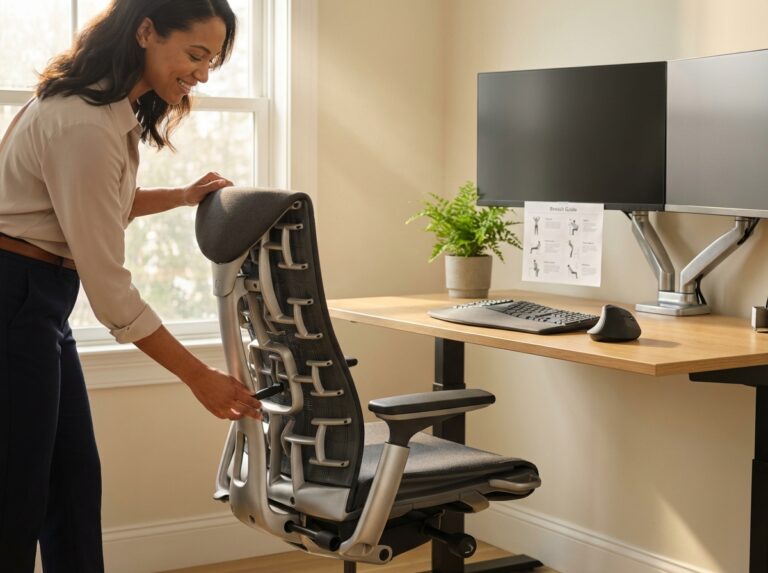
Owning a premium ergonomic chair is only half the battle. To truly prevent pain and boost productivity, you must integrate your Aeron or Leap into a complete, well-adjusted workstation. This process is about creating a system where the chair, desk, and technology work in harmony with your body. Here is a practical guide to achieving that synergy, following established ergonomic principles from sources like OSHA and NIOSH.
Step 1: Adjust Your Chair to Your Body
Before touching anything else, set up your chair. This is your foundation.
Seat Height and Position
Start by adjusting the seat height so your feet are flat on the floor and your knees are bent at a 90 to 110-degree angle. Your thighs should be roughly parallel to the ground. This is the single most important adjustment. If your feet dangle, you’ll need a footrest. For the Steelcase Leap, slide the seat pan forward or backward until you can fit two or three fingers between the back of your knees and the edge of the seat. This prevents pressure on your legs. The Herman Miller Aeron does not have seat depth adjustment, which is why selecting the correct size (A, B, or C) is so critical during purchase.
Lumbar and Back Support
Sit back fully in the chair, so your spine is against the backrest. For the Aeron, adjust the PostureFit SL pads so they comfortably support the natural curve of your lower back, filling the gap in your lumbar and sacral regions without pushing you forward. With the Leap, slide the lumbar support up or down to match your spine’s curve, then use the lower back firmness dial to increase or decrease pressure until it feels supportive.
Armrest Setup
Adjust the armrests so your elbows rest at a comfortable 90-degree angle with your shoulders relaxed. Your wrists should be straight when typing. The Leap’s 4D armrests offer width adjustment, which is a significant advantage for users with broader or narrower shoulders. The Aeron’s 3D arms can pivot inward to provide similar support during keyboard use.
Step 2: Build the Workstation Around You
With your chair properly adjusted, it’s time to arrange your desk and equipment.
Monitor Height and Distance
Position your monitor so the top of the screen is at or slightly below eye level. This prevents you from tilting your head up or down, reducing neck strain. The screen should be about an arm’s length away, typically 20 to 30 inches. A monitor arm is the best tool for this, offering precise height, depth, and angle adjustments that a standard stand cannot match.
Keyboard and Mouse Placement
Your keyboard and mouse should be on the same surface and close enough to prevent reaching. Your wrists should remain straight and in a neutral position. If your desk is too high to achieve this, a keyboard tray is an excellent investment. It allows you to position your keyboard lower and at a slight negative tilt, which is the ideal posture for wrist health.
Desk Height Recommendations
For a standard sitting desk, the surface should be at or just below your elbow height when seated correctly, typically between 24 and 29 inches for most users. If you use a standing desk, adjust its height so your elbows are again at a 90-degree angle while standing. For a person of average height (5’9″), a standing desk height of around 34 to 38 inches is a good starting point.
Step 3: Incorporate Daily Movement
An ergonomic setup reduces strain, but it doesn’t eliminate the need for movement. Regular micro-breaks are essential.
- Neck Tilts: Gently tilt your head, bringing your ear toward your shoulder. Hold for 20 seconds on each side. Repeat 2-3 times.
- Shoulder Shrugs: Raise your shoulders up to your ears, hold for a few seconds, and release. Repeat 10-15 times to release tension.
- Standing Back Extension: Stand up, place your hands on your lower back, and gently arch backward. Hold for 10 seconds.
- Wrist Stretches: Extend one arm with the palm up, and gently pull your fingers down with the other hand. Hold for 20 seconds, then repeat with the palm down.
Guidance for Remote and Hybrid Teams
Consistency is key for preventing musculoskeletal issues, which have risen among remote workers. For hybrid teams, the goal is to replicate the ergonomic setup across all work locations. Companies should consider providing a standardized remote work kit, including a quality chair, an external monitor, a monitor arm, and an external keyboard and mouse. If you work from home, take photos and measurements of your ideal office setup to recreate it as closely as possible, ensuring your body experiences a consistent, supportive posture no matter where you are working.
Frequently Asked Questions & Common Buyer Concerns
Frequently Asked Questions
Even with all the details, choosing between two top-tier chairs can be tough. Here are answers to some of the most common questions buyers have when deciding between the Herman Miller Aeron and the Steelcase Leap.
-
Which chair is definitively better for back pain?
Neither chair is universally “better”; it depends on the type of support you need. The Steelcase Leap’s LiveBack technology and highly adjustable lumbar support (both height and firmness) allow you to pinpoint support exactly where your spine needs it, making it a great choice for those who need customized, dynamic support. The Herman Miller Aeron, with its PostureFit SL system, provides excellent zoned support for the sacrum and lumbar regions, encouraging a healthy S-curve posture. It’s ideal for people who benefit from a firm, structured foundation that keeps them in an optimal position. -
How do I pick the right size, especially with the Aeron’s three options?
This is a critical difference between the two. The Aeron requires you to choose the correct size for your body. Size A is for smaller users (generally under 5’4″ and 150 lbs), Size B fits the majority of the population, and Size C is for taller and heavier individuals (up to 350 lbs). You must consult the official Herman Miller sizing chart before buying. The Steelcase Leap simplifies this with a single size designed to fit about 95% of users, thanks to its extensive adjustability, particularly its 3-inch seat depth adjustment, which the Aeron lacks. -
I use a standing desk. Does one chair work better for transitioning?
Both chairs are excellent companions for standing desks. The Aeron’s forward tilt option is useful for perching on the edge of the seat during short breaks from standing. However, many users find the Leap’s adjustable seat depth gives it an edge. You can shorten the seat pan, making it easier to get in and out of the chair and allowing for a more comfortable perch without the seat edge digging into the back of your legs.
Final recommendations and results
After weighing the features, ergonomics, and user feedback, the choice between the Herman Miller Aeron and the Steelcase Leap comes down to personal preference, body type, and work environment. Neither chair is universally superior; instead, each excels for a specific type of user. This final summary provides clear decision pathways to help you select the right chair for your needs.
Guidance for Specific User Profiles
Choose the Herman Miller Aeron if you…
- Run hot or work in a warm environment. The Aeron’s signature Pellicle mesh provides unmatched breathability, preventing heat and moisture buildup during long sessions. This is its single biggest advantage over any foam chair.
- Prefer firm, structured support. The mesh suspension creates a feeling of floating, with firm, even pressure distribution. It doesn’t “hug” you like a cushioned chair but rather holds you in an optimal posture.
- Value iconic design and minimalist aesthetics. The Aeron is a piece of design history, instantly recognizable and fitting for modern, clean office spaces.
- Fit neatly into one of its three sizes (A, B, or C). Because the Aeron lacks seat depth adjustment, getting the right size is critical for proper leg support and comfort.
Choose the Steelcase Leap if you…
- Crave plush, adaptive comfort. The Leap’s contoured foam seat and flexible back provide a softer, more traditional sitting experience that many find more inviting for all-day use.
- Need maximum adjustability. With its adjustable seat depth, highly customizable lumbar support, and 4D armrests, the Leap can be fine-tuned to fit a wider range of body types and preferences within a single size. This makes it a safer bet if you can’t test it first.
- Move around a lot while seated. The Leap’s LiveBack technology is designed to mimic the natural movement of your spine, flexing and shifting with you as you change postures.
- Are on the higher end of the weight or size spectrum. The standard Leap supports up to 400 lbs, and the Leap Plus model accommodates users up to 500 lbs with a wider seat, making it a more robust option for larger individuals.
Budget and Corporate Procurement Advice
From a purely financial standpoint, the Steelcase Leap often presents a lower entry price. A well-equipped Leap V2 typically costs between $1,200 and $1,500, while a new Aeron Remastered ranges from $1,500 to over $2,100 depending on size and finishes. For corporate buyers, Steelcase is known for offering significant volume discounts, often exceeding 20% for orders of ten or more chairs. The Leap’s one-size-fits-most design also simplifies procurement for diverse teams.
The Herman Miller Aeron, while more expensive, carries significant brand prestige. Its iconic status can be a factor for companies looking to project a certain image. However, its sized nature can complicate bulk orders unless employee measurements are taken beforehand.
Testing, Trials, and Final Ergonomic Reminders
Reading reviews is one thing; sitting is another. We strongly recommend testing both chairs in person at an authorized dealer. Spend at least 20-30 minutes in each, simulating your typical work tasks. Recline, type, and use all the adjustments.
If in-person testing isn’t possible, leverage trial periods. Herman Miller and its retailers typically offer a 30-day return window, while Steelcase offers a 14-day period. This is your best tool for ensuring a multi-thousand-dollar investment is the right one. As you settle into your new chair, remember these ergonomic fundamentals to prevent pain:
- Setup is Key. Adjust your seat height so your feet are flat on the floor and your knees are at a 90 to 110-degree angle. Your armrests should support your elbows at a 90-degree angle with relaxed shoulders.
- Movement is Medicine. No chair, no matter how ergonomic, can replace the need to move. Get up, stretch, and walk around for a few minutes every hour. Perform simple neck rolls and shoulder shrugs at your desk to release tension.
Your Action Plan
Feeling ready to decide? Follow these four steps to make a confident choice.
- Measure Yourself. Know your height and weight. For the Aeron, also measure your popliteal length (from the back of your knee to your backside) to ensure the seat depth is correct.
- Check the Specs. Compare your measurements against the manufacturer’s sizing guides. Pay close attention to weight capacity, seat depth, and width between the armrests.
- Test the Chairs. Visit a showroom or use a trial period. This is the most critical step. Your body’s feedback is the ultimate decider.
- Prioritize Adjustability and Warranty. A chair that can adapt to you is invaluable. Both the Aeron and Leap offer outstanding 12-year warranties, ensuring your investment is protected for over a decade of heavy use.
Sources
- Herman Miller Aeron vs Steelcase Leap: Ultimate Showdown — The Herman Miller Aeron chair offers 3D armrests, while the Steelcase Leap does one better with 4D. Both are the best armrests I've ever tested …
- Herman Miller Aeron vs. Steelcase Leap V2 which is better? | OFR — Here's a comparison to help you make an informed decision: Herman Miller Aeron: Features an iconic modern design with all mesh material for …
- Steelcase Leap vs Aeron (2023): Which Ergonomic Chair Should … — A big difference between the Leap and Aeron is in chair sizes. The Steelcase Leap comes in a single size designed to accommodate the widest user …
- Steelcase Leap Vs Herman Miller Aeron: A Detailed Office Chair … — Both chairs excel in backrest support, but the Leap's adjustability gives it a slight edge for those who need more customization. Armrest …
- Steelcase Leap Plus vs. V2 Leap vs. Aeron Size C — The Leap Plus' 24.5" between the arms provides significantly more width than the Size C's 20", with similar max seat width measurements of 19.5" …
- Aeron vs. Leap: I Ranked Each in 10 Key Categories – YouTube — … Herman Miller Aeron and Steelcase Leap couldn't be any different, but I love both of them. *Watch Next:* Best Office Chair Tier List (30 …
- Herman Miller vs. Steelcase Chair: Which Chair is Right for You? — The Aeron's pellicle mesh seat had a more varied response, scoring 74 out of 100, while the Leap Chair's padded seat provided consistent comfort …
- Steelcase Leap v2 vs Herman Miller Aeron Classic vs Haworth Fern — Below, we detail our common feedback, and compare the Steelcase Leap … Size A: Suitable for users under 5'4” and weighing 90–150 lbs …
- Aeron Chair VS. Leap v2: My Review After 3 Years Use – BTOD.com — 1. Aeron vs. Leap Pricing 2025 · 2. Significant Seat Differences · 3. Seat Depth Adjustment Only For One Chair · 4. 3D vs 4D Armrests · 5. Leap's …
Legal Disclaimers & Brand Notices
General Health and Ergonomic Disclaimer
The content of this article, including discussions of ergonomic principles, pain prevention, and workstation setup, is provided for informational purposes only. It is not intended to be a substitute for professional medical advice, diagnosis, or treatment. Always seek the advice of a qualified healthcare provider, physical therapist, or certified ergonomist with any questions you may have regarding a medical condition, chronic pain, or specific ergonomic requirements.
Trademark Acknowledgement
All product names, logos, and brands mentioned in this article are the property of their respective owners. Specifically, Herman Miller®, Aeron®, Pellicle®, and PostureFit SL® are registered trademarks of Herman Miller, Inc. Steelcase®, Leap®, and LiveBack® are registered trademarks of Steelcase Inc. The use of these names, trademarks, and brands does not imply endorsement, affiliation, or sponsorship by the respective trademark holders.