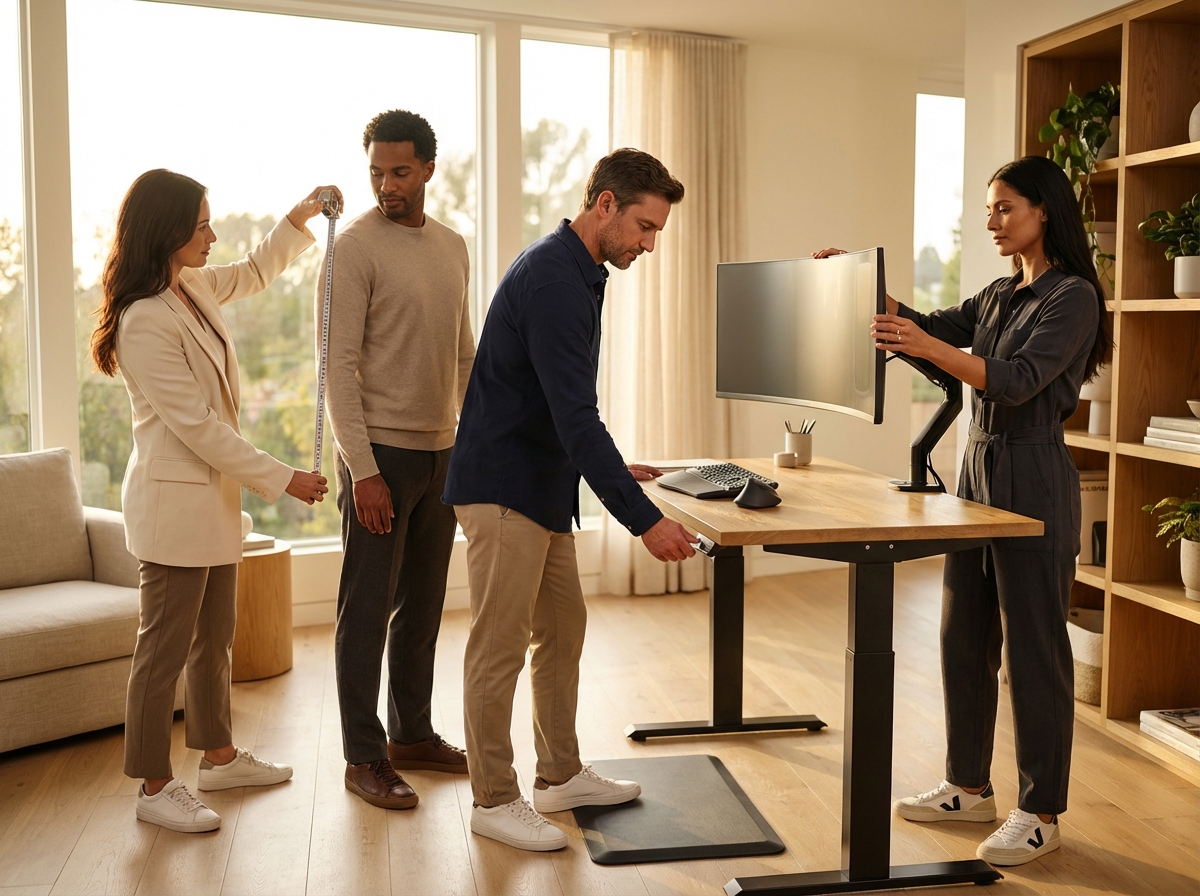
A properly set standing desk prevents back, neck, and wrist pain by matching the work surface to your body. This guide explains why desk height matters, walks you through a step-by-step ideal standing desk height calculator for different body types, and shows monitor and keyboard alignments, transition plans, and practical adjustments for office and remote teams in the USA.
Why standing desk height matters for comfort and performance
The height of your standing desk is the most important factor in your ergonomic setup. It serves as the foundation for how your body interacts with your tools. If the desk surface is even slightly off, your body will try to compensate. These small adjustments might seem minor in the moment, but over time, they create significant physical stress. When you set your desk to the correct height, you align your joints in their most natural positions. This reduces the energy your muscles spend just trying to keep you upright.
The biomechanics of standing at a desk involve a complex relationship between your limbs and your spine. Your elbow angle is the primary starting point. When you stand, your elbows should be at roughly a 90-degree angle, with your forearms parallel to the floor. If the desk is too high, you are forced to shrug your shoulders to reach your keyboard. This constant elevation of the shoulders creates tension in the trapezius muscles, often leading to chronic neck pain and tension headaches that last long after the workday ends.
If the desk is too low, the problems change but remain just as damaging. You will likely find yourself leaning forward to reach your mouse or keyboard. This lean shifts your center of gravity and puts a heavy load on your lower back. The muscles in your lumbar region have to work much harder to prevent you from falling forward, leading to low back strain and potentially causing long-term issues with spinal disc compression.
Wrist health depends entirely on the height of the desk surface. Your wrists should remain in a neutral position—straight, not bent up or down. A desk that is too high causes wrist extension (bending upward), putting pressure on the carpal tunnel and leading to numbness or tingling. A desk that is too low causes wrist flexion (bending downward). Both positions increase the risk of repetitive strain injuries. Keeping the keyboard at a height that allows for a flat wrist is essential for long-term comfort.
Your head and neck are also affected by the desk height because it dictates where your monitor sits. If the desk is too low, your monitor will likely be too low as well, causing a forward head posture. For every inch your head tilts forward, the effective weight of your head on your spine increases by about 10 pounds. This extra weight strains the muscles in the back of your neck, rounds your shoulders, and contributes to “text neck,” which can reduce lung capacity and increase daily fatigue.
Productivity is closely tied to these physical factors. When you are in pain, your brain is distracted. You might not notice it consciously, but your focus is pulled away by wrist discomfort or a dull ache in your back. You might lose your flow more easily or take frequent breaks to stretch. Modern ergonomic guidance suggests that a correct setup improves performance by reducing these physical distractions. Occupational health organizations support the idea that neutral postures allow for better blood flow, keeping energy levels stable.
One-size-fits-all desk heights fail because human bodies are incredibly diverse. A standard fixed desk is usually 29 or 30 inches high, designed for a small slice of the population. It does not account for torso length or leg height. A person who is five feet tall will find a standard desk much too high, while a person who is six feet tall will find it much too low. This is why using a standing desk height calculator is so helpful; it moves away from generic standards and focuses on your specific measurements.
Evidence shows that alternating between sitting and standing is the best way to work. However, standing at the wrong height can be worse than sitting in a good chair. The goal is a height that supports a neutral body position: shoulders relaxed, elbows at 90 degrees, gaze directed slightly downward, and wrists flat. When these targets are met, musculoskeletal complaints drop significantly.
To find your perfect setting, you need to gather a few specific measurements to calibrate your workstation:
- Standing elbow height: The distance from the floor to the underside of your elbow while standing tall with arms at a 90-degree angle.
- Eye height: The distance from the floor to your eyes while standing in your normal work posture.
- Keyboard tray clearance: If you use a tray, account for the space it occupies below the desk surface.
- Footwear thickness: Work shoes can change your height by an inch or more.
- Floor mat thickness: If you use an anti-fatigue mat, add its thickness to your final calculation.
How to calculate your ideal standing desk height for your body type
Finding the right height for your standing desk starts with a tape measure and a flat floor. Wear the shoes you plan to use during the day; if you prefer working in socks or barefoot, take your measurements that way. Stand tall with your feet shoulder-width apart and relax your shoulders so they do not hunch toward your ears. Bend your elbows to a 90-degree angle so your forearms are perfectly parallel to the floor.
Have a partner measure the distance from the floor to the very bottom of your elbow. If you are alone, use a piece of painter’s tape to mark the wall at your elbow point, then measure from the floor to that mark. This number is your baseline standing elbow height. Write it down in both inches and centimeters. You can also use an ergonomic desk height calculator to compare your manual results with standard averages.
The Core Formulas for Ergonomic Alignment
The height of your keyboard surface should match your standing elbow height. Many people find that setting the desk about 1 cm or 0.4 inches lower than the elbow helps maintain neutral wrists and prevents them from angling upward. Your monitor top should be at or slightly below eye level, ensuring your gaze falls 10 to 20 degrees downward to protect your neck. Keep the monitor 20 to 30 inches away from your face (roughly an arm’s length). Larger screens often require more distance to prevent eye fatigue. If you find yourself squinting or leaning forward, try moving the monitor 2 inches farther back.
Sample Calculations for Different Body Types
The following table provides concrete numbers for three common heights. These figures assume you are wearing standard office shoes that add about one inch of height. If you use a thick anti-fatigue mat, add that thickness to these measurements.
| User Height | Measured Elbow Height Range | Ideal Desk/Keyboard Height | Monitor Top Height |
|---|---|---|---|
| 5 feet 0 inches (152 cm) | 36 – 38 inches | 35.5 – 37.5 inches | 56 – 57 inches |
| 5 feet 6 inches (168 cm) | 40 – 42 inches | 39.5 – 41.5 inches | 62 – 65 inches |
| 6 feet 0 inches (183 cm) | 44 – 46 inches | 43.5 – 45.5 inches | 68 – 70 inches |
Adjusting for Specialized Equipment
Keyboard trays change the setup logic. If your desk has a tray, the desk surface itself will be higher than the tray. You must set the tray height to your elbow level, which often means the desk surface sits 2 to 6 inches higher. Articulating monitor arms are helpful for achieving the correct eye level independent of the desk height. Split keyboards might require a wider tray or a deeper desk surface to keep wrists neutral. Heavy typists often prefer the keyboard half an inch lower than the elbow to reduce forearm load. Wheelchair users may need the keyboard slightly higher to provide clearance for chair arms and legs.
Managing Multi-User Workstations
Shared desks require flexibility. Electric desks with memory presets are the best solution for remote teams or shared offices, allowing you to save specific heights for different users. If the desk is shared by people of very different heights, ensure it has a wide adjustment range (typically 24 to 50 inches). If you use a fixed-height desk, modular risers can help shorter or taller users reach their ideal levels. A standing desk height tool can help each user find their preset numbers quickly. Always label the presets so everyone knows which setting belongs to them.
Validating Your Setup and Testing Comfort
Once you set your desk, stand at it for 5 to 10 minutes. Pay attention to your body. Your shoulders should feel heavy and relaxed. If they feel tight, the desk is likely too high. Check your wrist angle; they should be flat. If they bend up or down, adjust the desk in half-inch increments. Look at your monitor. If you tilt your chin up, the monitor is too high. If you hunch forward, it might be too low or too far away. Iterate on these small changes until the position feels effortless.
The Impact of Footwear and Mats
Your choice of shoes significantly changes your required desk height. Thin flat soles might only add half an inch, while thick sneakers or heels can add up to two inches. Wear flat shoes with good arch support; avoid heels or very thin soles for prolonged standing. Anti-fatigue mats are essential for sessions longer than 20 minutes, as they encourage micro-movements that improve circulation and reduce foot pressure by up to 50 percent. Most mats are between 0.5 and 1 inch thick. You must account for this extra height when programming your desk settings. If you switch between shoes and barefoot work, you will need two different memory presets.
Translating Measurements to Your Desk
To apply these numbers, use the digital display on your electric desk. If you use a sit-stand converter, measure the height of the keyboard platform from the floor, not the main desk surface. The goal is to align the input devices with your elbows. For manual desks, use a permanent marker to notch the legs at your ideal sitting and standing heights. This makes the transition faster and more accurate every time you move.
Frequently Asked Questions
Why is elbow height used as the main reference?
Your elbows determine the position of your shoulders and wrists. When you set the desk at elbow height, your forearms stay parallel to the floor, preventing you from shrugging your shoulders or reaching up. This measurement is the foundation for any desk height calculator because it aligns with the natural mechanics of the human body. Data from anthropometric surveys shows that elbow height varies significantly, which is why individual measurement is superior to standard desk heights.
Why is my neck still sore after setting keyboard height?
Keyboard height only solves half the problem. Neck pain usually comes from looking down or leaning forward. Check your monitor height; the top of the screen should be at eye level. If you look down even an inch, it adds significant pressure to your spine. Research shows that a deep chin tuck adds about 40 pounds of extra pressure to your neck.
Troubleshooting tip: Move your monitor 2 inches farther back or raise it 1 inch to see if the tension in your neck releases.
What if my desk cannot lower enough for my elbows?
Many standard desks do not go low enough for shorter users (typically under 5’4″). If your desk is too high, your wrists will bend upward. You can install an under-desk keyboard tray, which usually sits 2 to 6 inches below the main surface. Alternatively, use a footrest and raise your chair if you are sitting. For standing, a platform or a thick anti-fatigue mat can help bridge the gap.
What keyboard tray height should I choose for heavy typing?
Heavy typists often prefer a slightly lower surface. Set the tray about 0.5 to 1 inch below your measured elbow height. This allows for a slight downward slope of the forearms and helps prevent the wrists from cocking back, reducing the risk of carpal tunnel syndrome.
Troubleshooting tip: Lower your keyboard 0.5 inch and test for ten minutes to check for wrist extension.
How long should I stand vs sit each hour?
Start slow. Stand for 10 minutes every hour and gradually build up to a 50/50 split. Most experts recommend standing for 20 to 30 minutes per hour. Avoid standing all day, as static standing can cause leg fatigue or circulation issues. The goal is movement; alternate between positions to keep your muscles engaged.
Are standing desks safe for people with back pain or varicose veins?
Standing desks can help with lower back pain by reducing spinal compression. However, people with varicose veins should be careful, as prolonged standing can increase pressure in the leg veins. If you have these conditions, consult a clinician before changing your routine. Use compression socks and keep your standing sessions under 20 minutes to stay safe.
Can I use the same height for mouse and keyboard?
Yes. Your mouse and keyboard should be on the same level. Reaching up or down for the mouse creates an imbalance in your shoulders. Keep the mouse close to the side of the keyboard to avoid reaching outward, which prevents strain in the rotator cuff.
What adjustments should I make for bifocals or progressive lenses?
Users with bifocals often tilt their heads back to see through the bottom of their lenses, causing neck strain. Lower your monitor so the top of the screen is at nose level and tilt the screen back slightly. This allows you to look through the correct part of your glasses without moving your neck.
Troubleshooting tip: Lower the monitor 2 inches and tilt the bottom toward you.
Conclusions and practical next steps
Setting up a workstation is not a one-time event; it is a process of refinement. You now understand the mechanics of how your body interacts with your desk. The goal is to eliminate the physical stress that leads to chronic pain. When your desk is at the wrong height, your body compensates in ways that cause damage over time. A desk that is too high forces your shoulders to shrug, creating tension in the trapezius muscles. A desk that is too low causes you to lean forward, adding significant weight to your spinal discs. By using a precise calculator, you remove the guesswork and protect your long-term health.
Actionable setup checklist
Follow these steps to configure your space today. Do not rush the process; accuracy matters more than speed.
- Measure your standing elbow height: Wear your work shoes, stand tall with shoulders relaxed, and measure from the floor to the underside of your bent elbow (90 degrees).
- Set the desk surface: Adjust your desk so the top of the keyboard sits at or slightly below (up to 1 cm) the elbow measurement you just took.
- Position the monitor: Place the screen 20 to 30 inches away from your face. Ensure the top of the display is at eye level. Tilt the screen back 10 to 20 degrees.
- Check your wrists: Place your hands on the keyboard. Your wrists should be straight, not bent up or down.
- Add floor support: Place an anti-fatigue mat under your feet to encourage small muscle movements that improve circulation.
Refining the details
Small changes often yield the biggest results. If you use an electric desk, save your settings using the memory presets for your ideal sitting and standing heights. This ensures consistency every time you switch positions. If you share a desk, presets are essential, allowing different users to maintain their specific ergonomic needs without manual measuring every day. You might find that your needs change slightly throughout the week. This is normal. Listen to your body. If you feel tension in your mid-back, try lowering the desk by half an inch. If your neck feels tight, move the monitor two inches further back.
The transition to standing should be gradual. Do not attempt to stand for your entire shift on the first day. Start by standing for 10 minutes every hour. Increase this time by 5 minutes each day. Your goal is a 50/50 split between sitting and standing. This balance prevents the fatigue that leads to poor posture. If you have chronic back pain or specific medical needs, consult an occupational therapist for a personalized assessment.
Recommended tools for your workspace
You do not need expensive equipment to get started. A simple tape measure is your most valuable tool. Use a phone camera to take a photo of yourself from the side while working. This allows you to see posture mistakes that you cannot feel, such as a forward head tilt or rounded shoulders. An adjustable keyboard tray can help if your desk does not go low enough, allowing for fine adjustments that a standard desk surface might not provide. High-quality footwear with flat soles is better than working barefoot, as proper shoes provide the arch support needed for long periods of standing.
Take the time to use a Standing Desk Height Calculator right now. Apply the measurements to your desk today. Evaluate how you feel after one week of consistent use. You will likely notice a decrease in daily fatigue and a reduction in minor aches. Ergonomics is an investment in your future ability to work without pain.
Sources
- Ergonomic Desk Height Calculator – All Office — This ergonomic desk height calculator will help you find the ideal desk height for your needs taking your height and whether you sit or stand at your desk into …
- Desk Size Calculator: Find the Right Fit for Your Room — Research summarized in an office ergonomics guide referencing ANSI/HFES 100 confirms that a fixed 29–30 in desk only fits a portion of adults …
- Use a Standing Desk Height Calculator for Perfect Ergonomics — Stop guessing your ideal desk height. Use this standing desk height calculator guide to find the perfect ergonomic setup for all-day comfort …
- Standing Desk Height Calculator — With our out-standing standing desk height calculator we'll help you set up your ergonomic workstation to be as comfortable as possible.
- Using the Standing Desk Height Chart for the Right Desk for You — Here are some guides to know how you can calculate the ideal range and eye height. 1. Typing Position: L-Shape. Doing the wrong typing posture …
- Ergonomic Calculator – UPLIFT Desk — Our ergonomic assessment tool is the quickest way to determine the ideal height for your sit-stand desk, ergonomic chair, monitor arm, and keyboard tray.
- Optimal desk height »Find this formula – WeberBÜRO — The ideal desk height depends on the body size and the type of tasks carried out. In general, a amount of 72 to 76 cm As ergonomic for most adults.
- Ergonomic Office Desk, Chair, and Keyboard Height Calculator — Our ergonomic assessment tool is a quick and easy solution for determining the ideal height for your sit-stand desk, ergonomic chair, keyboard tray, and monitor …
- Ergonomics Calculator | Desk Height Planner – Branch Furniture — Enter your height into our Ergonomics Calculator to receive personalized workplace dimensions for better ergonomics and posture.
EMPTY